
DiplexGerm12 - Minecraft Skins & Skin History
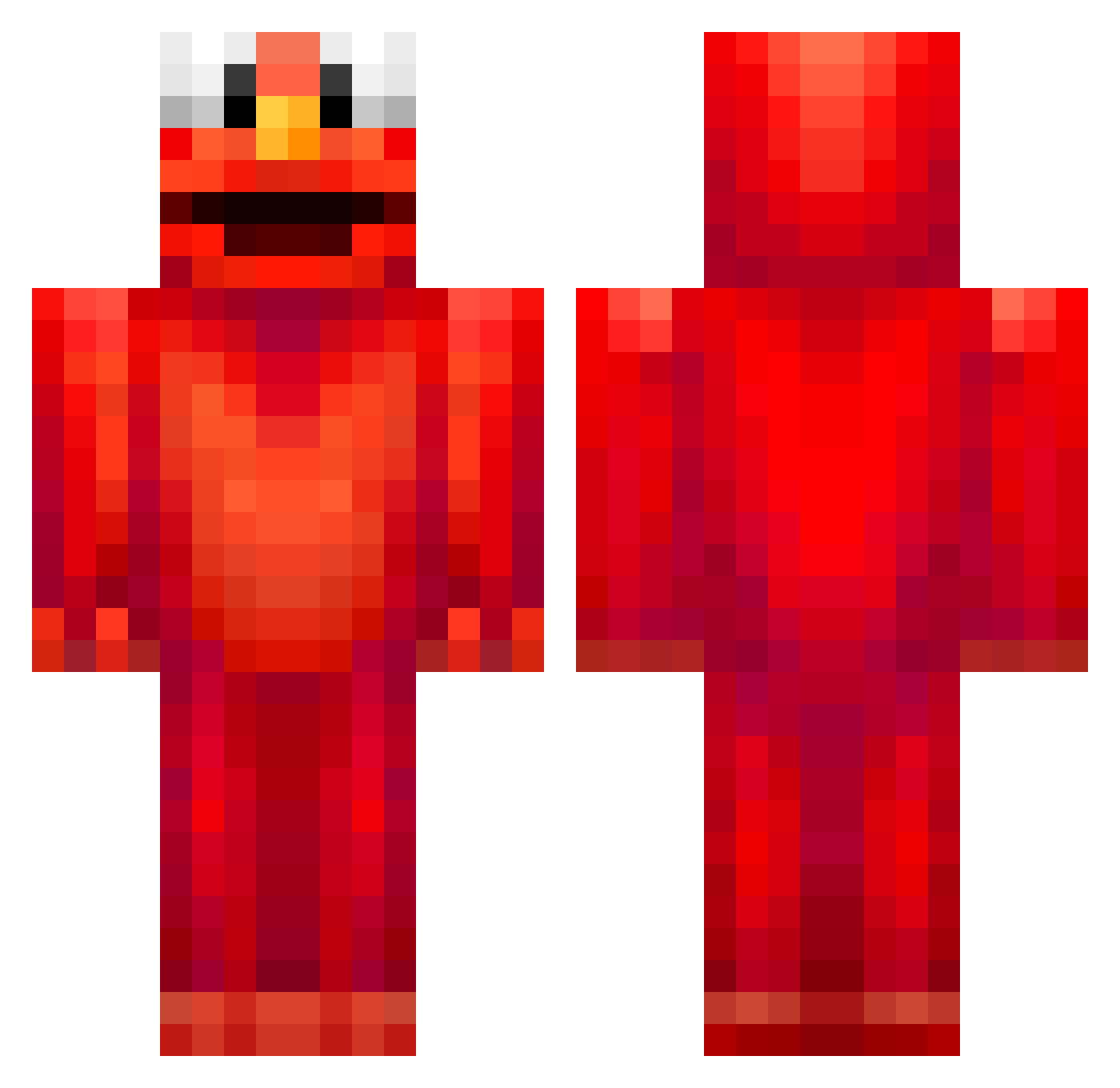
Current Minecraft skin of the player DiplexGerm12, loaded from the official Mojang API. Rotate the 3D model with your mouse or finger, then download the skin as a PNG file and use it in Minecraft: Bedrock Edition or Java Edition for free. When DiplexGerm12 changes their skin, this page updates automatically and the old skin stays in the history below.
Other players with this skin (816)
DiplexGerm12 was the 711th player we have seen with this skin, first spotted on 05.11.2026. The same skin was seen on these players. Open a nickname to see their current skin and skin history.
 ush87 KatyOwen manuelfelipe9 ImDylsXx adamwrght nielsbonh plaiboycarty Bluemoonwarrior1 NickSuzuki eldoda Goshnab Reidiger_035 gaavmor Buttboyoi CoCoMelonisscary Broots G_Gaming matrics0 Doctor_Dingy r0sq Vaporriized_ Kyupreme supersnelnick raymonderkul BryanEO zermies jemoedr1 delko123 Wildhamster211 McCrafty1 BassWalk roberaz98 jzilbek Freeze01 michi2607 Skaiiii 2xgood NarutoXD6583 godlyrebel oodrooq srelleb itsyaboibendik txra3547 _P3PSI_ _Specii hbbbbbbbbbbbb Bongyi69 FiJiflp Flawed_potato iNateNJC laloquera byedayah Slippin_Rickie kanafile123 __Leandertaler__ muteonmc LongWhite69 Whalechow69 forr29 hannahk04
More Elmo Minecraft skins
How to install the DiplexGerm12 skin
- Press the Download button above to save the skin as a PNG file.
- Minecraft: Bedrock Edition (PE): open the Dressing Room from the main menu (or tap your character → Edit Character), go to Classic Skins → Owned, press the + (new skin) button, choose the downloaded PNG and pick the Classic (Steve) model. Works on PC and mobile; consoles cannot import custom skins.
- Minecraft: Java Edition: open the Minecraft Launcher, go to the Skins tab, click New Skin, load the PNG, pick the Classic (Steve) model and press Save & Use. You can also upload it at minecraft.net → Profile → Change Skin.
The skin does not show up after import - what should I do?
Restart Minecraft and open the Dressing Room again - imported skins sometimes appear only after a restart. Also make sure you selected the imported skin and picked the Classic (Steve) model.
Which model should I choose, Classic or Slim?
This skin is designed for the Classic (Steve) model. If you pick the wrong model, the arms of the skin will look stretched or squeezed.
Is the skin of DiplexGerm12 free to download?
Yes. Press Download, save the PNG file and use it in Minecraft: Bedrock Edition or Java Edition - no payment or registration needed. The skin also works on multiplayer servers and Realms.
More skins
Looking for more? Go back to all Minecraft skins and check the top skins of the week, month and all time, or find any player's skin by nickname.