
Dilnate - Minecraft Skins & Skin History
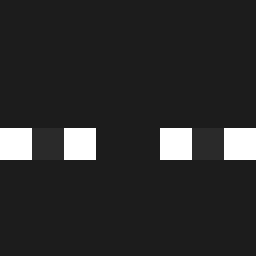
Current Minecraft skin of the player Dilnate, loaded from the official Mojang API. Rotate the 3D model with your mouse or finger, then download the skin as a PNG file and use it in Minecraft: Bedrock Edition or Java Edition for free. When Dilnate changes their skin, this page updates automatically and the old skin stays in the history below.

Other players with this skin (645)
Dilnate was the 540th player we have seen with this skin, first spotted on 04.11.2026. The same skin was seen on these players. Open a nickname to see their current skin and skin history.
 Soyaxel818 mengxing_le Kingyair2013 stefy0 Roeschtie eolvs_ Laricatrem zerofkzz MrPimz kazuminha22 impaokubinaahee Etaa__ _akego_ Ivy_Lol paipex13 Adja21 HabibiBlxcksberg RenardChanceux DKzzzzzz usik450 jaemin0916 somerandomnn OREOWHITE OmegaRyes009 Last_Lay_ ElVik6 durkOWO _Konjac_ RE3KJ d3nizq LuDaGG Lurk__117 Buubies_ nathanfougeray TomasProblem _Orlandinio_ XxXABDUZCANXxX B_aekdu aster0213 Onliwone Matts1608 MeanConejito Xoyes Elusivoriginal AlvareeZzZz dalongcute bhristopherr Menphis01 imnotliah sebamg_ Nuke_701 Pebuux_ Rarereed csg_0308 Epoexy B3ADDD Akimoto1000 _kaser OPPONENT_17 VixFlux
How to install the Dilnate skin
- Press the Download button above to save the skin as a PNG file.
- Minecraft: Bedrock Edition (PE): open the Dressing Room from the main menu (or tap your character → Edit Character), go to Classic Skins → Owned, press the + (new skin) button, choose the downloaded PNG and pick the Classic (Steve) model. Works on PC and mobile; consoles cannot import custom skins.
- Minecraft: Java Edition: open the Minecraft Launcher, go to the Skins tab, click New Skin, load the PNG, pick the Classic (Steve) model and press Save & Use. You can also upload it at minecraft.net → Profile → Change Skin.
The skin does not show up after import - what should I do?
Restart Minecraft and open the Dressing Room again - imported skins sometimes appear only after a restart. Also make sure you selected the imported skin and picked the Classic (Steve) model.
Which model should I choose, Classic or Slim?
This skin is designed for the Classic (Steve) model. If you pick the wrong model, the arms of the skin will look stretched or squeezed.
Is the skin of Dilnate free to download?
Yes. Press Download, save the PNG file and use it in Minecraft: Bedrock Edition or Java Edition - no payment or registration needed. The skin also works on multiplayer servers and Realms.
More skins
Looking for more? Go back to all Minecraft skins and check the top skins of the week, month and all time, or find any player's skin by nickname.