
DikkeAMG - Minecraft Skins & Skin History
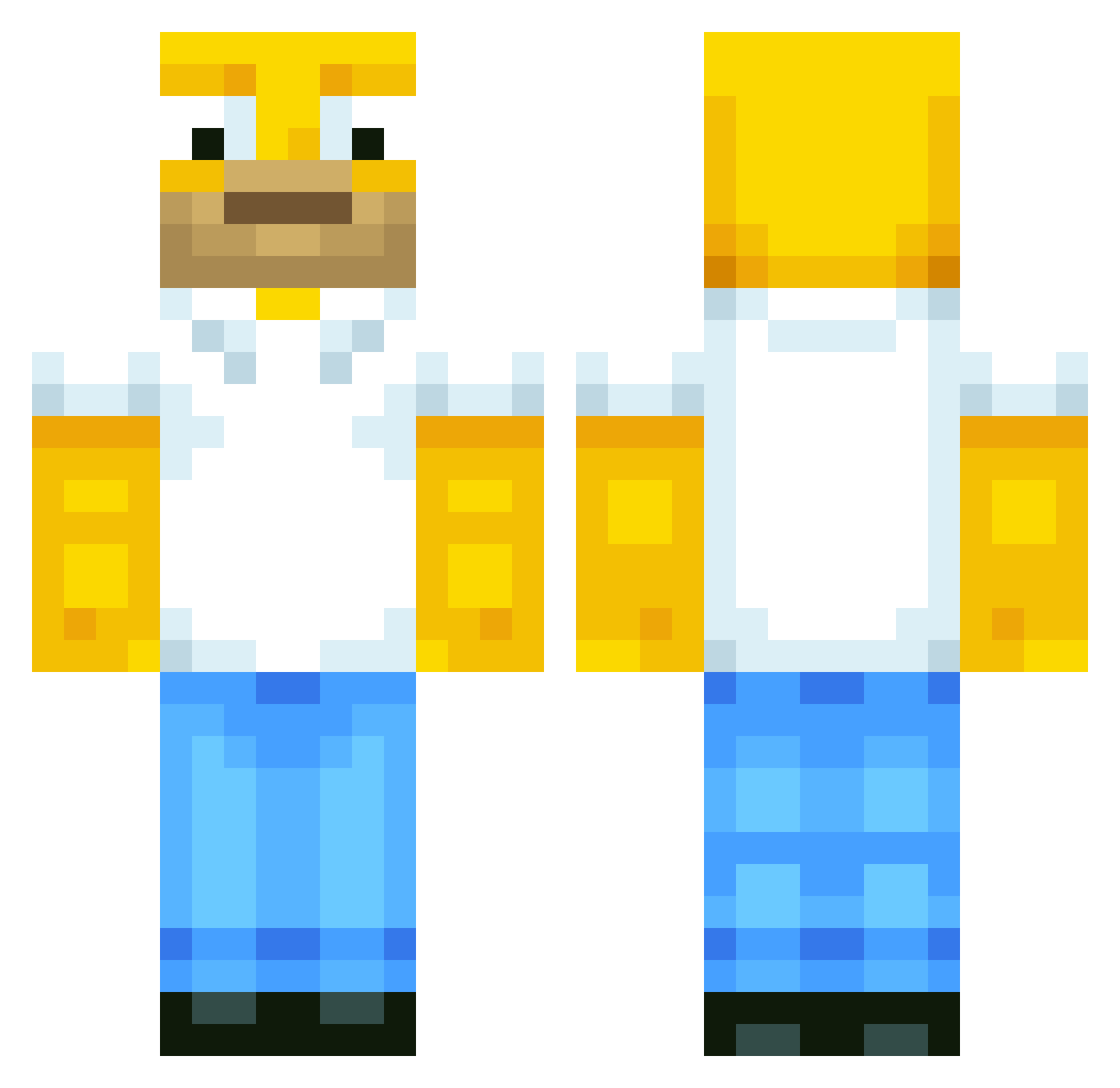
Current Minecraft skin of the player DikkeAMG, loaded from the official Mojang API. Rotate the 3D model with your mouse or finger, then download the skin as a PNG file and use it in Minecraft: Bedrock Edition or Java Edition for free. When DikkeAMG changes their skin, this page updates automatically and the old skin stays in the history below.
Other players with this skin (514)
DikkeAMG was the 196th player we have seen with this skin, first spotted on 31.08.2026. The same skin was seen on these players. Open a nickname to see their current skin and skin history.
 manny1984 Frenchie125 Powore92 Diablo85 wetsimon PaLuken Kilblack Jkingy GLOWINGLIGHT59 KingValou cherboul cadz200 HornyDoge mushu93 Ksoeur2Q Homer_1 Wilmetqw Azzel14 alvelli06 legend_of_dirt jerryboy1111 Vodkai Daveian71 ENoergaard mezmer _MrJackGuy_ hotboy37 PatrickDD249 EMTec13 Just_Kwiist Groot_76 jonath703 D3VIL_OMG 0do viktor_270499 mikkellapp Xson44 Matrix117 Black_Jesus1 Cbianchi2002 lNiggo homer1234567 zombiefromnike10 Psychedelicx Zombatron12 doktorlucas misteurcassoulet AutoHotKey afratos BrenoNaves Buffey123 TornadoTazz maxjoe05 Retr0ns LEGENDofFUTURE xyattax Kodon crashworth26 Popielatte archiebro
More Homer Simpson Minecraft skins
See all 284 Homer Simpson skins
How to install the DikkeAMG skin
- Press the Download button above to save the skin as a PNG file.
- Minecraft: Bedrock Edition (PE): open the Dressing Room from the main menu (or tap your character → Edit Character), go to Classic Skins → Owned, press the + (new skin) button, choose the downloaded PNG and pick the Classic (Steve) model. Works on PC and mobile; consoles cannot import custom skins.
- Minecraft: Java Edition: open the Minecraft Launcher, go to the Skins tab, click New Skin, load the PNG, pick the Classic (Steve) model and press Save & Use. You can also upload it at minecraft.net → Profile → Change Skin.
The skin does not show up after import - what should I do?
Restart Minecraft and open the Dressing Room again - imported skins sometimes appear only after a restart. Also make sure you selected the imported skin and picked the Classic (Steve) model.
Which model should I choose, Classic or Slim?
This skin is designed for the Classic (Steve) model. If you pick the wrong model, the arms of the skin will look stretched or squeezed.
Is the skin of DikkeAMG free to download?
Yes. Press Download, save the PNG file and use it in Minecraft: Bedrock Edition or Java Edition - no payment or registration needed. The skin also works on multiplayer servers and Realms.
More skins
Looking for more? Go back to all Minecraft skins and check the top skins of the week, month and all time, or find any player's skin by nickname.