
Dewie_01 - Minecraft Skins & Skin History
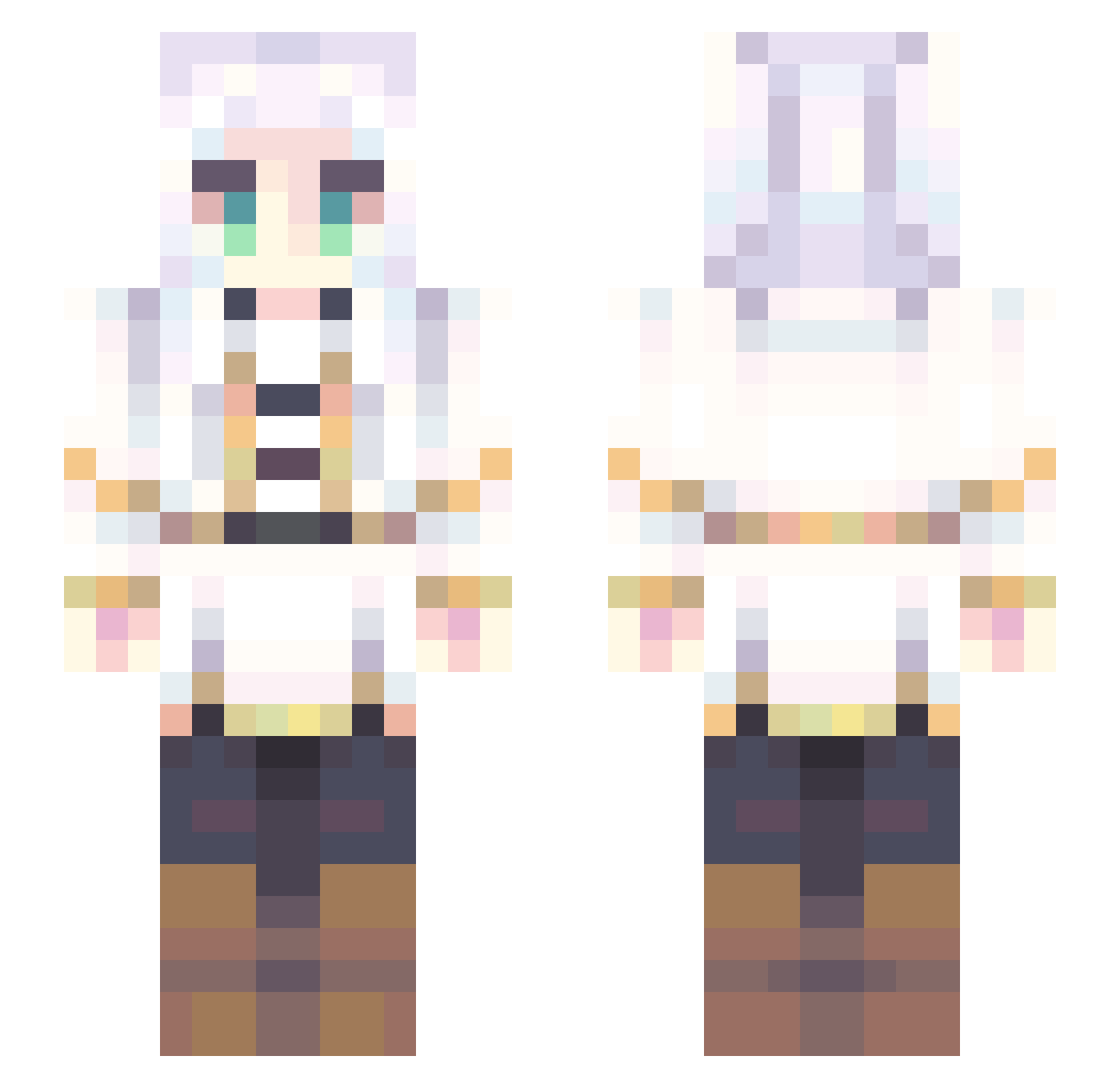
Current Minecraft skin of the player Dewie_01, loaded from the official Mojang API. Rotate the 3D model with your mouse or finger, then download the skin as a PNG file and use it in Minecraft: Bedrock Edition or Java Edition for free. When Dewie_01 changes their skin, this page updates automatically and the old skin stays in the history below.
Other players with this skin (861)
Dewie_01 was the 730th player we have seen with this skin, first spotted on 03.11.2026. The same skin was seen on these players. Open a nickname to see their current skin and skin history.
 ExtremSalty Ahnyoa Sakura6140 SeuSergio FilthyWeab00 sofiamdl Se1shin B1G_EMIL ProKat92 bluesky1226 sir_duckus12 Striker1951 Velar__ nuchoppa Ieooo so_so_no_frieren timpoppo gumbwoiii Negaroni eMmrld Ravnz Dragiam Player1One Nuttsuchi ChyMlve Legend0799 Arcudax BeastKilla742 cytambor SonicJackson Haise_117 MsJxde RealKimestuKun mahrz_ WDYFSD Doppiodesu07 Alvinius_II sakura589 Weeby_kun LOTOOOOOOOOOOOOO CommanderNomad17 Amindoim pudDing0328 MotDB kuroshi007 H813131313131313 YepHek PactoMortal Shiro_O3O Folivora720 Imhinano Cybercat91 John08c mylenedreams oPedro24 AlexTheSurvivor K4ddle Arancino_008 walnuts31 BigGrim1234
More Fantasy Minecraft skins
How to install the Dewie_01 skin
- Press the Download button above to save the skin as a PNG file.
- Minecraft: Bedrock Edition (PE): open the Dressing Room from the main menu (or tap your character → Edit Character), go to Classic Skins → Owned, press the + (new skin) button, choose the downloaded PNG and pick the Slim (Alex) model. Works on PC and mobile; consoles cannot import custom skins.
- Minecraft: Java Edition: open the Minecraft Launcher, go to the Skins tab, click New Skin, load the PNG, pick the Slim (Alex) model and press Save & Use. You can also upload it at minecraft.net → Profile → Change Skin.
The skin does not show up after import - what should I do?
Restart Minecraft and open the Dressing Room again - imported skins sometimes appear only after a restart. Also make sure you selected the imported skin and picked the Slim (Alex) model.
Which model should I choose, Classic or Slim?
This skin is designed for the Slim (Alex) model. If you pick the wrong model, the arms of the skin will look stretched or squeezed.
Is the skin of Dewie_01 free to download?
Yes. Press Download, save the PNG file and use it in Minecraft: Bedrock Edition or Java Edition - no payment or registration needed. The skin also works on multiplayer servers and Realms.
More skins
Looking for more? Go back to all Minecraft skins and check the top skins of the week, month and all time, or find any player's skin by nickname.