
Devoroooo - Minecraft Skins & Skin History
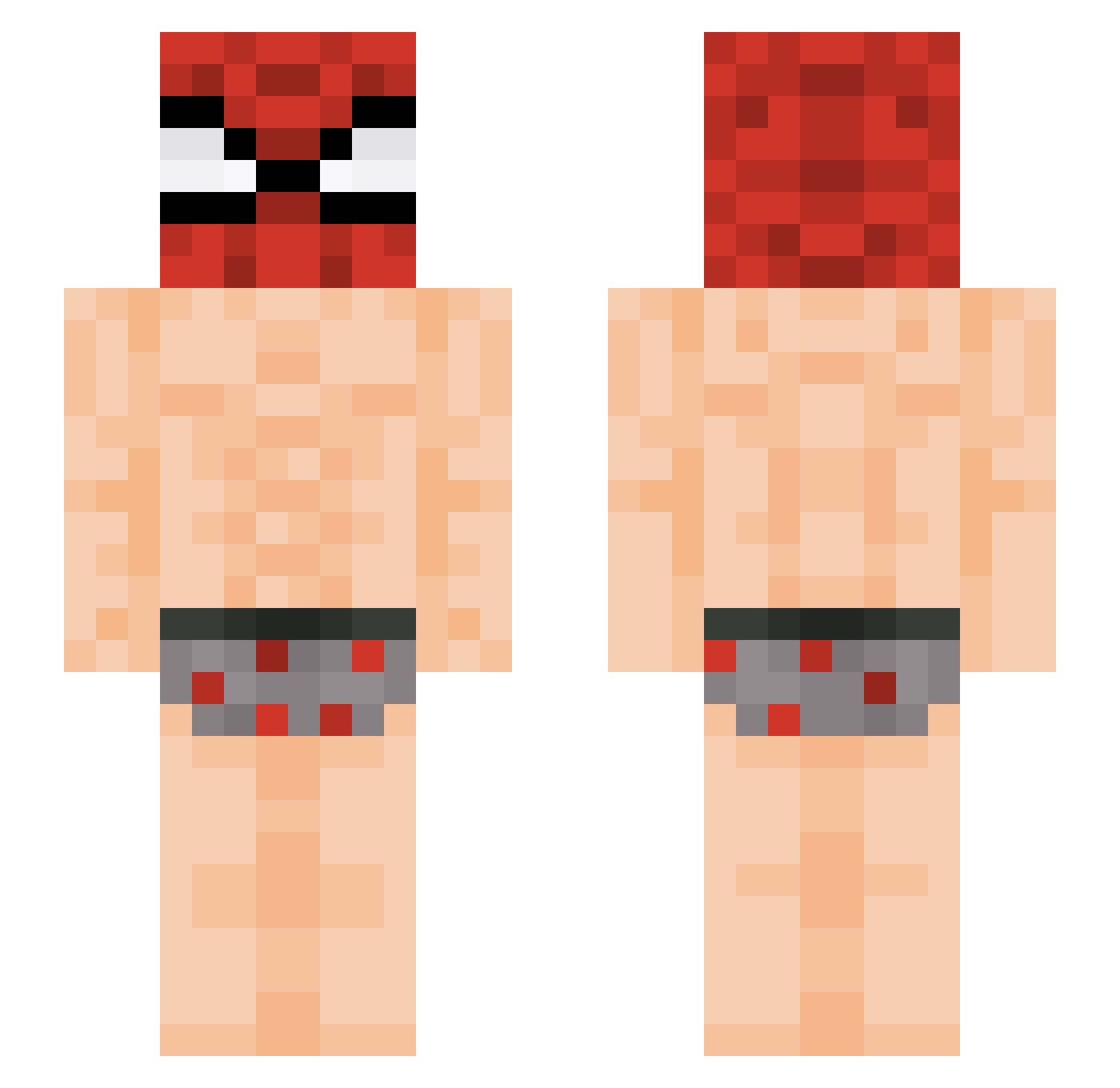
Current Minecraft skin of the player Devoroooo, loaded from the official Mojang API. Rotate the 3D model with your mouse or finger, then download the skin as a PNG file and use it in Minecraft: Bedrock Edition or Java Edition for free. When Devoroooo changes their skin, this page updates automatically and the old skin stays in the history below.
Other players with this skin (524)
Devoroooo was the 440th player we have seen with this skin, first spotted on 02.11.2026. The same skin was seen on these players. Open a nickname to see their current skin and skin history.
 sebsg0d GatitoRex50 PETER_L22 Daxxiee SHadowace010 Paw3lQ Balls_Moment Maxgamer12399 Chungit SigmaBIMBIM UtenteXIV kzwyy iamyourdaddynavv shreckpack7987 qsiAFK timtim78 sproutpotatoman jin_seo1010 Lasthroth Smalli_ sencle elnegrito_1022 PrinterP4per alxevi VicenteDs3 Requils_ _strefka Komakura55 Glomzi fulltilt55 Keshtato Ksiangryy Werrsety Myeong123 09457751325 kecapie kirei1 Sebal1902 tellmeyourtale monkee80 Mattceo Golden9Se 7cool Adielette wonyop SybreYT Stephiana_Grande Niko23234 _Guizinh0 Cryllionaire1 MaddHatter1214 jokmapoule _J4yZ gucio__ antoni123456 liorking135 SockSmeller420 Cape3715 HLR2111 Jaxy11_
More Spider Man Minecraft skins
How to install the Devoroooo skin
- Press the Download button above to save the skin as a PNG file.
- Minecraft: Bedrock Edition (PE): open the Dressing Room from the main menu (or tap your character → Edit Character), go to Classic Skins → Owned, press the + (new skin) button, choose the downloaded PNG and pick the Slim (Alex) model. Works on PC and mobile; consoles cannot import custom skins.
- Minecraft: Java Edition: open the Minecraft Launcher, go to the Skins tab, click New Skin, load the PNG, pick the Slim (Alex) model and press Save & Use. You can also upload it at minecraft.net → Profile → Change Skin.
The skin does not show up after import - what should I do?
Restart Minecraft and open the Dressing Room again - imported skins sometimes appear only after a restart. Also make sure you selected the imported skin and picked the Slim (Alex) model.
Which model should I choose, Classic or Slim?
This skin is designed for the Slim (Alex) model. If you pick the wrong model, the arms of the skin will look stretched or squeezed.
Is the skin of Devoroooo free to download?
Yes. Press Download, save the PNG file and use it in Minecraft: Bedrock Edition or Java Edition - no payment or registration needed. The skin also works on multiplayer servers and Realms.
More skins
Looking for more? Go back to all Minecraft skins and check the top skins of the week, month and all time, or find any player's skin by nickname.