
Detrite - Minecraft Skins & Skin History
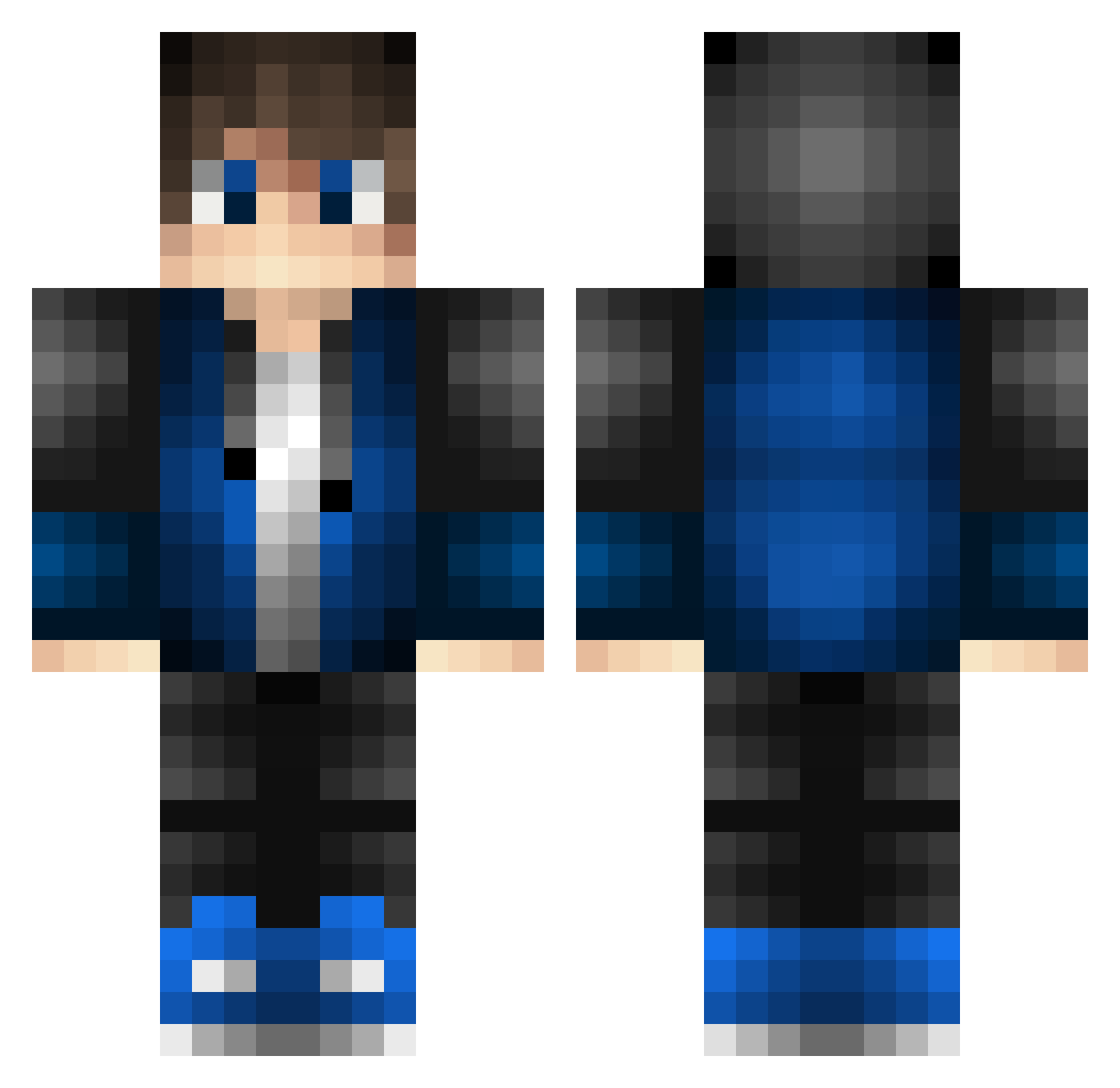
Current Minecraft skin of the player Detrite, loaded from the official Mojang API. Rotate the 3D model with your mouse or finger, then download the skin as a PNG file and use it in Minecraft: Bedrock Edition or Java Edition for free. When Detrite changes their skin, this page updates automatically and the old skin stays in the history below.
Other players with this skin (639)
Detrite was the 563rd player we have seen with this skin, first spotted on 06.11.2026. The same skin was seen on these players. Open a nickname to see their current skin and skin history.
 yunsang25 robinkoend NoNameUsernamee Asht0n__ Onirox KyleV17 mattcb12 RedDragOmar CfJr Ncleatry Mohamedi13 lukss5 ThePLayer5 Brennerdog FNQOGVG FrozenSight MutatedDarkness Aeroz135 KUXUE923 robbot12 Ts1100 Maurice1907 xFaridd MrSpoonker poppo1327 mak01live Vester0120 frank3663 Bauer_007 shigan410 flori000 ytysummer Money_GG keirwarren wjdahrdnjs140327 Storyu03 VenomISR7 Casper50 Jlopez97 akira0205 USA1BOUND1 Gerrie40 VossenKresreb LostRaidon Lws_99 Wu0829 _M1DN1GH7_ ciociok Crew2master9 Baldr1660 Max27002 Albeko12 K_GAMER007 ThatJacobGuy8810 Emeneror JVzinBR12 Jstill_41 freeowl Brandi1981 kislakv2
How to install the Detrite skin
- Press the Download button above to save the skin as a PNG file.
- Minecraft: Bedrock Edition (PE): open the Dressing Room from the main menu (or tap your character → Edit Character), go to Classic Skins → Owned, press the + (new skin) button, choose the downloaded PNG and pick the Classic (Steve) model. Works on PC and mobile; consoles cannot import custom skins.
- Minecraft: Java Edition: open the Minecraft Launcher, go to the Skins tab, click New Skin, load the PNG, pick the Classic (Steve) model and press Save & Use. You can also upload it at minecraft.net → Profile → Change Skin.
The skin does not show up after import - what should I do?
Restart Minecraft and open the Dressing Room again - imported skins sometimes appear only after a restart. Also make sure you selected the imported skin and picked the Classic (Steve) model.
Which model should I choose, Classic or Slim?
This skin is designed for the Classic (Steve) model. If you pick the wrong model, the arms of the skin will look stretched or squeezed.
Is the skin of Detrite free to download?
Yes. Press Download, save the PNG file and use it in Minecraft: Bedrock Edition or Java Edition - no payment or registration needed. The skin also works on multiplayer servers and Realms.
More skins
Looking for more? Go back to all Minecraft skins and check the top skins of the week, month and all time, or find any player's skin by nickname.