
DestroiTank - Minecraft Skins & Skin History
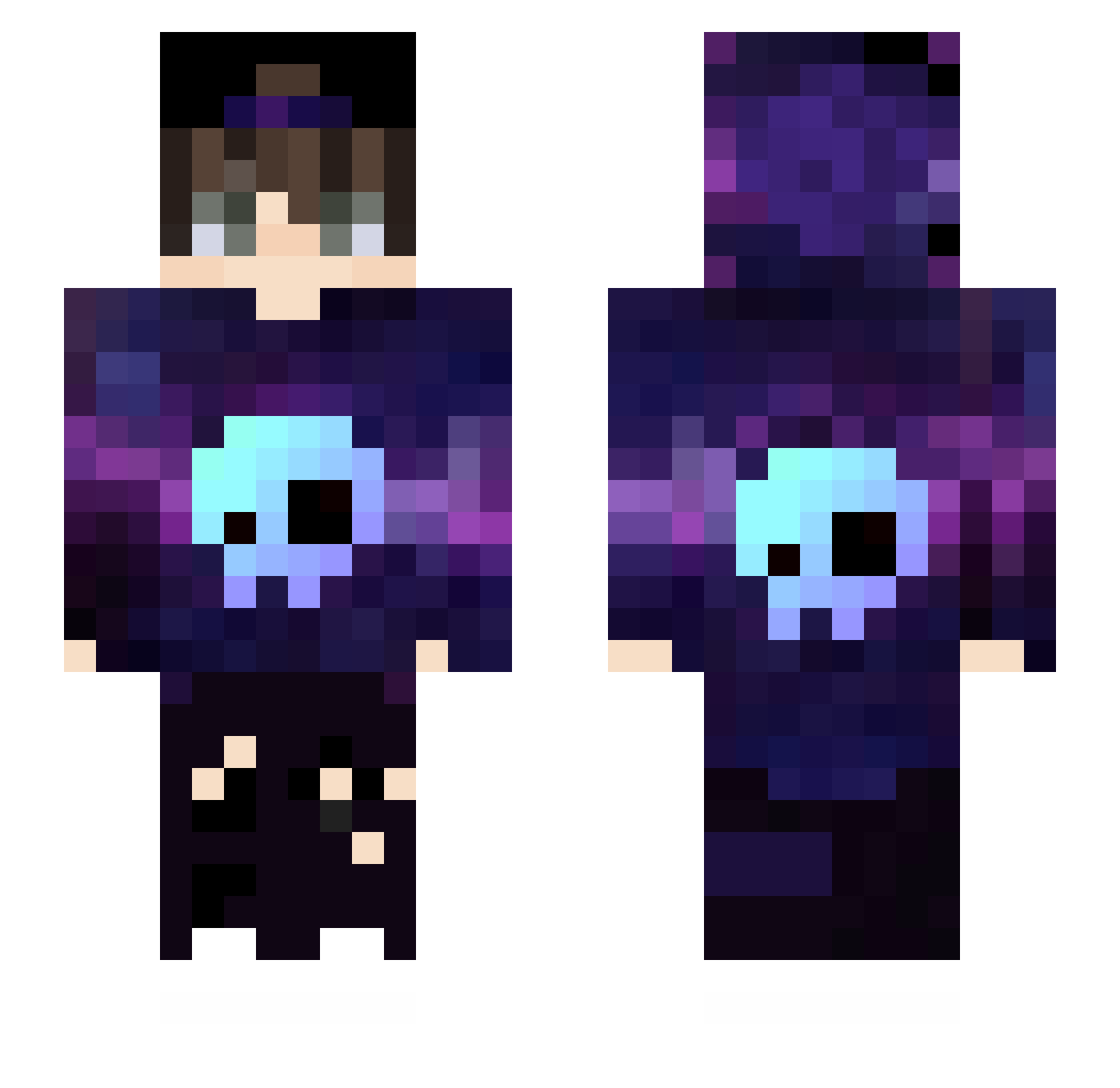
Current Minecraft skin of the player DestroiTank, loaded from the official Mojang API. Rotate the 3D model with your mouse or finger, then download the skin as a PNG file and use it in Minecraft: Bedrock Edition or Java Edition for free. When DestroiTank changes their skin, this page updates automatically and the old skin stays in the history below.
Other players with this skin (626)
DestroiTank was the 602nd player we have seen with this skin, first spotted on 15.11.2026. The same skin was seen on these players. Open a nickname to see their current skin and skin history.
 KulhmannTV Elias1708 alexnba11 ElPakka Mendelord74 Exe3nic Sholdzin Dark_Cyfra Aspilowin weilan123 Fildaaaa zLuide Aeruthilon SifonLP GabrielGms1227 Sauzekt1 Lakshya_L SmokeBud Kaoss09 PLAYBOIAMV Tara_TDM_MINER_ Nytrixabi OptisticYT Ethan_Peng NotopFred pengkoo Gabielz zzang_h Minou266 ToxicMage4725 GoldAtackzera DISTRA2 abody3234 Addii_1 adner Karolek9909 Ferx28 Falson_oneboll_ lucaogamepray Halpag0 R3N4N_00 PablixBr_17 PEAKHONOUR pontinha46 00000___00000 RokiOne ThaiTuHoTran brownbeetle Zero0Dawn EmreNW Jack49 boboy702 sunnyh Nuno3178 UrielLara13 Daniel1JustGames xxsamBR kazuchun Vishwaaaa rlaehdrl27
More Skull Minecraft skins
How to install the DestroiTank skin
- Press the Download button above to save the skin as a PNG file.
- Minecraft: Bedrock Edition (PE): open the Dressing Room from the main menu (or tap your character → Edit Character), go to Classic Skins → Owned, press the + (new skin) button, choose the downloaded PNG and pick the Slim (Alex) model. Works on PC and mobile; consoles cannot import custom skins.
- Minecraft: Java Edition: open the Minecraft Launcher, go to the Skins tab, click New Skin, load the PNG, pick the Slim (Alex) model and press Save & Use. You can also upload it at minecraft.net → Profile → Change Skin.
The skin does not show up after import - what should I do?
Restart Minecraft and open the Dressing Room again - imported skins sometimes appear only after a restart. Also make sure you selected the imported skin and picked the Slim (Alex) model.
Which model should I choose, Classic or Slim?
This skin is designed for the Slim (Alex) model. If you pick the wrong model, the arms of the skin will look stretched or squeezed.
Is the skin of DestroiTank free to download?
Yes. Press Download, save the PNG file and use it in Minecraft: Bedrock Edition or Java Edition - no payment or registration needed. The skin also works on multiplayer servers and Realms.
More skins
Looking for more? Go back to all Minecraft skins and check the top skins of the week, month and all time, or find any player's skin by nickname.