
Desertbomber26 - Minecraft Skins & Skin History
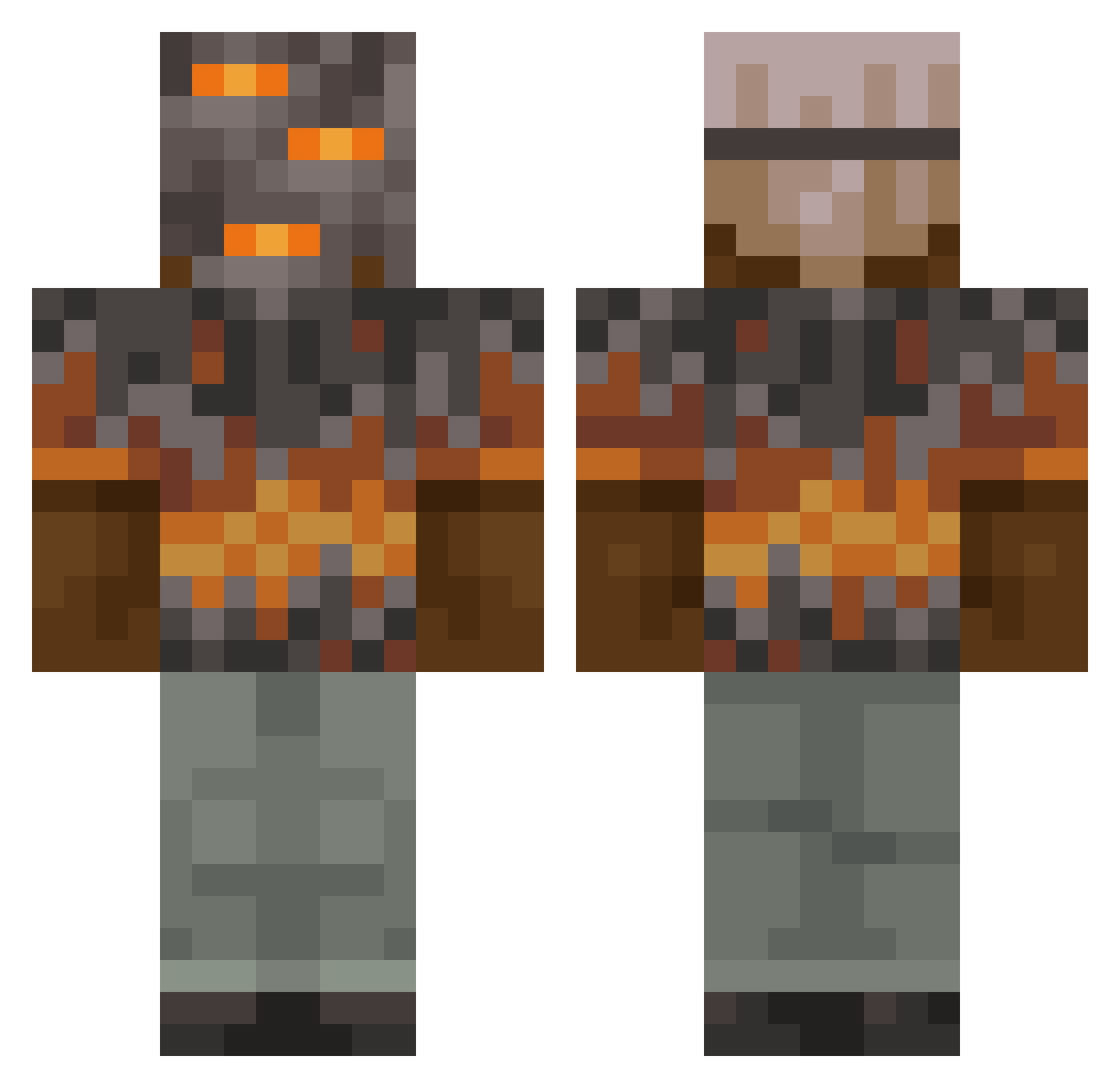
Current Minecraft skin of the player Desertbomber26, loaded from the official Mojang API. Rotate the 3D model with your mouse or finger, then download the skin as a PNG file and use it in Minecraft: Bedrock Edition or Java Edition for free. When Desertbomber26 changes their skin, this page updates automatically and the old skin stays in the history below.
Other players with this skin (1033)
Desertbomber26 was the 835th player we have seen with this skin, first spotted on 20.10.2026. The same skin was seen on these players. Open a nickname to see their current skin and skin history.
 BurntCrispyFish BADKARET flow168 BigStompy speedywildcraft RockHyperion502 TheCashanova Locface Kvestein SoulViper89 pijusw Mckid105 3HCL1HNO3_ coolgods Chaos__god henryhenryhfhfhf yo2joepat Xman1439 Zekled uzxw Soultrout DylieGuz generalpain45 Mathdonut macnalsarang Gr8_Day Erdynas TwitchyTucker SunnytheLight547 agusgodp DANIEL_BG Xtimesbig oliundrene thebiggestboy09 manddunee BeastPlayz817 guhidk fr0nz1lla CrimsonFlame6653 nulik_e32 Gedx maximilien___ FestiveAutistic MarukoPog Rommsi Alpha_16_ infernoknight212 marylou_ MoonManMejia Rockah98 LostSoldier05 Abu_Saeed_503 WatchingYouPee mmm30306 MajesticEagle NXL200 yjw0803 lightning2679 NightOwlzz Mrbean1804
More Rock Minecraft skins
How to install the Desertbomber26 skin
- Press the Download button above to save the skin as a PNG file.
- Minecraft: Bedrock Edition (PE): open the Dressing Room from the main menu (or tap your character → Edit Character), go to Classic Skins → Owned, press the + (new skin) button, choose the downloaded PNG and pick the Classic (Steve) model. Works on PC and mobile; consoles cannot import custom skins.
- Minecraft: Java Edition: open the Minecraft Launcher, go to the Skins tab, click New Skin, load the PNG, pick the Classic (Steve) model and press Save & Use. You can also upload it at minecraft.net → Profile → Change Skin.
The skin does not show up after import - what should I do?
Restart Minecraft and open the Dressing Room again - imported skins sometimes appear only after a restart. Also make sure you selected the imported skin and picked the Classic (Steve) model.
Which model should I choose, Classic or Slim?
This skin is designed for the Classic (Steve) model. If you pick the wrong model, the arms of the skin will look stretched or squeezed.
Is the skin of Desertbomber26 free to download?
Yes. Press Download, save the PNG file and use it in Minecraft: Bedrock Edition or Java Edition - no payment or registration needed. The skin also works on multiplayer servers and Realms.
More skins
Looking for more? Go back to all Minecraft skins and check the top skins of the week, month and all time, or find any player's skin by nickname.