
DerinaktiveTyp - Minecraft Skins & Skin History
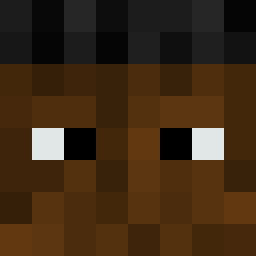
Current Minecraft skin of the player DerinaktiveTyp, loaded from the official Mojang API. Rotate the 3D model with your mouse or finger, then download the skin as a PNG file and use it in Minecraft: Bedrock Edition or Java Edition for free. When DerinaktiveTyp changes their skin, this page updates automatically and the old skin stays in the history below.

Other players with this skin (389)
DerinaktiveTyp was the 38th player we have seen with this skin, first spotted on 02.08.2026. The same skin was seen on these players. Open a nickname to see their current skin and skin history.
 squishyboy0816 Boja_Fran baelr
 kieranmkv canoepus tfme Malte_123456 Sumkri _____D____ BlazXyt
 Beast5588 BOSSKSA0 ClappedUrSis Naqua560 aaronkim2011 uhmlet baekken_ kungfucreeper34 NoFillter X_NIGHTMXRE_X CapsyQQ ningonig TrueAlpha776293 _babak_ LPGS 2nice4youm8 nrao64 MAXERGANG gyasca __kaczka1__ AVOIDDUI smax207 OmegaImagine Mcrtiin Flux33y iSpy8898 Scythres Hussey_da_pu Urces1 ProtectorVex_not Dragon_Yellow Ype_On_Fire thatshilarious stupidxpsycho Chriian_ gabezagoat Axxis1972 TylerCoolkid01 x1ako pokefabi CrazyBaller GucciSkids MensRestroom_ rajamylly7 idkgoodusername serescene selppab Boonae ayromoon twis_chance
How to install the DerinaktiveTyp skin
- Press the Download button above to save the skin as a PNG file.
- Minecraft: Bedrock Edition (PE): open the Dressing Room from the main menu (or tap your character → Edit Character), go to Classic Skins → Owned, press the + (new skin) button, choose the downloaded PNG and pick the Classic (Steve) model. Works on PC and mobile; consoles cannot import custom skins.
- Minecraft: Java Edition: open the Minecraft Launcher, go to the Skins tab, click New Skin, load the PNG, pick the Classic (Steve) model and press Save & Use. You can also upload it at minecraft.net → Profile → Change Skin.
The skin does not show up after import - what should I do?
Restart Minecraft and open the Dressing Room again - imported skins sometimes appear only after a restart. Also make sure you selected the imported skin and picked the Classic (Steve) model.
Which model should I choose, Classic or Slim?
This skin is designed for the Classic (Steve) model. If you pick the wrong model, the arms of the skin will look stretched or squeezed.
Is the skin of DerinaktiveTyp free to download?
Yes. Press Download, save the PNG file and use it in Minecraft: Bedrock Edition or Java Edition - no payment or registration needed. The skin also works on multiplayer servers and Realms.
More skins
Looking for more? Go back to all Minecraft skins and check the top skins of the week, month and all time, or find any player's skin by nickname.