
DerNussis - Minecraft Skins & Skin History
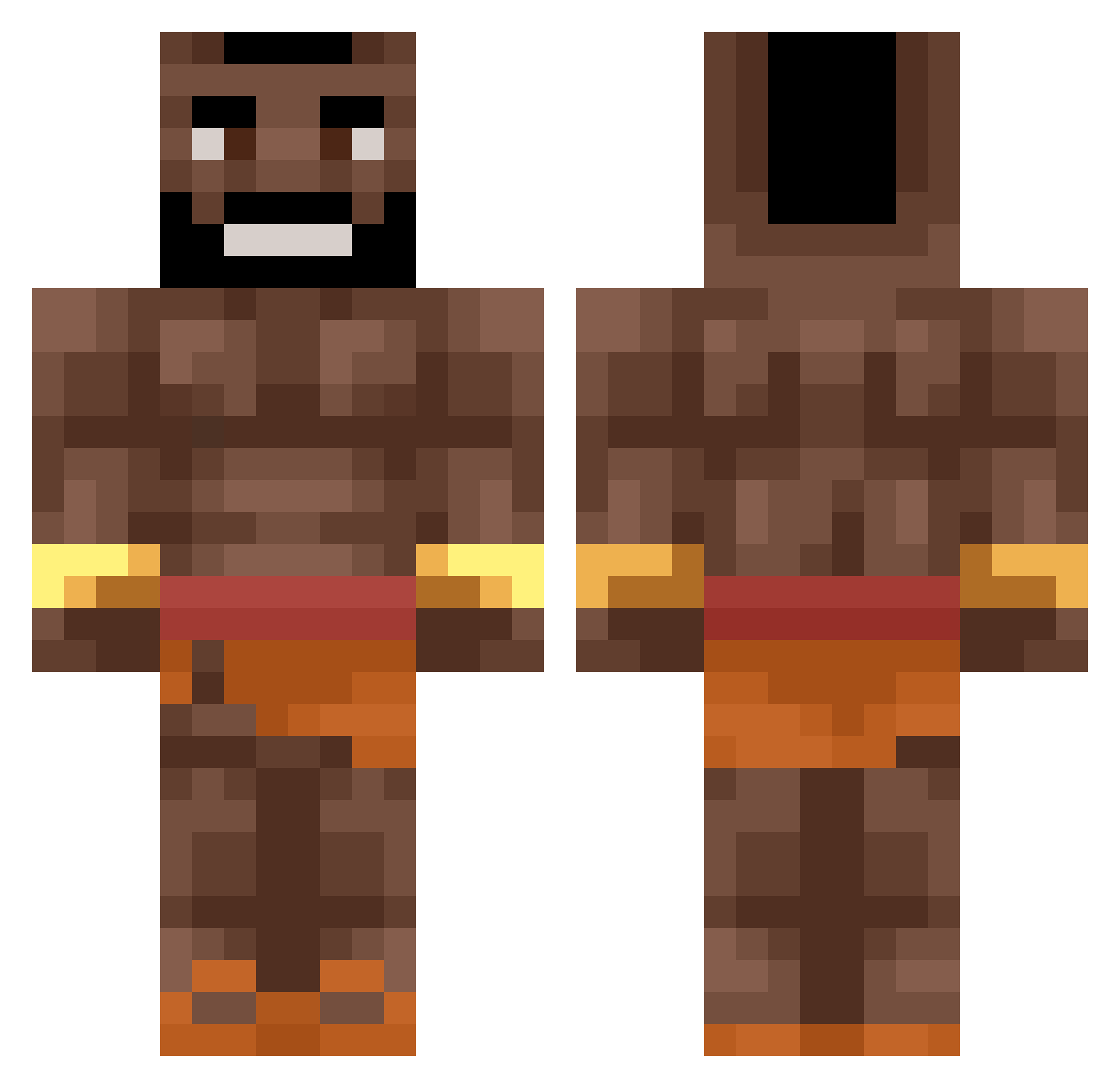
Current Minecraft skin of the player DerNussis, loaded from the official Mojang API. Rotate the 3D model with your mouse or finger, then download the skin as a PNG file and use it in Minecraft: Bedrock Edition or Java Edition for free. When DerNussis changes their skin, this page updates automatically and the old skin stays in the history below.
Other players with this skin (656)
DerNussis was the 630th player we have seen with this skin, first spotted on 14.11.2026. The same skin was seen on these players. Open a nickname to see their current skin and skin history.
 elansho UtkuDogru bandit14 CzarnyRzuf Sansansanjay Ozakipo williamnilse2 HeroKaan1 Szaman_276 Kadelxx KieronG_97 Sirakk Karp49 Kewiso Joschleeeee Alejandromagno24 CalxZZ koos_kansloos Offset099 Nikansol Swabbit xKosko RealTalubansky OozyMitten73809 semvanerp Fancyy69 kinhgz23 stnkyyy ravlusse WellOpossum yjm_12 MetroBombin Aricus ricoq luki2458 GreenBean89 bobytundee arnaucp5 ControChip Syaz_SnipezZ Fudy0519 RafCastelo Theblueboyfitz kittenwover Angelo0605 gaystore_ru mutlu_donerpat1 BigXthaPillager Toonichocolony merxxxx DarkzzKnight mortalthrone869 Spidermanden BockieDockie kiebski21 Isak6 Odi_Odyssey Sav0110 TP_Diego imUrHukklberry
More Actor Minecraft skins
How to install the DerNussis skin
- Press the Download button above to save the skin as a PNG file.
- Minecraft: Bedrock Edition (PE): open the Dressing Room from the main menu (or tap your character → Edit Character), go to Classic Skins → Owned, press the + (new skin) button, choose the downloaded PNG and pick the Classic (Steve) model. Works on PC and mobile; consoles cannot import custom skins.
- Minecraft: Java Edition: open the Minecraft Launcher, go to the Skins tab, click New Skin, load the PNG, pick the Classic (Steve) model and press Save & Use. You can also upload it at minecraft.net → Profile → Change Skin.
The skin does not show up after import - what should I do?
Restart Minecraft and open the Dressing Room again - imported skins sometimes appear only after a restart. Also make sure you selected the imported skin and picked the Classic (Steve) model.
Which model should I choose, Classic or Slim?
This skin is designed for the Classic (Steve) model. If you pick the wrong model, the arms of the skin will look stretched or squeezed.
Is the skin of DerNussis free to download?
Yes. Press Download, save the PNG file and use it in Minecraft: Bedrock Edition or Java Edition - no payment or registration needed. The skin also works on multiplayer servers and Realms.
More skins
Looking for more? Go back to all Minecraft skins and check the top skins of the week, month and all time, or find any player's skin by nickname.