
DerDenizYT - Minecraft Skins & Skin History
Current Minecraft skin of the player DerDenizYT, loaded from the official Mojang API. Rotate the 3D model with your mouse or finger, then download the skin as a PNG file and use it in Minecraft: Bedrock Edition or Java Edition for free. When DerDenizYT changes their skin, this page updates automatically and the old skin stays in the history below.
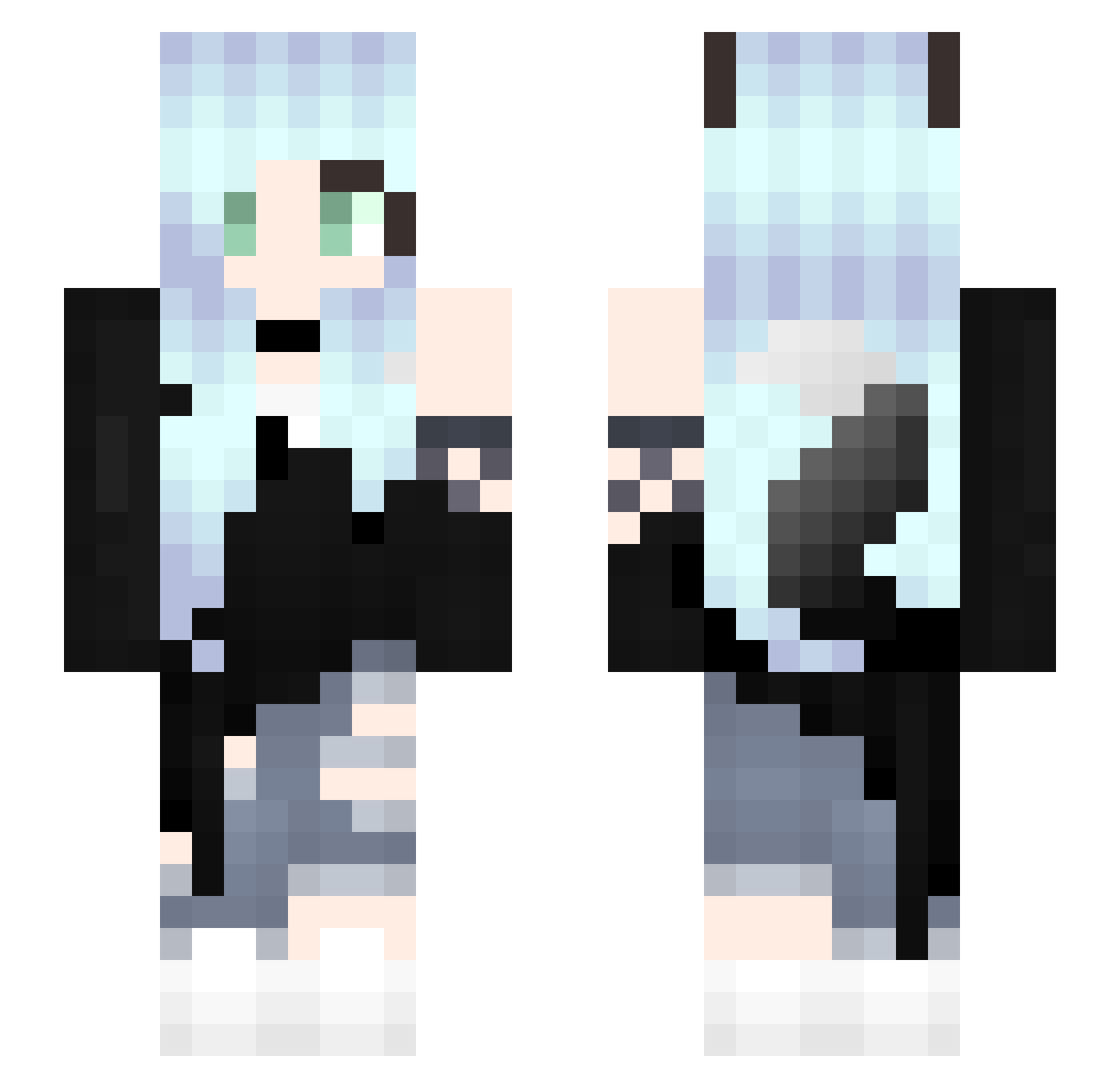
Other players with this skin (46)
DerDenizYT was the 25th player we have seen with this skin, first spotted on 08.09.2026. The same skin was seen on these players. Open a nickname to see their current skin and skin history.
 Fionasharkbard MaionGraph Leennaaa HoneyBloom_NL Nanatouka TheShizzlemop vtagaming Raffiene mananchaya PomVody sophiaz999 MagicZiege22 Miss_Namjoon slimkey102 Princess_Ame minderjaehrig Yoshi44Yoshi XxRaquelxX Pinkie357 Yuikek Tabernack SquidgyIzzy BEBEKA jellyfish_s Promillifee vglsgov NA4GU _Liiyu_ Jyni NoobidiNoob34 akatukix Kyra_Nicole ii_niko UnicornMila Dream_Child Louisa_08 blockman070 KillerOlii meeshome Denis_Rus xJOPAx Minxxty _MookZa_ FNIA_Mangle MaxUnder bruinewasbeer
More Fox Ears Minecraft skins
How to install the DerDenizYT skin
- Press the Download button above to save the skin as a PNG file.
- Minecraft: Bedrock Edition (PE): open the Dressing Room from the main menu (or tap your character → Edit Character), go to Classic Skins → Owned, press the + (new skin) button, choose the downloaded PNG and pick the Slim (Alex) model. Works on PC and mobile; consoles cannot import custom skins.
- Minecraft: Java Edition: open the Minecraft Launcher, go to the Skins tab, click New Skin, load the PNG, pick the Slim (Alex) model and press Save & Use. You can also upload it at minecraft.net → Profile → Change Skin.
The skin does not show up after import - what should I do?
Restart Minecraft and open the Dressing Room again - imported skins sometimes appear only after a restart. Also make sure you selected the imported skin and picked the Slim (Alex) model.
Which model should I choose, Classic or Slim?
This skin is designed for the Slim (Alex) model. If you pick the wrong model, the arms of the skin will look stretched or squeezed.
Is the skin of DerDenizYT free to download?
Yes. Press Download, save the PNG file and use it in Minecraft: Bedrock Edition or Java Edition - no payment or registration needed. The skin also works on multiplayer servers and Realms.
More skins
Looking for more? Go back to all Minecraft skins and check the top skins of the week, month and all time, or find any player's skin by nickname.