
DerBasco - Minecraft Skins & Skin History
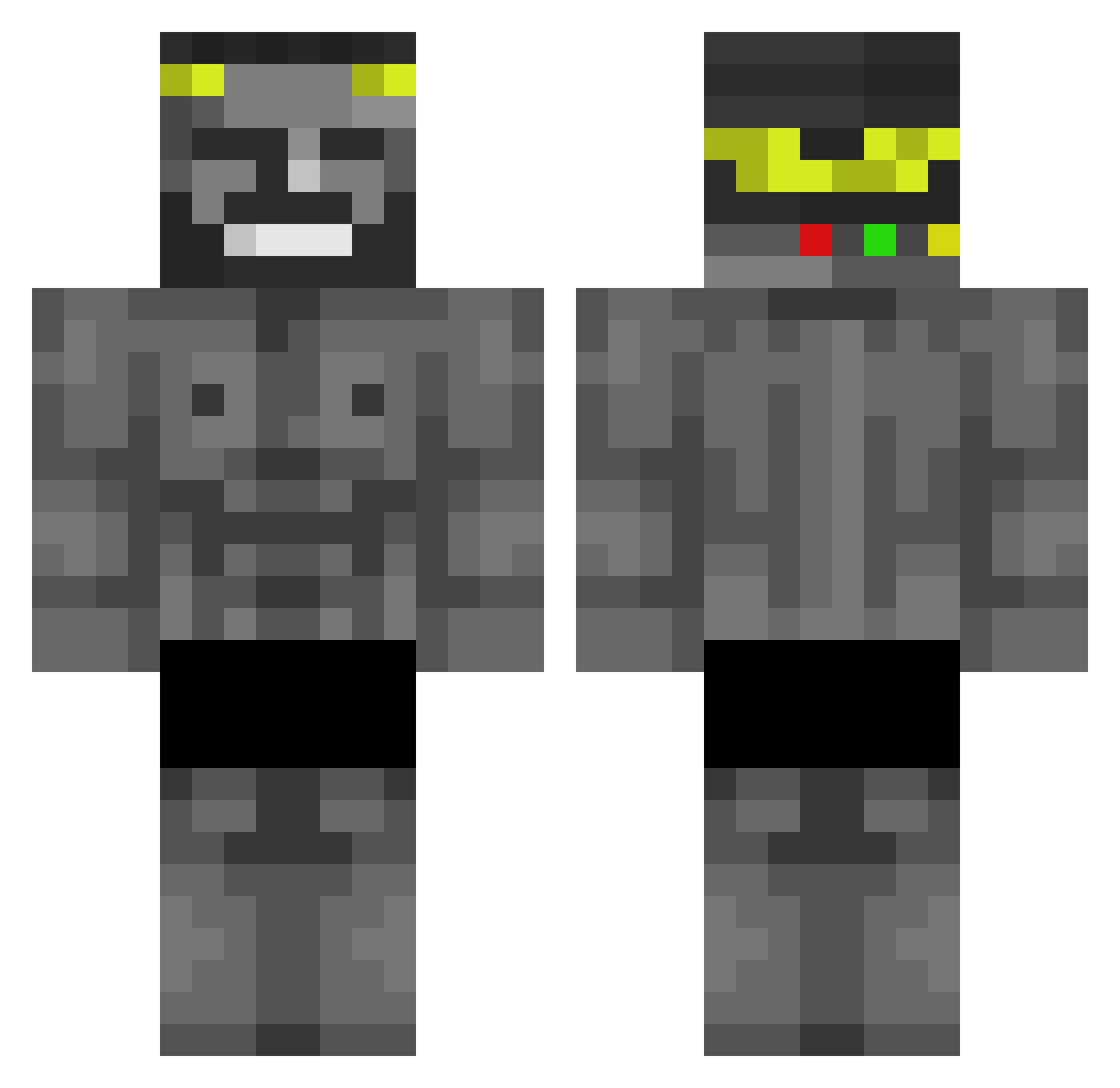
Current Minecraft skin of the player DerBasco, loaded from the official Mojang API. Rotate the 3D model with your mouse or finger, then download the skin as a PNG file and use it in Minecraft: Bedrock Edition or Java Edition for free. When DerBasco changes their skin, this page updates automatically and the old skin stays in the history below.
Other players with this skin (437)
DerBasco was the 415th player we have seen with this skin, first spotted on 27.10.2026. The same skin was seen on these players. Open a nickname to see their current skin and skin history.
 NexosOnAir Vamooose LGBTQI6974 Mortysan1622 kbps56 EneRgIizZ76 Igorek1806 Deukchun1 RazorTooth200 StarBoy18 2dogsinmyhouse Rrepier crabssssss iAsteron EisTeaZitrone AntiFrame07 OrThe0 Himaneco62 Caritapies pusssypuller Superboy___ Imthekhun HRe7 UusysXpuctoc omreyili Maxterroid Litchi_444 yeoutt DaddyStalinVEVO zaid_1011 luffi123456789 NeKaN07 Xnup9_ OzirisZero Latristitude Michalonexx 47Mauro47 tangivan GodStaysAHacker XUPAPI69 pang0715 Heddwyn BONELESSWINGS12 TheWhite1924 owobaka Majesticmega EatchKu porinhoComunista John1ST1 antineo7 Bongams PabloxC LowERiBO AndresAlcocer Pombo12 XxMontesxX BOCEMb itsantonio Abu_ALHool ukhdg
More Gigachad Minecraft skins
How to install the DerBasco skin
- Press the Download button above to save the skin as a PNG file.
- Minecraft: Bedrock Edition (PE): open the Dressing Room from the main menu (or tap your character → Edit Character), go to Classic Skins → Owned, press the + (new skin) button, choose the downloaded PNG and pick the Classic (Steve) model. Works on PC and mobile; consoles cannot import custom skins.
- Minecraft: Java Edition: open the Minecraft Launcher, go to the Skins tab, click New Skin, load the PNG, pick the Classic (Steve) model and press Save & Use. You can also upload it at minecraft.net → Profile → Change Skin.
The skin does not show up after import - what should I do?
Restart Minecraft and open the Dressing Room again - imported skins sometimes appear only after a restart. Also make sure you selected the imported skin and picked the Classic (Steve) model.
Which model should I choose, Classic or Slim?
This skin is designed for the Classic (Steve) model. If you pick the wrong model, the arms of the skin will look stretched or squeezed.
Is the skin of DerBasco free to download?
Yes. Press Download, save the PNG file and use it in Minecraft: Bedrock Edition or Java Edition - no payment or registration needed. The skin also works on multiplayer servers and Realms.
More skins
Looking for more? Go back to all Minecraft skins and check the top skins of the week, month and all time, or find any player's skin by nickname.