
Deoxymorbi - Minecraft Skins & Skin History
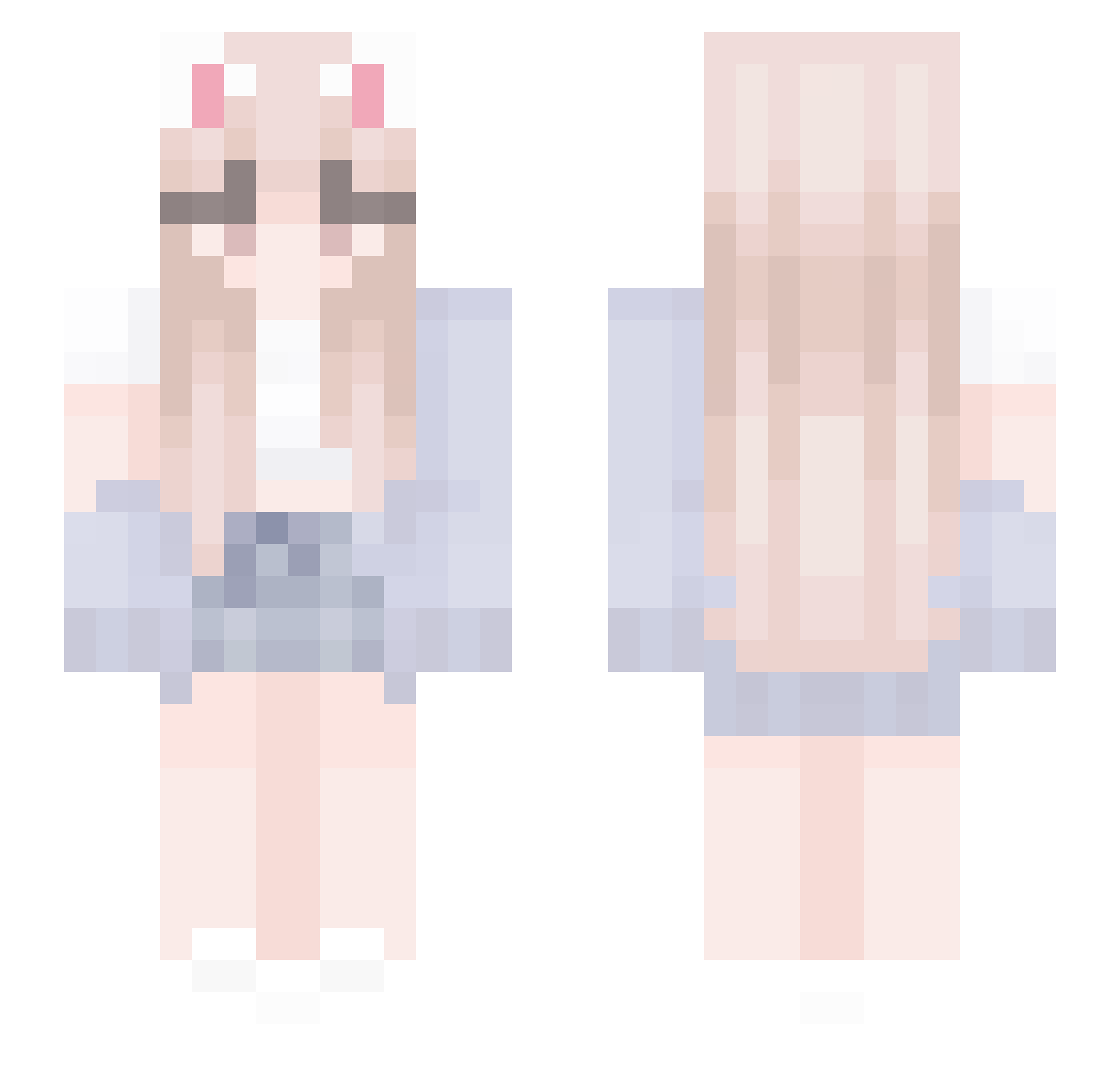
Current Minecraft skin of the player Deoxymorbi, loaded from the official Mojang API. Rotate the 3D model with your mouse or finger, then download the skin as a PNG file and use it in Minecraft: Bedrock Edition or Java Edition for free. When Deoxymorbi changes their skin, this page updates automatically and the old skin stays in the history below.
Other players with this skin (529)
Deoxymorbi was the 505th player we have seen with this skin, first spotted on 14.11.2026. The same skin was seen on these players. Open a nickname to see their current skin and skin history.
 zuziazofiabat ChocolateThief Sapolit jennifervdbroek nekogf SecretMongoose NIODUK 52897 H_Lillian Veron_leaf Shortstuff21 AvertYourEyez hj9763 skadenz yu_nvely Hsinggg TuziChichi lilybebi shimmyyismycat lingsusu111 gabriellaxox h22yeon Pioneer_Boss Adp4 lyachestnut FakeVenom6969 buttletea Mananacc cVilim Polizei1111 Amix987123 Assv sheinars Pianka7 SD4zJEOKzSuV0Pc1 prhf xAdler Lacesea cat__0831 hailey_meh Girlplayer12 star_ker LYPSZSD lo_meister REALNINJAWTHKEKS JulieHarbeck Ironboy2618 RIDECLYY Snow_White0001 Edgarcav Delfuchi CHAMI_YUE 1xciy Loralynn AestheticCat Madzia004 DoctorGagne feelx3 shourukaa Saullyte
More Cardigan Minecraft skins
How to install the Deoxymorbi skin
- Press the Download button above to save the skin as a PNG file.
- Minecraft: Bedrock Edition (PE): open the Dressing Room from the main menu (or tap your character → Edit Character), go to Classic Skins → Owned, press the + (new skin) button, choose the downloaded PNG and pick the Slim (Alex) model. Works on PC and mobile; consoles cannot import custom skins.
- Minecraft: Java Edition: open the Minecraft Launcher, go to the Skins tab, click New Skin, load the PNG, pick the Slim (Alex) model and press Save & Use. You can also upload it at minecraft.net → Profile → Change Skin.
The skin does not show up after import - what should I do?
Restart Minecraft and open the Dressing Room again - imported skins sometimes appear only after a restart. Also make sure you selected the imported skin and picked the Slim (Alex) model.
Which model should I choose, Classic or Slim?
This skin is designed for the Slim (Alex) model. If you pick the wrong model, the arms of the skin will look stretched or squeezed.
Is the skin of Deoxymorbi free to download?
Yes. Press Download, save the PNG file and use it in Minecraft: Bedrock Edition or Java Edition - no payment or registration needed. The skin also works on multiplayer servers and Realms.
More skins
Looking for more? Go back to all Minecraft skins and check the top skins of the week, month and all time, or find any player's skin by nickname.