
Demoneye9811 - Minecraft Skins & Skin History
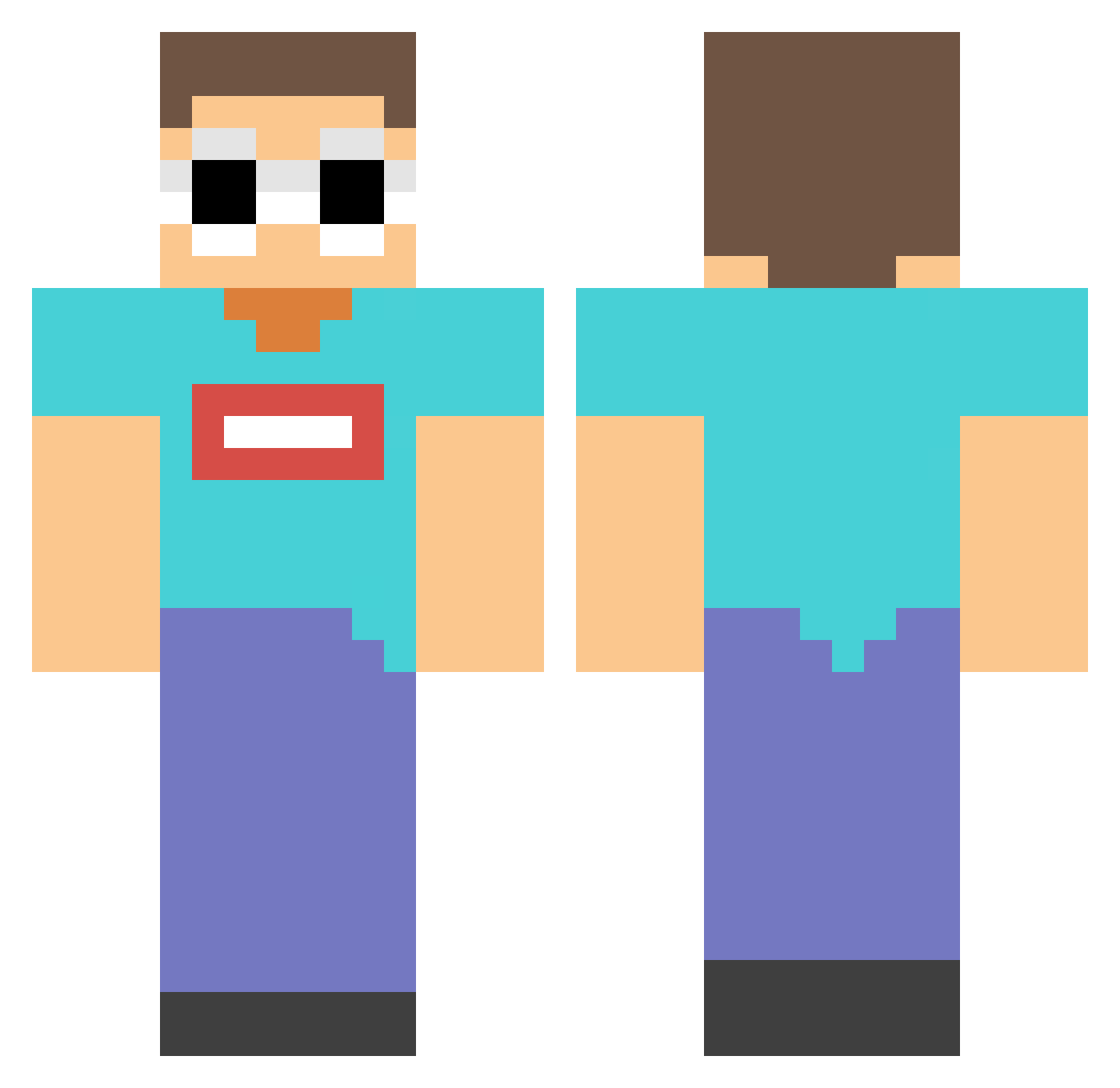
Current Minecraft skin of the player Demoneye9811, loaded from the official Mojang API. Rotate the 3D model with your mouse or finger, then download the skin as a PNG file and use it in Minecraft: Bedrock Edition or Java Edition for free. When Demoneye9811 changes their skin, this page updates automatically and the old skin stays in the history below.
Other players with this skin (156)
Demoneye9811 was the 41st player we have seen with this skin, first spotted on 24.08.2026. The same skin was seen on these players. Open a nickname to see their current skin and skin history.
 divaerealms 07E0449v Pink___Floyd Fubuki0_0 ColdRBLXYT TB_Dario ECZX Mihnea1702 ItsJakeMC DefaultZx AProAtMincraft sabertooth897
 DietMtnDew_ TioButijao Mr_Tigas2006 keiserqx artemshun 7upsquirrel Halfyb BilllyBanger Jasper231 Oti_s dinomist_ dreamxgeorge_UwU zplanda HaniiYan 1Yanchu TheCynicalWizard Lmgznb
 GorillaBoy0110 GGBond122 HUHXVI BellaNotFound laylabanks Johnson039 R1CHG4NG BreastReaper Kuma3515 TinyCatt1998 fArukEscobar imafish13 Viktor_30 Savage42 x1aomeimeihunter TIANCAIXU123 jLord_Mahan RootbeerSucker Xlqaq CoolGodGamer123 T_R_B1 YXZSN thesunofsatan666 Conor_McNuggets
 poopystink
 That_Toast_Guy DianasCandy ScoRicarPig Katson XIAO_APPLE Dudmyk
More Georgenotfound Minecraft skins
See all 541 Georgenotfound skins
How to install the Demoneye9811 skin
- Press the Download button above to save the skin as a PNG file.
- Minecraft: Bedrock Edition (PE): open the Dressing Room from the main menu (or tap your character → Edit Character), go to Classic Skins → Owned, press the + (new skin) button, choose the downloaded PNG and pick the Classic (Steve) model. Works on PC and mobile; consoles cannot import custom skins.
- Minecraft: Java Edition: open the Minecraft Launcher, go to the Skins tab, click New Skin, load the PNG, pick the Classic (Steve) model and press Save & Use. You can also upload it at minecraft.net → Profile → Change Skin.
The skin does not show up after import - what should I do?
Restart Minecraft and open the Dressing Room again - imported skins sometimes appear only after a restart. Also make sure you selected the imported skin and picked the Classic (Steve) model.
Which model should I choose, Classic or Slim?
This skin is designed for the Classic (Steve) model. If you pick the wrong model, the arms of the skin will look stretched or squeezed.
Is the skin of Demoneye9811 free to download?
Yes. Press Download, save the PNG file and use it in Minecraft: Bedrock Edition or Java Edition - no payment or registration needed. The skin also works on multiplayer servers and Realms.
More skins
Looking for more? Go back to all Minecraft skins and check the top skins of the week, month and all time, or find any player's skin by nickname.