
Demigod_Nacht - Minecraft Skins & Skin History
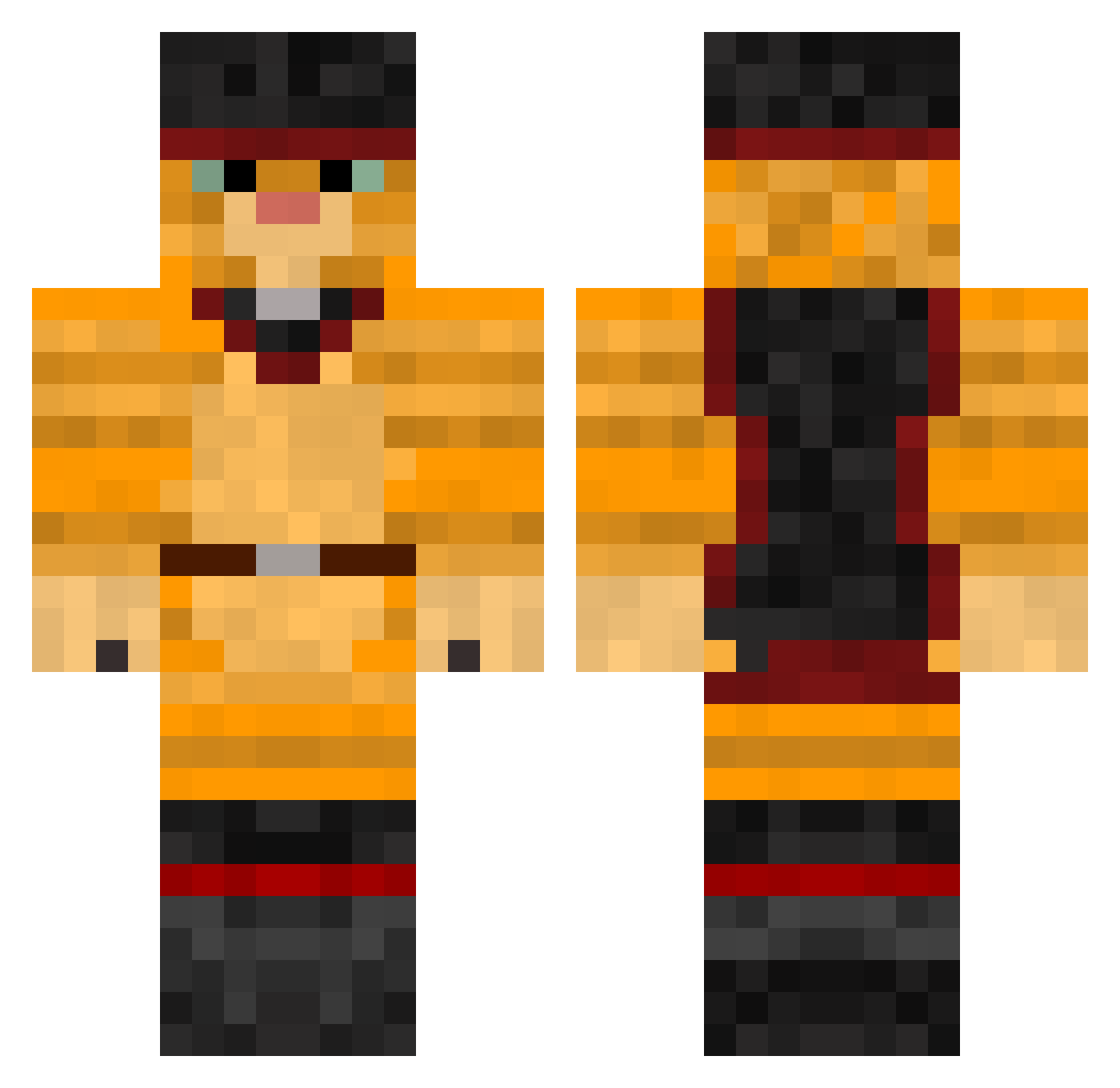
Current Minecraft skin of the player Demigod_Nacht, loaded from the official Mojang API. Rotate the 3D model with your mouse or finger, then download the skin as a PNG file and use it in Minecraft: Bedrock Edition or Java Edition for free. When Demigod_Nacht changes their skin, this page updates automatically and the old skin stays in the history below.
Other players with this skin (379)
Demigod_Nacht was the 260th player we have seen with this skin, first spotted on 03.10.2026. The same skin was seen on these players. Open a nickname to see their current skin and skin history.
 emzem ansterthemonster maxolina Ryan_9527 MooTheLimaBean totti912 godsilla101 miaoulefilou Whippitbaby TrueFoodie folelli2b Superjb10 QueenMIkey tHeateam__ bretterdeg jeronimo95000 Murzig jonathansonne Poppyloo Djali fairbro salchichica Macdrox EK94 rudijensen100 fldzm Daveee04 Benzini14 Itane Beniers AlchemyMaster mr_lebkuchen pussinboots12345 Schermuly TimSchneider27 jessicac02 BOGE_THE_GREAT Vibekeb8 SILENTSHAME TheBrunoDS SrGatete BootsAndKats Luky246 I_Needa_Dr123 SebasInBoots Frootjoose prepre3 kenn_dust TiedDrummer kat2709 pierre_pilou _Yuniko_ agent_salt xXenderninjaXx Zorro2334 Neon_Grapes dforth123 angelofdeath1225 Richoux Baamz
More Puss In Boots Minecraft skins
See all 62 Puss In Boots skins
How to install the Demigod_Nacht skin
- Press the Download button above to save the skin as a PNG file.
- Minecraft: Bedrock Edition (PE): open the Dressing Room from the main menu (or tap your character → Edit Character), go to Classic Skins → Owned, press the + (new skin) button, choose the downloaded PNG and pick the Classic (Steve) model. Works on PC and mobile; consoles cannot import custom skins.
- Minecraft: Java Edition: open the Minecraft Launcher, go to the Skins tab, click New Skin, load the PNG, pick the Classic (Steve) model and press Save & Use. You can also upload it at minecraft.net → Profile → Change Skin.
The skin does not show up after import - what should I do?
Restart Minecraft and open the Dressing Room again - imported skins sometimes appear only after a restart. Also make sure you selected the imported skin and picked the Classic (Steve) model.
Which model should I choose, Classic or Slim?
This skin is designed for the Classic (Steve) model. If you pick the wrong model, the arms of the skin will look stretched or squeezed.
Is the skin of Demigod_Nacht free to download?
Yes. Press Download, save the PNG file and use it in Minecraft: Bedrock Edition or Java Edition - no payment or registration needed. The skin also works on multiplayer servers and Realms.
More skins
Looking for more? Go back to all Minecraft skins and check the top skins of the week, month and all time, or find any player's skin by nickname.