
Deltahotel08 - Minecraft Skins & Skin History
Current Minecraft skin of the player Deltahotel08, loaded from the official Mojang API. Rotate the 3D model with your mouse or finger, then download the skin as a PNG file and use it in Minecraft: Bedrock Edition or Java Edition for free. When Deltahotel08 changes their skin, this page updates automatically and the old skin stays in the history below.

Other players with this skin (11282)
Deltahotel08 was the 5348th player we have seen with this skin, first spotted on 08.09.2026. The same skin was seen on these players. Open a nickname to see their current skin and skin history.
 Inviter
 Twix_wow braydez CryptoAnalyst Mid_TierGod Jor4m PlayfulSpoon541 cursed_shane Batatoni37 unloosened Bingus999_
 VortexialSk ImAMug ReeeFoX MORTEAMANEL schlimmon Freddygamor_ Pix1500 Floz169 ighly royngo Intern NexusRebel ANAKIN123456 Fevoith GermanJesus2011 nyangpasu FelipeRLS Walkway xshioz xDosya TexTheEnemy mmaxv wwwTRANSFURRYcom herr0in_addicted G_OONG Azzlo Mejsonek Regulus__Corneas amasuse
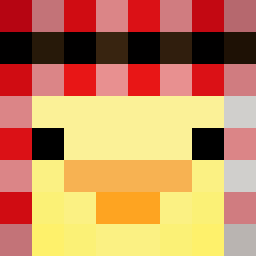 RealMr_Animation nicolayiscool Greenpuhh Ziombl_ barataria forceII gripers ShizukuTsuki Matsinhoo Heartnoxill Corticoid
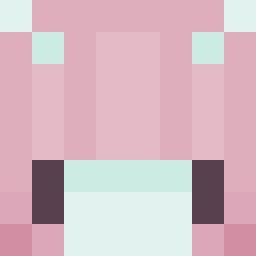 Yestian sunsbuns PoisonElf Norberd kakan2009 komoda123 Ki1d Marcelitogamer59 EclipseSage
How to install the Deltahotel08 skin
- Press the Download button above to save the skin as a PNG file.
- Minecraft: Bedrock Edition (PE): open the Dressing Room from the main menu (or tap your character → Edit Character), go to Classic Skins → Owned, press the + (new skin) button, choose the downloaded PNG and pick the Classic (Steve) model. Works on PC and mobile; consoles cannot import custom skins.
- Minecraft: Java Edition: open the Minecraft Launcher, go to the Skins tab, click New Skin, load the PNG, pick the Classic (Steve) model and press Save & Use. You can also upload it at minecraft.net → Profile → Change Skin.
The skin does not show up after import - what should I do?
Restart Minecraft and open the Dressing Room again - imported skins sometimes appear only after a restart. Also make sure you selected the imported skin and picked the Classic (Steve) model.
Which model should I choose, Classic or Slim?
This skin is designed for the Classic (Steve) model. If you pick the wrong model, the arms of the skin will look stretched or squeezed.
Is the skin of Deltahotel08 free to download?
Yes. Press Download, save the PNG file and use it in Minecraft: Bedrock Edition or Java Edition - no payment or registration needed. The skin also works on multiplayer servers and Realms.
More skins
Looking for more? Go back to all Minecraft skins and check the top skins of the week, month and all time, or find any player's skin by nickname.