
Deflend - Minecraft Skins & Skin History
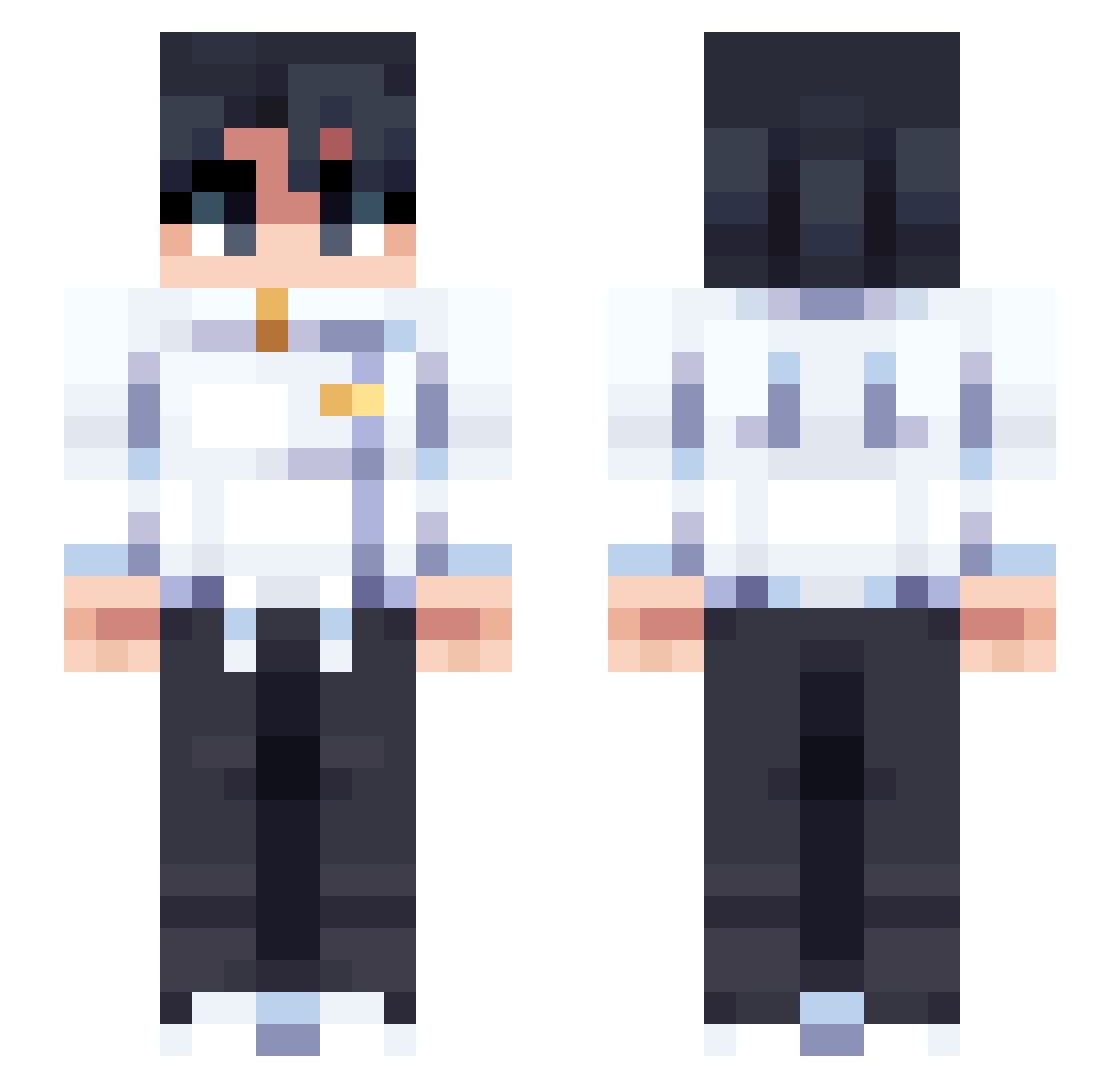
Current Minecraft skin of the player Deflend, loaded from the official Mojang API. Rotate the 3D model with your mouse or finger, then download the skin as a PNG file and use it in Minecraft: Bedrock Edition or Java Edition for free. When Deflend changes their skin, this page updates automatically and the old skin stays in the history below.
Other players with this skin (71)
Deflend was the 46th player we have seen with this skin, first spotted on 05.10.2026. The same skin was seen on these players. Open a nickname to see their current skin and skin history.
 agonyfield198 atlantesmc AleG000d MugiiguM Xenuin gingarninjar_ _Katsay_ Edtong13 pak0884 m1kaIsBad esskaee Itz_Aero Rheanova RlUJl DeleteMij breadbears1234 AyooBeneatz Vowze Astyxq q2ewr FrancoER isakse trint123455 CHALUT_ Arctic_765 GXf4b7 d3Araujo dxsta Yungsi spxderblox Surfexe Rellsin piooooc Tiburon7584 PetiteCreed PLISIK EHitch321 dapaor Oscar_xyz Holiszekk JuanchoPobb Malkamc Antibiyotik AMPROCADE
 paglejk w_8t Axolotel54 WEEPS127 Zero7M Rushy9999
 BaelTheDread
 Cyan_Nyx karinaismygod
 Hyo423 MakiZenin__
 ThunderRaptor57
 mirrandilla akiherou GustavoLenda Prixen_G
More Uniform Minecraft skins
How to install the Deflend skin
- Press the Download button above to save the skin as a PNG file.
- Minecraft: Bedrock Edition (PE): open the Dressing Room from the main menu (or tap your character → Edit Character), go to Classic Skins → Owned, press the + (new skin) button, choose the downloaded PNG and pick the Slim (Alex) model. Works on PC and mobile; consoles cannot import custom skins.
- Minecraft: Java Edition: open the Minecraft Launcher, go to the Skins tab, click New Skin, load the PNG, pick the Slim (Alex) model and press Save & Use. You can also upload it at minecraft.net → Profile → Change Skin.
The skin does not show up after import - what should I do?
Restart Minecraft and open the Dressing Room again - imported skins sometimes appear only after a restart. Also make sure you selected the imported skin and picked the Slim (Alex) model.
Which model should I choose, Classic or Slim?
This skin is designed for the Slim (Alex) model. If you pick the wrong model, the arms of the skin will look stretched or squeezed.
Is the skin of Deflend free to download?
Yes. Press Download, save the PNG file and use it in Minecraft: Bedrock Edition or Java Edition - no payment or registration needed. The skin also works on multiplayer servers and Realms.
More skins
Looking for more? Go back to all Minecraft skins and check the top skins of the week, month and all time, or find any player's skin by nickname.