
DefineteEvil666 - Minecraft Skins & Skin History
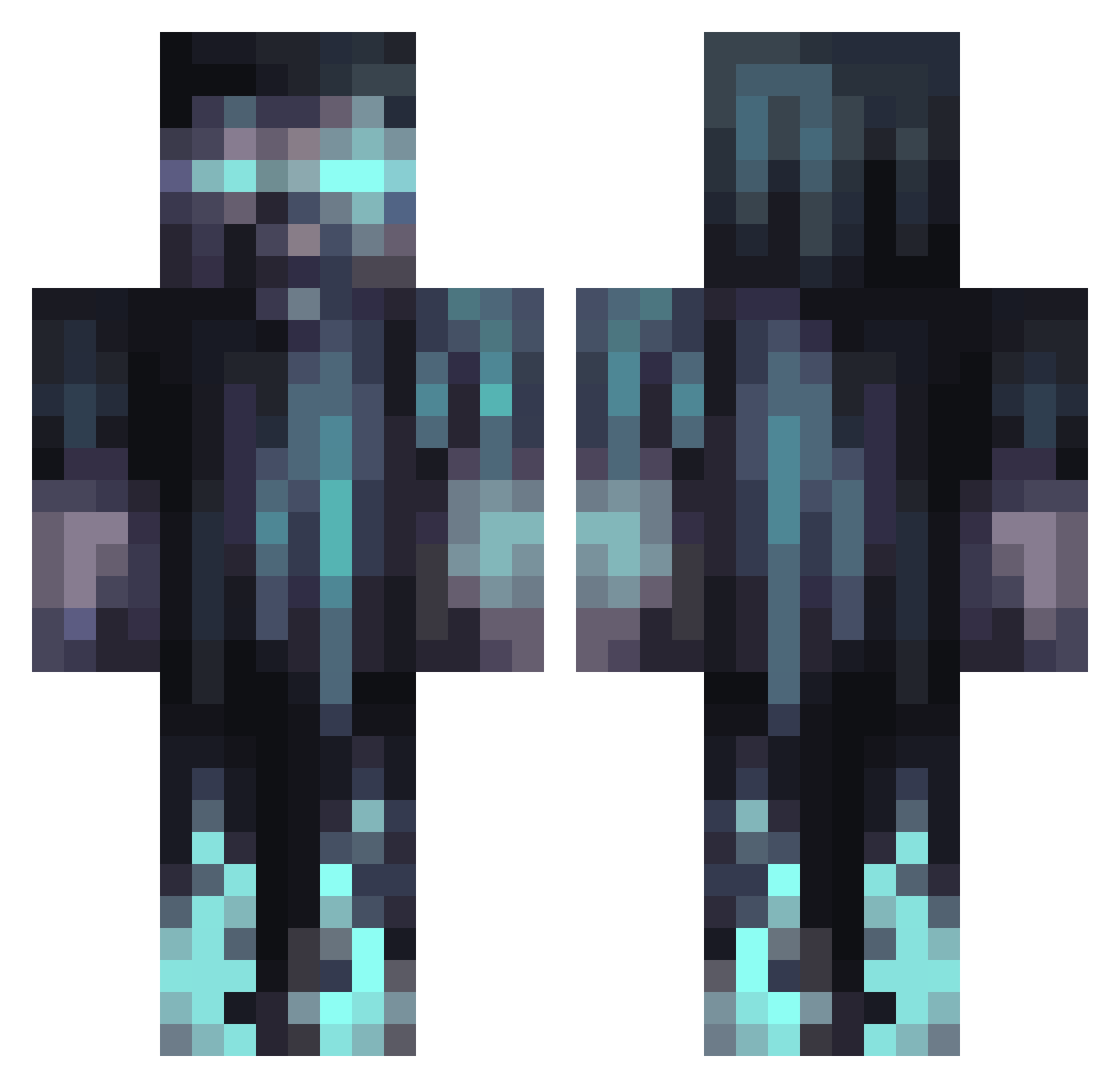
Current Minecraft skin of the player DefineteEvil666, loaded from the official Mojang API. Rotate the 3D model with your mouse or finger, then download the skin as a PNG file and use it in Minecraft: Bedrock Edition or Java Edition for free. When DefineteEvil666 changes their skin, this page updates automatically and the old skin stays in the history below.
Other players with this skin (1066)
DefineteEvil666 was the 983rd player we have seen with this skin, first spotted on 24.10.2026. The same skin was seen on these players. Open a nickname to see their current skin and skin history.
 Calitho BilalDuraid Kinio_ IIIMinecraftIII artu_gran antmak07 fimboymonsteruta ChampionPMH ImRezeal Shadow_Wolf_05 OblivionForge Sabritas Oh_noo_its_you Spery09 sutminkugler Elvisdanoob FluffyPuppy3000 Mohammad_0 Aba_G ToxicSa TriangusH m2_m2_ Squillow23 Kuromora efecars Castleman8 JohnBullet ProphetCamillus ItsArrow07 BigSauce330 eternalcbr FrankRizzel pmilir Josephtron1 SterbenZero Curtis00 UncleAugust Rainmaster1130 GhostOfShishko TOMBALACI MindDust Big_Tasy yun6969 friendofsheep CHRISZAPAS The_DUDE_1316 unepierre L3332028 Monster_977 Clenxz DeadzomMMO C0ldFus0n H4DES03 Samthrax Moyai_1 Erdo2908 BigAng27 MineRat14 JustJamesxD adsam51
More Warden Minecraft skins
How to install the DefineteEvil666 skin
- Press the Download button above to save the skin as a PNG file.
- Minecraft: Bedrock Edition (PE): open the Dressing Room from the main menu (or tap your character → Edit Character), go to Classic Skins → Owned, press the + (new skin) button, choose the downloaded PNG and pick the Classic (Steve) model. Works on PC and mobile; consoles cannot import custom skins.
- Minecraft: Java Edition: open the Minecraft Launcher, go to the Skins tab, click New Skin, load the PNG, pick the Classic (Steve) model and press Save & Use. You can also upload it at minecraft.net → Profile → Change Skin.
The skin does not show up after import - what should I do?
Restart Minecraft and open the Dressing Room again - imported skins sometimes appear only after a restart. Also make sure you selected the imported skin and picked the Classic (Steve) model.
Which model should I choose, Classic or Slim?
This skin is designed for the Classic (Steve) model. If you pick the wrong model, the arms of the skin will look stretched or squeezed.
Is the skin of DefineteEvil666 free to download?
Yes. Press Download, save the PNG file and use it in Minecraft: Bedrock Edition or Java Edition - no payment or registration needed. The skin also works on multiplayer servers and Realms.
More skins
Looking for more? Go back to all Minecraft skins and check the top skins of the week, month and all time, or find any player's skin by nickname.