
DeepPit - Minecraft Skins & Skin History
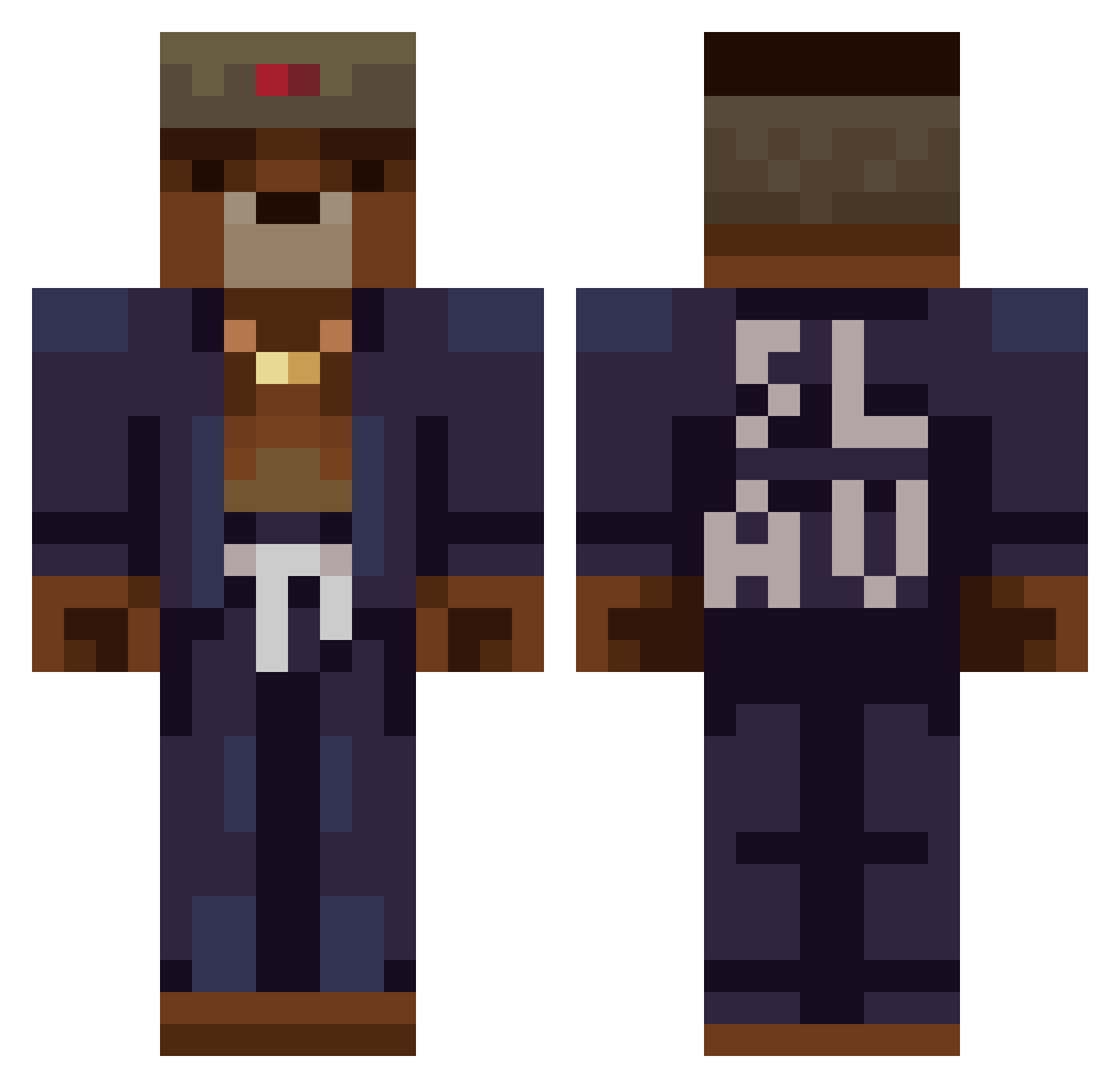
Current Minecraft skin of the player DeepPit, loaded from the official Mojang API. Rotate the 3D model with your mouse or finger, then download the skin as a PNG file and use it in Minecraft: Bedrock Edition or Java Edition for free. When DeepPit changes their skin, this page updates automatically and the old skin stays in the history below.
Other players with this skin (369)
DeepPit was the 252nd player we have seen with this skin, first spotted on 04.10.2026. The same skin was seen on these players. Open a nickname to see their current skin and skin history.
 Werg0nik Timodhh OgatoMinto Majaquuu igorsssa Siky09 Jannasch Alfredsecond YoungMed195 Asiloch99 Durachogg fearoffgod KatteKoseer1 Quauk grubacipcia Steryd120 tonguepunch22 Dazzerzz Reioka YABLETMAN RanchSadness Aquezz Sandwich_76 Scalchi Foliano CEO_of_Russia Blyzork1 BMND Ahra1 dylliepillie FlixEz69 GeorgeNGV SeattleRue ReyAri TallonDude l1qna Addoree rezix0iq 123q RighTMoment DreamClient420 Ki_ng NemesisGoesBrrr Majkon01 Tbatess nic200001 Lezram stypson junapaul taietor dxmidomi EEbuCehil Karamel03 rTwo2 Pawelkosa l1so4ka YoungExe enKoy Lensii05 DannyC1036
More Slav Minecraft skins
How to install the DeepPit skin
- Press the Download button above to save the skin as a PNG file.
- Minecraft: Bedrock Edition (PE): open the Dressing Room from the main menu (or tap your character → Edit Character), go to Classic Skins → Owned, press the + (new skin) button, choose the downloaded PNG and pick the Classic (Steve) model. Works on PC and mobile; consoles cannot import custom skins.
- Minecraft: Java Edition: open the Minecraft Launcher, go to the Skins tab, click New Skin, load the PNG, pick the Classic (Steve) model and press Save & Use. You can also upload it at minecraft.net → Profile → Change Skin.
The skin does not show up after import - what should I do?
Restart Minecraft and open the Dressing Room again - imported skins sometimes appear only after a restart. Also make sure you selected the imported skin and picked the Classic (Steve) model.
Which model should I choose, Classic or Slim?
This skin is designed for the Classic (Steve) model. If you pick the wrong model, the arms of the skin will look stretched or squeezed.
Is the skin of DeepPit free to download?
Yes. Press Download, save the PNG file and use it in Minecraft: Bedrock Edition or Java Edition - no payment or registration needed. The skin also works on multiplayer servers and Realms.
More skins
Looking for more? Go back to all Minecraft skins and check the top skins of the week, month and all time, or find any player's skin by nickname.