
Deellyyman - Minecraft Skins & Skin History
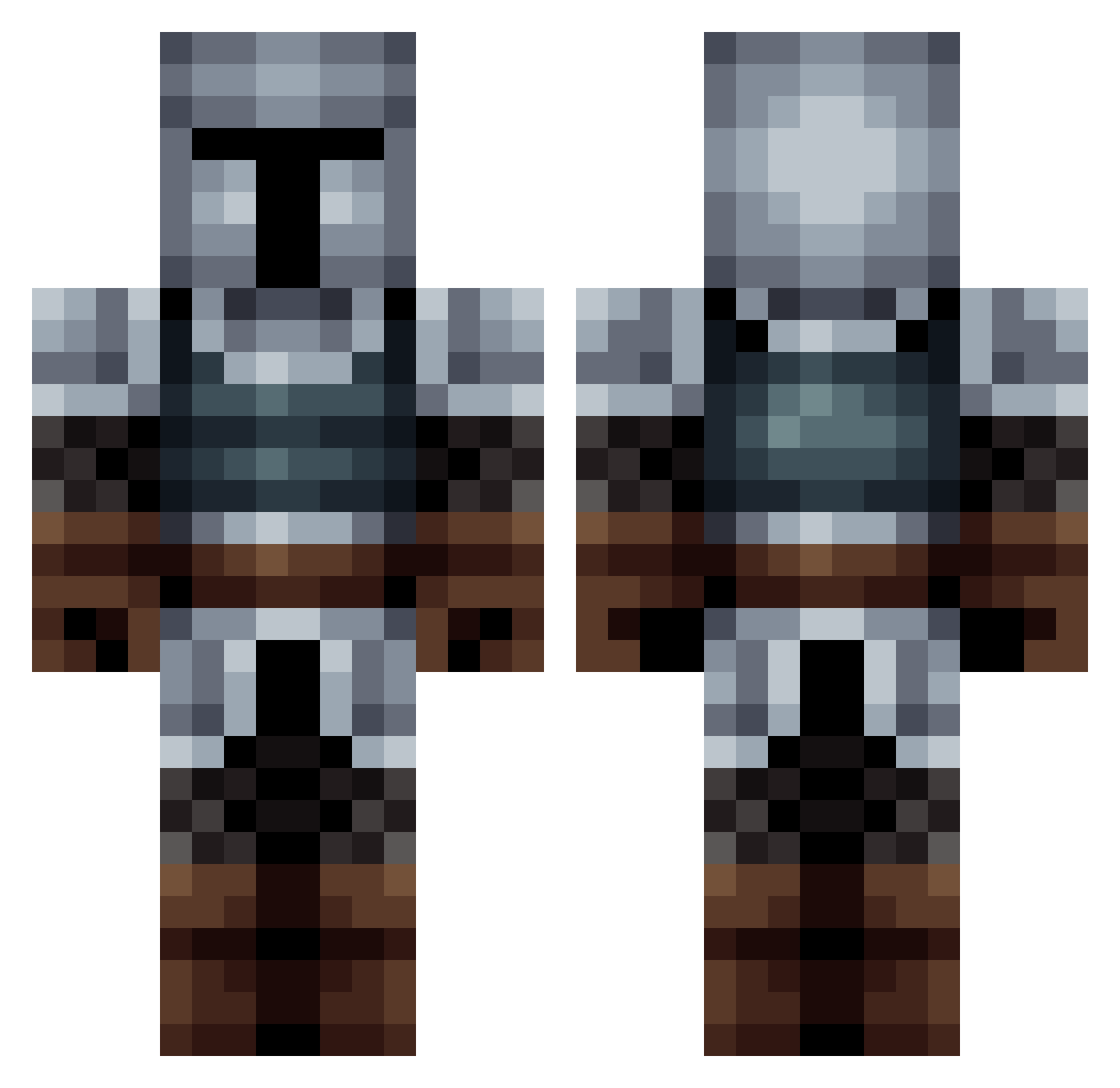
Current Minecraft skin of the player Deellyyman, loaded from the official Mojang API. Rotate the 3D model with your mouse or finger, then download the skin as a PNG file and use it in Minecraft: Bedrock Edition or Java Edition for free. When Deellyyman changes their skin, this page updates automatically and the old skin stays in the history below.
Other players with this skin (563)
Deellyyman was the 459th player we have seen with this skin, first spotted on 21.10.2026. The same skin was seen on these players. Open a nickname to see their current skin and skin history.
 N1EK_B ZetAK7 Holzbauerr thetrooper485 EmeraldOne60 TheMerc753 Enforsir Apfelnusss Arcaddon aimlesssqash15 Jacks_Nutt Vidanovich Knudsenator InNeedOfIQ ccomex Arthur_Sir Bullyhunter1 Gamesikk sadrobot85 iamAJ3 Zitoune404 MrBigB_ Maxkcs ForsakenAvocado xRandom93 Keevari Falko8 Xariyl Cuseas LK69 THE_KEY_136 Kazizuma Abischai Axeldoomfist Vegeta5789689 EmilFrier SkillfulBasher1 shadowwarrior40 Rikuro27 Owen2442 DwarvenGuard Potworki1 demsona11 Ridicule xirtterg SekioSoul moudercai youssef83 Copycu miauzzy Supersergio12 LegoLuc CapsuleTurttle44 Chappyw123 Cammander123 Kagiri1 bigmacinthehouse wildmithrandir B4LLSOHARD nevertoutcourt
More Medieval Minecraft skins
How to install the Deellyyman skin
- Press the Download button above to save the skin as a PNG file.
- Minecraft: Bedrock Edition (PE): open the Dressing Room from the main menu (or tap your character → Edit Character), go to Classic Skins → Owned, press the + (new skin) button, choose the downloaded PNG and pick the Classic (Steve) model. Works on PC and mobile; consoles cannot import custom skins.
- Minecraft: Java Edition: open the Minecraft Launcher, go to the Skins tab, click New Skin, load the PNG, pick the Classic (Steve) model and press Save & Use. You can also upload it at minecraft.net → Profile → Change Skin.
The skin does not show up after import - what should I do?
Restart Minecraft and open the Dressing Room again - imported skins sometimes appear only after a restart. Also make sure you selected the imported skin and picked the Classic (Steve) model.
Which model should I choose, Classic or Slim?
This skin is designed for the Classic (Steve) model. If you pick the wrong model, the arms of the skin will look stretched or squeezed.
Is the skin of Deellyyman free to download?
Yes. Press Download, save the PNG file and use it in Minecraft: Bedrock Edition or Java Edition - no payment or registration needed. The skin also works on multiplayer servers and Realms.
More skins
Looking for more? Go back to all Minecraft skins and check the top skins of the week, month and all time, or find any player's skin by nickname.