
Debarks - Minecraft Skins & Skin History
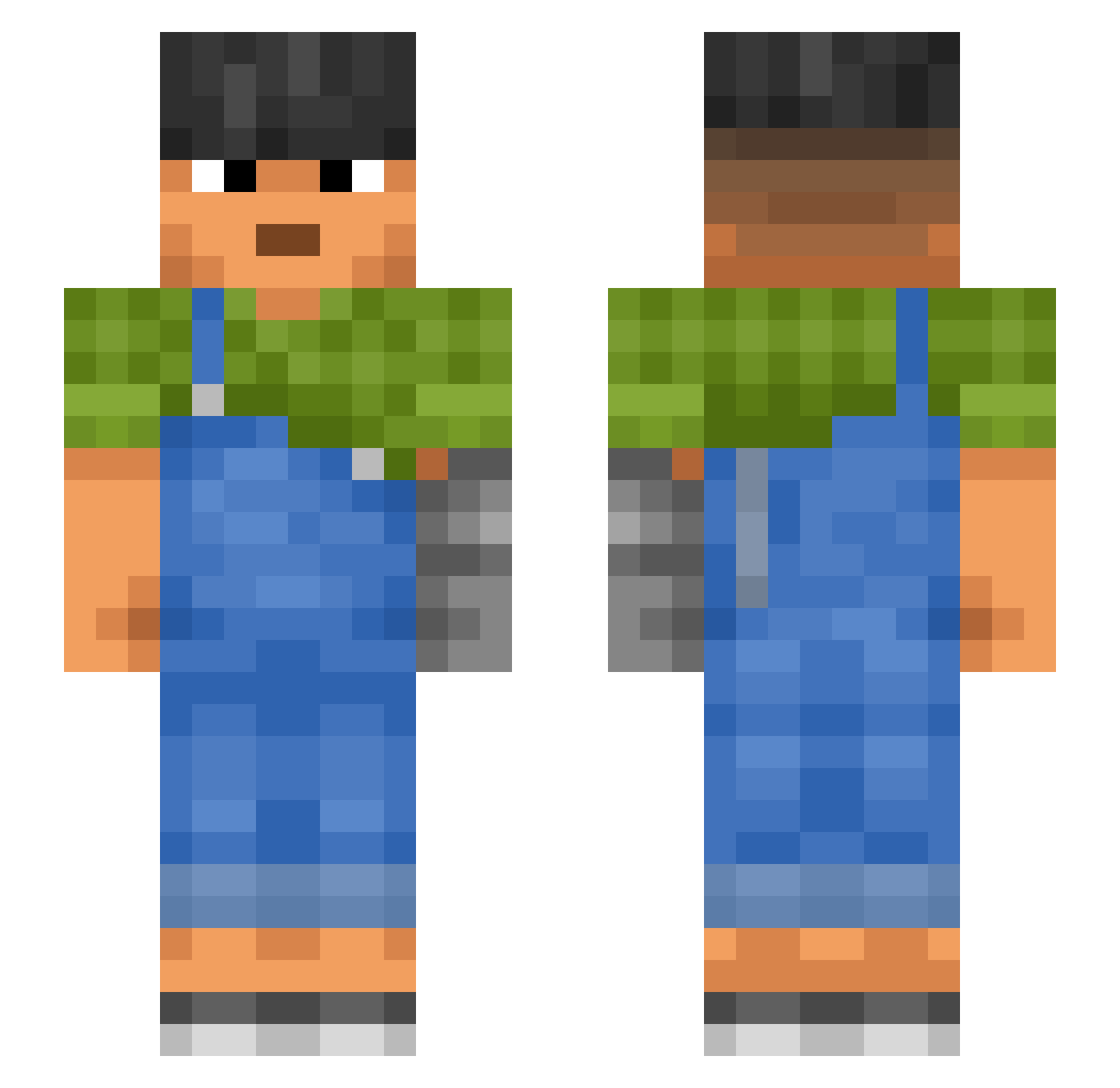
Current Minecraft skin of the player Debarks, loaded from the official Mojang API. Rotate the 3D model with your mouse or finger, then download the skin as a PNG file and use it in Minecraft: Bedrock Edition or Java Edition for free. When Debarks changes their skin, this page updates automatically and the old skin stays in the history below.
Other players with this skin (987)
Debarks was the 74th player we have seen with this skin, first spotted on 02.08.2026. The same skin was seen on these players. Open a nickname to see their current skin and skin history.
 Pune1337 RedSus78 MiniPaulo OutMagic pulton Houndsbane rubor elperegual Dazemon Deemed Gestational raperr Codity leatherwing Tychus9 Kenlore
 BenRocks001 XeloxLeGrand CsgoAradOfficial CheeseBloxMaster Neganxd Willyy Wombat23_
 ben11984 MrMarlex
 xMisterLama compt
 bigmnt3 Platinum_God CuzImFloggi Haddocker M3duzkaaa juliott Hsim LARGESTBAG Psychosis9x
 Sharp_exe ingame2002 Toma61 lateburrito66 Rodrigo_silva Arrester SentinelRaze Amy_Bloom vollekwark agb2k BlluDog
 BennyTheOOFER Daughter MorinSr
 fhif chopo1457_ dwn123d beatsstudio Adansonia zuza SantemiZ Polarography Gallach Member03022
More Prosthetic Arm Minecraft skins
See all 71 Prosthetic Arm skins
How to install the Debarks skin
- Press the Download button above to save the skin as a PNG file.
- Minecraft: Bedrock Edition (PE): open the Dressing Room from the main menu (or tap your character → Edit Character), go to Classic Skins → Owned, press the + (new skin) button, choose the downloaded PNG and pick the Slim (Alex) model. Works on PC and mobile; consoles cannot import custom skins.
- Minecraft: Java Edition: open the Minecraft Launcher, go to the Skins tab, click New Skin, load the PNG, pick the Slim (Alex) model and press Save & Use. You can also upload it at minecraft.net → Profile → Change Skin.
The skin does not show up after import - what should I do?
Restart Minecraft and open the Dressing Room again - imported skins sometimes appear only after a restart. Also make sure you selected the imported skin and picked the Slim (Alex) model.
Which model should I choose, Classic or Slim?
This skin is designed for the Slim (Alex) model. If you pick the wrong model, the arms of the skin will look stretched or squeezed.
Is the skin of Debarks free to download?
Yes. Press Download, save the PNG file and use it in Minecraft: Bedrock Edition or Java Edition - no payment or registration needed. The skin also works on multiplayer servers and Realms.
More skins
Looking for more? Go back to all Minecraft skins and check the top skins of the week, month and all time, or find any player's skin by nickname.