
Ddaxxxxx - Minecraft Skins & Skin History
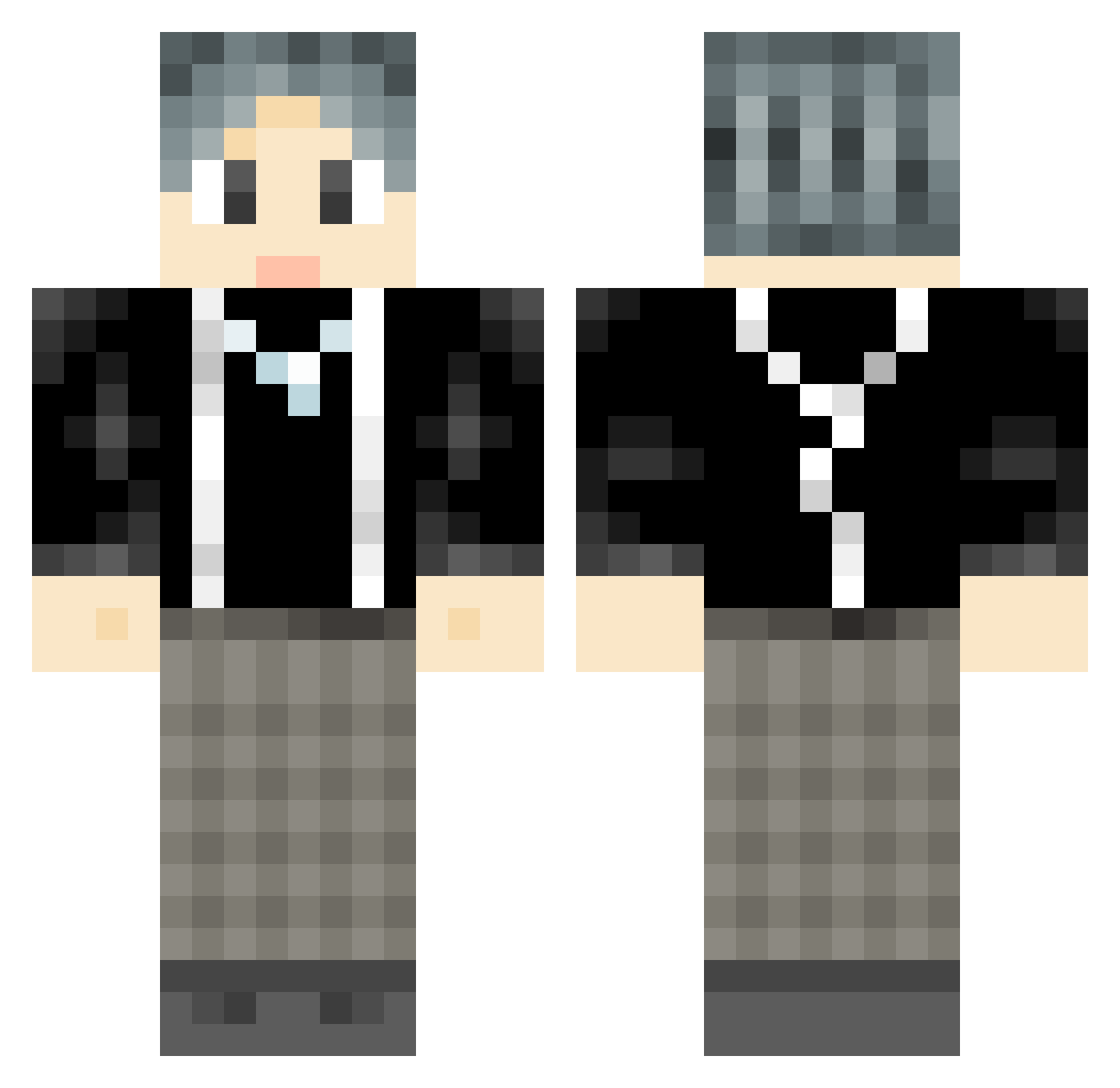
Current Minecraft skin of the player Ddaxxxxx, loaded from the official Mojang API. Rotate the 3D model with your mouse or finger, then download the skin as a PNG file and use it in Minecraft: Bedrock Edition or Java Edition for free. When Ddaxxxxx changes their skin, this page updates automatically and the old skin stays in the history below.
Other players with this skin (738)
Ddaxxxxx was the 225th player we have seen with this skin, first spotted on 21.08.2026. The same skin was seen on these players. Open a nickname to see their current skin and skin history.
 LuMouNB loveanhe aiyin_ Grui1123 LemonKing AcidicOrc YuWenjjj Rosie77777 LYF76 BusterNO1 Muck_Deystroyer xiaozhangege Oinng Aiden99999 RCEXO JerionShen ZuiYue MeMeikun HuaTIAN_ Handsome_Yu yooQi9 ocinking wait3zz hiki88 is_jojo lyz159753 Final_Czar jungu03 JasonTan425 sc_L BiliBilinanyu KinG_LighT daimk YPDawn feijunzi RC_NATIE Lxyi777 MichMie BBritian Barry_Thawne yg2002 Carryxiao CXK__CC DreamLant Oh_Creeper LDS_64 GuPENGFEI Gavin_Giao pengtang 290231 RyealAlts_218923 Q2108 TMao_ ShareWinter GGgeng Fotu8512 South_Fox1 Sucrt JuJuHappiness Eriiii_
How to install the Ddaxxxxx skin
- Press the Download button above to save the skin as a PNG file.
- Minecraft: Bedrock Edition (PE): open the Dressing Room from the main menu (or tap your character → Edit Character), go to Classic Skins → Owned, press the + (new skin) button, choose the downloaded PNG and pick the Classic (Steve) model. Works on PC and mobile; consoles cannot import custom skins.
- Minecraft: Java Edition: open the Minecraft Launcher, go to the Skins tab, click New Skin, load the PNG, pick the Classic (Steve) model and press Save & Use. You can also upload it at minecraft.net → Profile → Change Skin.
The skin does not show up after import - what should I do?
Restart Minecraft and open the Dressing Room again - imported skins sometimes appear only after a restart. Also make sure you selected the imported skin and picked the Classic (Steve) model.
Which model should I choose, Classic or Slim?
This skin is designed for the Classic (Steve) model. If you pick the wrong model, the arms of the skin will look stretched or squeezed.
Is the skin of Ddaxxxxx free to download?
Yes. Press Download, save the PNG file and use it in Minecraft: Bedrock Edition or Java Edition - no payment or registration needed. The skin also works on multiplayer servers and Realms.
More skins
Looking for more? Go back to all Minecraft skins and check the top skins of the week, month and all time, or find any player's skin by nickname.