
Dazmic - Minecraft Skins & Skin History
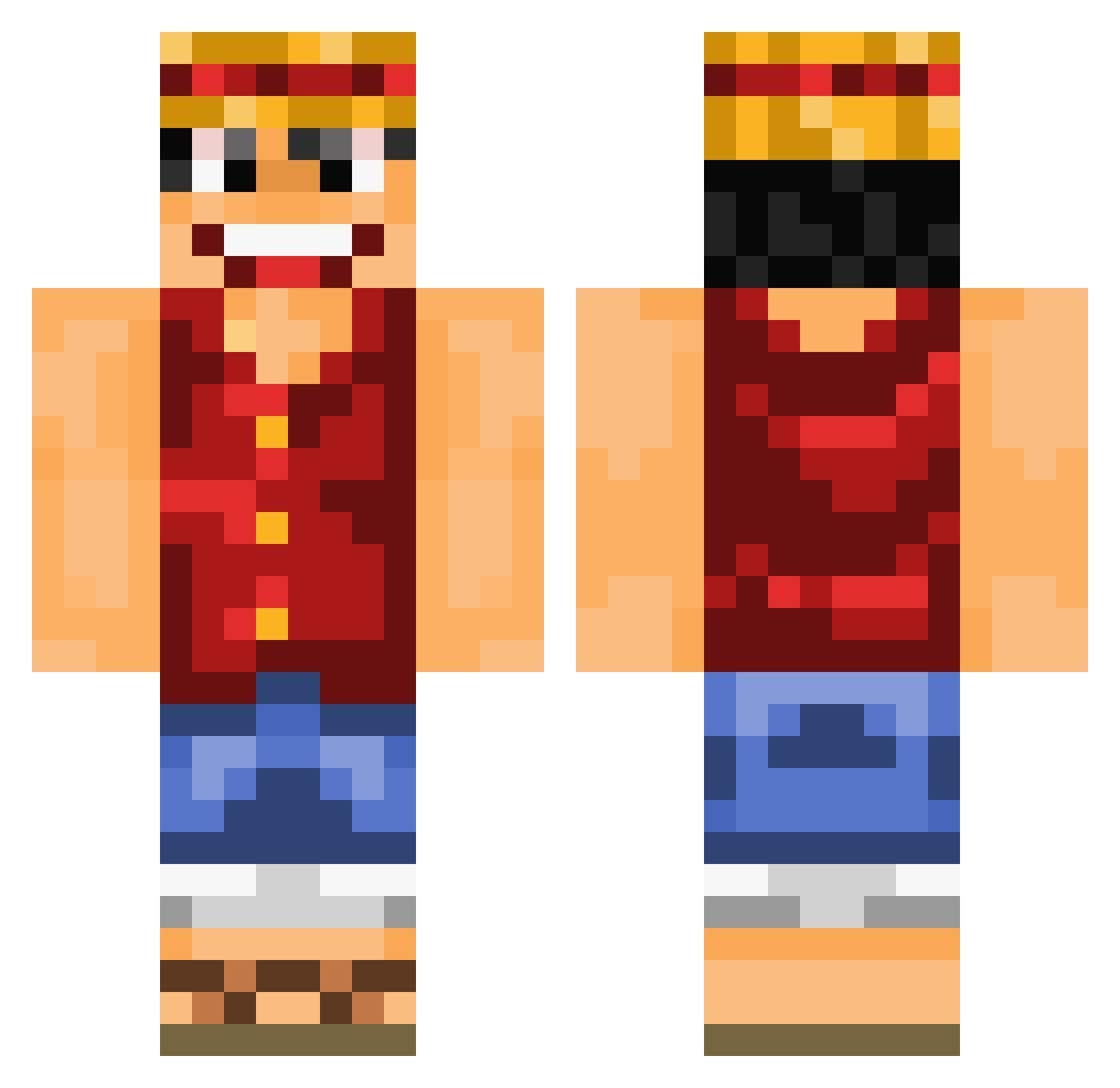
Current Minecraft skin of the player Dazmic, loaded from the official Mojang API. Rotate the 3D model with your mouse or finger, then download the skin as a PNG file and use it in Minecraft: Bedrock Edition or Java Edition for free. When Dazmic changes their skin, this page updates automatically and the old skin stays in the history below.
Other players with this skin (892)
Dazmic was the 121st player we have seen with this skin, first spotted on 06.08.2026. The same skin was seen on these players. Open a nickname to see their current skin and skin history.
 baban422 ektorpk ThisIsLagia NBDxBoone23 Eirqik Jo4yyy Msvyphu chinglee500 DT_2005 justthe38 Slade_Cane Hopfi97 TeTinha4ever CuddlyOrphan balloonjj Icedos heartf1re kenmic scalyboy7 Hebit VectorFalcon panier PedroF_2008 Mylbom TheGreenBoy33 NEWSvic baseballlover5 CrueltyB RJTboy fpetot ThomasConner Bakkemafian willt26 gom276 mizan12 flameboard03 klaustheshinobi zerojoey uria1212 CyberneticBlaze Rexero15 Fabstar94 khhfdik Re3DRuFfY aokiji111 ntall1 GuizmoG saintsqc xMrTenorioRTx Brannarn1985 Koorgaan KMNOK ItsSpeacial bitegame Berzerka19 dayziC Dani2Dos Jamchu Xinser AstralReisenAhi
More Luffy Minecraft skins
How to install the Dazmic skin
- Press the Download button above to save the skin as a PNG file.
- Minecraft: Bedrock Edition (PE): open the Dressing Room from the main menu (or tap your character → Edit Character), go to Classic Skins → Owned, press the + (new skin) button, choose the downloaded PNG and pick the Classic (Steve) model. Works on PC and mobile; consoles cannot import custom skins.
- Minecraft: Java Edition: open the Minecraft Launcher, go to the Skins tab, click New Skin, load the PNG, pick the Classic (Steve) model and press Save & Use. You can also upload it at minecraft.net → Profile → Change Skin.
The skin does not show up after import - what should I do?
Restart Minecraft and open the Dressing Room again - imported skins sometimes appear only after a restart. Also make sure you selected the imported skin and picked the Classic (Steve) model.
Which model should I choose, Classic or Slim?
This skin is designed for the Classic (Steve) model. If you pick the wrong model, the arms of the skin will look stretched or squeezed.
Is the skin of Dazmic free to download?
Yes. Press Download, save the PNG file and use it in Minecraft: Bedrock Edition or Java Edition - no payment or registration needed. The skin also works on multiplayer servers and Realms.
More skins
Looking for more? Go back to all Minecraft skins and check the top skins of the week, month and all time, or find any player's skin by nickname.