
Davnchan - Minecraft Skins & Skin History
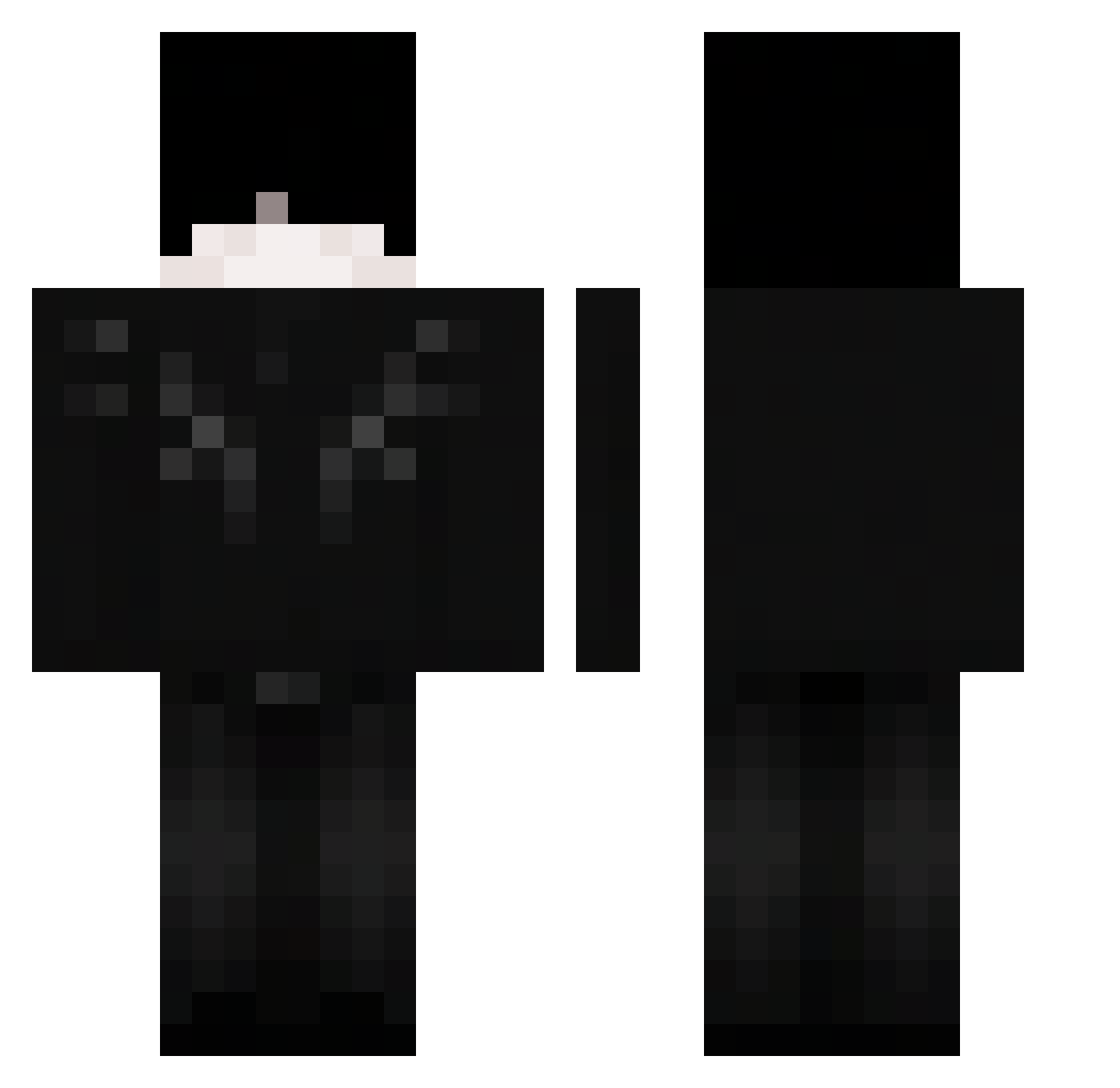
Current Minecraft skin of the player Davnchan, loaded from the official Mojang API. Rotate the 3D model with your mouse or finger, then download the skin as a PNG file and use it in Minecraft: Bedrock Edition or Java Edition for free. When Davnchan changes their skin, this page updates automatically and the old skin stays in the history below.
Other players with this skin (50)
Davnchan was the 21st player we have seen with this skin, first spotted on 01.09.2026. The same skin was seen on these players. Open a nickname to see their current skin and skin history.
 _VoidPaladin_ RedDog21112 szymon20142014 Its_Zeus28 Ggolden_mango17 blownify haminhamin Fafik1337_
 kingben876 BLADEZIM IversonBric23 heatshot Dieeeee1 SrwZxwrld JudeuAurudo67 queety_ hotomc blaablaalurkz Sc0ttland817 Angel_qw Cleers 3q0c
 ItzMatte_ 87clt AimAssistv2 MaRqueZ_09 sajmonek5523
 ___Sant1___ axgam190 Fo3us jaeblan
 Antxyzz AKarelin YukYia EchoProwl kuzxxx Muriloxavier 479qb Itz_DarkGxXx AesrSwizzy xunwuqi Mik0loo blazko2018 Doggi_11825 _The_Uru_ BubaKinq xqy1r roku_17 overspoken ZylennX
More Wings Minecraft skins
How to install the Davnchan skin
- Press the Download button above to save the skin as a PNG file.
- Minecraft: Bedrock Edition (PE): open the Dressing Room from the main menu (or tap your character → Edit Character), go to Classic Skins → Owned, press the + (new skin) button, choose the downloaded PNG and pick the Classic (Steve) model. Works on PC and mobile; consoles cannot import custom skins.
- Minecraft: Java Edition: open the Minecraft Launcher, go to the Skins tab, click New Skin, load the PNG, pick the Classic (Steve) model and press Save & Use. You can also upload it at minecraft.net → Profile → Change Skin.
The skin does not show up after import - what should I do?
Restart Minecraft and open the Dressing Room again - imported skins sometimes appear only after a restart. Also make sure you selected the imported skin and picked the Classic (Steve) model.
Which model should I choose, Classic or Slim?
This skin is designed for the Classic (Steve) model. If you pick the wrong model, the arms of the skin will look stretched or squeezed.
Is the skin of Davnchan free to download?
Yes. Press Download, save the PNG file and use it in Minecraft: Bedrock Edition or Java Edition - no payment or registration needed. The skin also works on multiplayer servers and Realms.
More skins
Looking for more? Go back to all Minecraft skins and check the top skins of the week, month and all time, or find any player's skin by nickname.