
Davidistdum - Minecraft Skins & Skin History
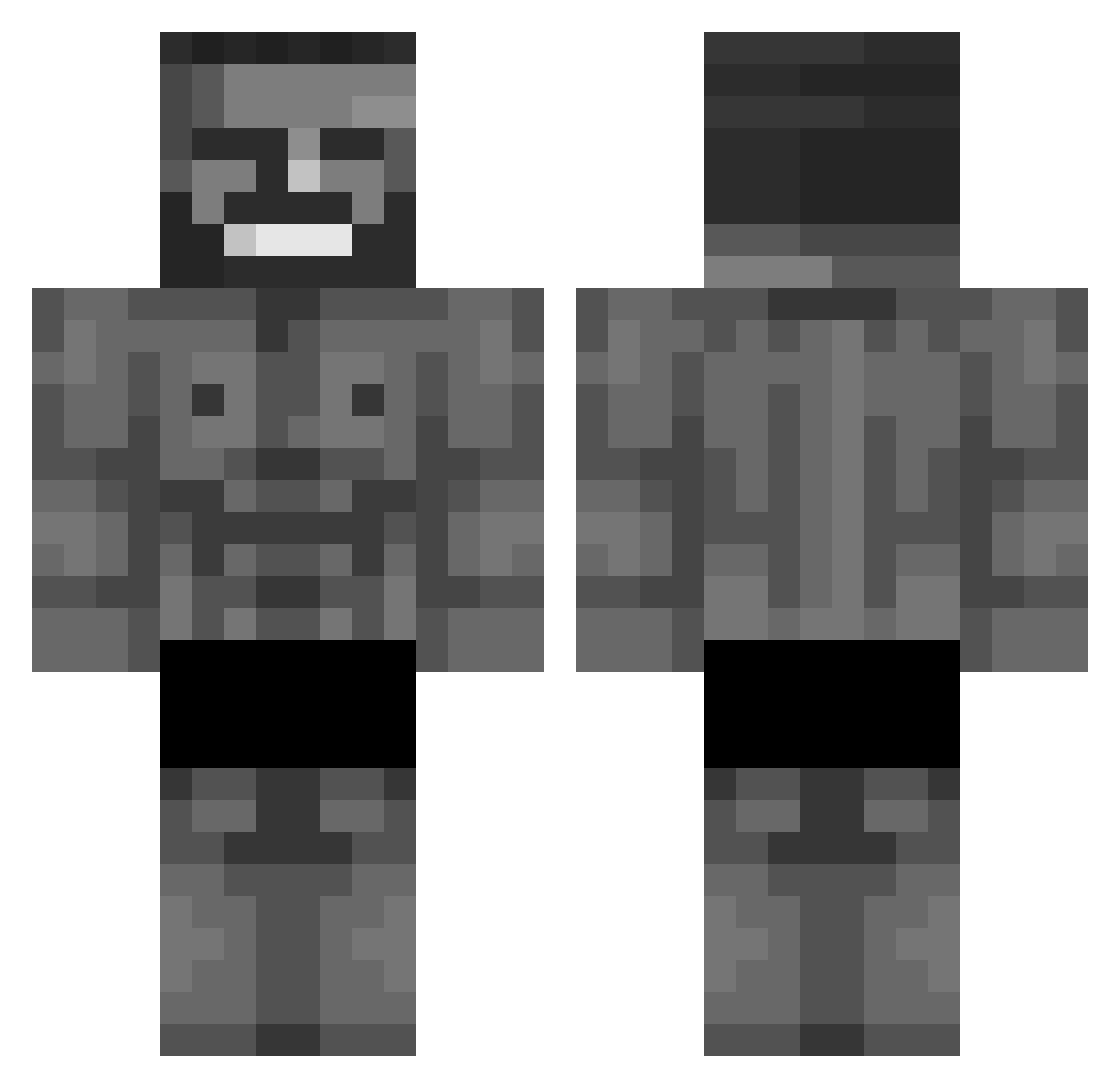
Current Minecraft skin of the player Davidistdum, loaded from the official Mojang API. Rotate the 3D model with your mouse or finger, then download the skin as a PNG file and use it in Minecraft: Bedrock Edition or Java Edition for free. When Davidistdum changes their skin, this page updates automatically and the old skin stays in the history below.
Other players with this skin (333)
Davidistdum was the 312th player we have seen with this skin, first spotted on 17.10.2026. The same skin was seen on these players. Open a nickname to see their current skin and skin history.
 nekittt67 janek2805 Hp2013 xou987 Tinasam_IB SEMIHUMALA FatSoLeak Crazy_Suna _shary nooe5 deshawnofficial QUETI_2 Russianinvader _KondzioElo_ heosk Barnabas1227 Jues nano2013 OmerVarr Kovoruto danielxz18 Alessandro4102 Skyhawk2407 GrimVK destroxer Gorg22 DaThinkerGuy Fluffyk0 Kerrykachotta colocated Grooszek2137 casino_dealer xKerem_ Noffeee finrer Kevsall SchnitzelBot Carti979 Jules_92 JusCallMeDylan DragoKing912 sadda5 FreddyUwU Giga_chad_du_255 _LM9WD_ Kvatorinka brossproduction Mupoc He11Angel Philemon1 Art3mis_kun Gxb74 Deadshot9669 EpicArcade1712 M_Maxime YvesLaint Brandao1162 Edup27 ChillShark11 V4l3ns
More Gigachad Minecraft skins
How to install the Davidistdum skin
- Press the Download button above to save the skin as a PNG file.
- Minecraft: Bedrock Edition (PE): open the Dressing Room from the main menu (or tap your character → Edit Character), go to Classic Skins → Owned, press the + (new skin) button, choose the downloaded PNG and pick the Classic (Steve) model. Works on PC and mobile; consoles cannot import custom skins.
- Minecraft: Java Edition: open the Minecraft Launcher, go to the Skins tab, click New Skin, load the PNG, pick the Classic (Steve) model and press Save & Use. You can also upload it at minecraft.net → Profile → Change Skin.
The skin does not show up after import - what should I do?
Restart Minecraft and open the Dressing Room again - imported skins sometimes appear only after a restart. Also make sure you selected the imported skin and picked the Classic (Steve) model.
Which model should I choose, Classic or Slim?
This skin is designed for the Classic (Steve) model. If you pick the wrong model, the arms of the skin will look stretched or squeezed.
Is the skin of Davidistdum free to download?
Yes. Press Download, save the PNG file and use it in Minecraft: Bedrock Edition or Java Edition - no payment or registration needed. The skin also works on multiplayer servers and Realms.
More skins
Looking for more? Go back to all Minecraft skins and check the top skins of the week, month and all time, or find any player's skin by nickname.