
DavidBlackWood - Minecraft Skins & Skin History
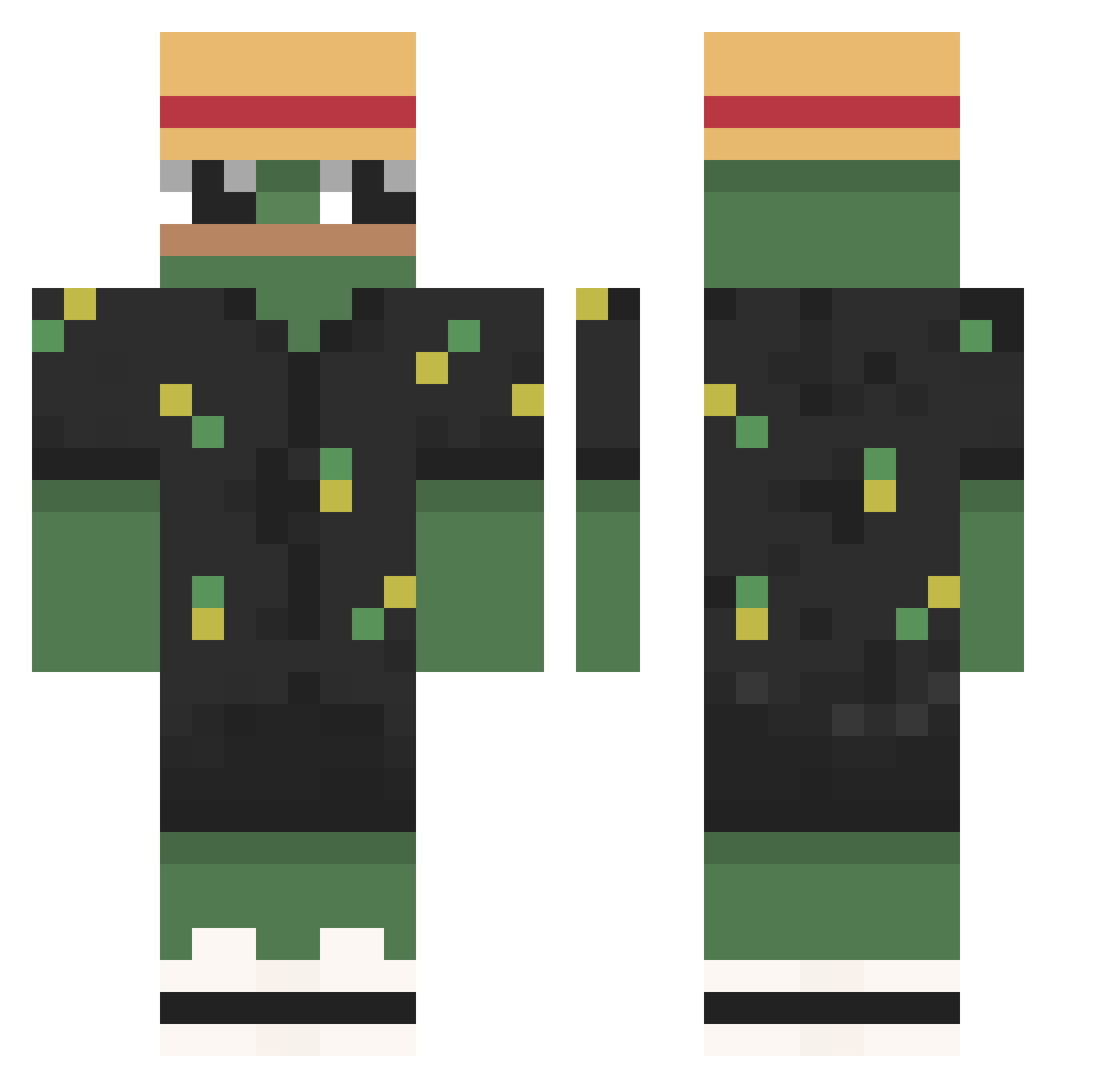
Current Minecraft skin of the player DavidBlackWood, loaded from the official Mojang API. Rotate the 3D model with your mouse or finger, then download the skin as a PNG file and use it in Minecraft: Bedrock Edition or Java Edition for free. When DavidBlackWood changes their skin, this page updates automatically and the old skin stays in the history below.
Other players with this skin (949)
DavidBlackWood was the 814th player we have seen with this skin, first spotted on 03.11.2026. The same skin was seen on these players. Open a nickname to see their current skin and skin history.
 Sekua1 StrelqmBabi caazil cocopopss18 Musialek129 nonamexixi Nath_BZH AntekB17 Rockerkooly scorpiodrift Shadowhunt4883 DiogoBOT hyunminman SuchDirrt nekkoda Pablopz7 shootkermit Roslay92 _FLX_SugarDaddy MrFlactoun KingFresh80 azzuri0328 Snoopy5512 zapekk_ Duck_Duckington_ Mefito Xuzt T7P4V Serena0003 62_Batloli gollumdu28 Deida200 vesko662 Robiigh Dorkz666 Kekw_Mad_Man Daemon322 Mrpigono Pablixu308 MattCGs Marcinoluk StackedMalik KuraTenshiTenki xAnemicz TwisterTR BigBadBradly Xeno_07 CrimsonDeer8 Argjendhys skywars6223 pez81_ WWwPdz lz_leon_zl iLectus Argent0r Snait7 mlodziej Mac_Lovin01 wojtas01 335k
More Pepe Minecraft skins
How to install the DavidBlackWood skin
- Press the Download button above to save the skin as a PNG file.
- Minecraft: Bedrock Edition (PE): open the Dressing Room from the main menu (or tap your character → Edit Character), go to Classic Skins → Owned, press the + (new skin) button, choose the downloaded PNG and pick the Classic (Steve) model. Works on PC and mobile; consoles cannot import custom skins.
- Minecraft: Java Edition: open the Minecraft Launcher, go to the Skins tab, click New Skin, load the PNG, pick the Classic (Steve) model and press Save & Use. You can also upload it at minecraft.net → Profile → Change Skin.
The skin does not show up after import - what should I do?
Restart Minecraft and open the Dressing Room again - imported skins sometimes appear only after a restart. Also make sure you selected the imported skin and picked the Classic (Steve) model.
Which model should I choose, Classic or Slim?
This skin is designed for the Classic (Steve) model. If you pick the wrong model, the arms of the skin will look stretched or squeezed.
Is the skin of DavidBlackWood free to download?
Yes. Press Download, save the PNG file and use it in Minecraft: Bedrock Edition or Java Edition - no payment or registration needed. The skin also works on multiplayer servers and Realms.
More skins
Looking for more? Go back to all Minecraft skins and check the top skins of the week, month and all time, or find any player's skin by nickname.