
DarsilvaPlayx - Minecraft Skins & Skin History
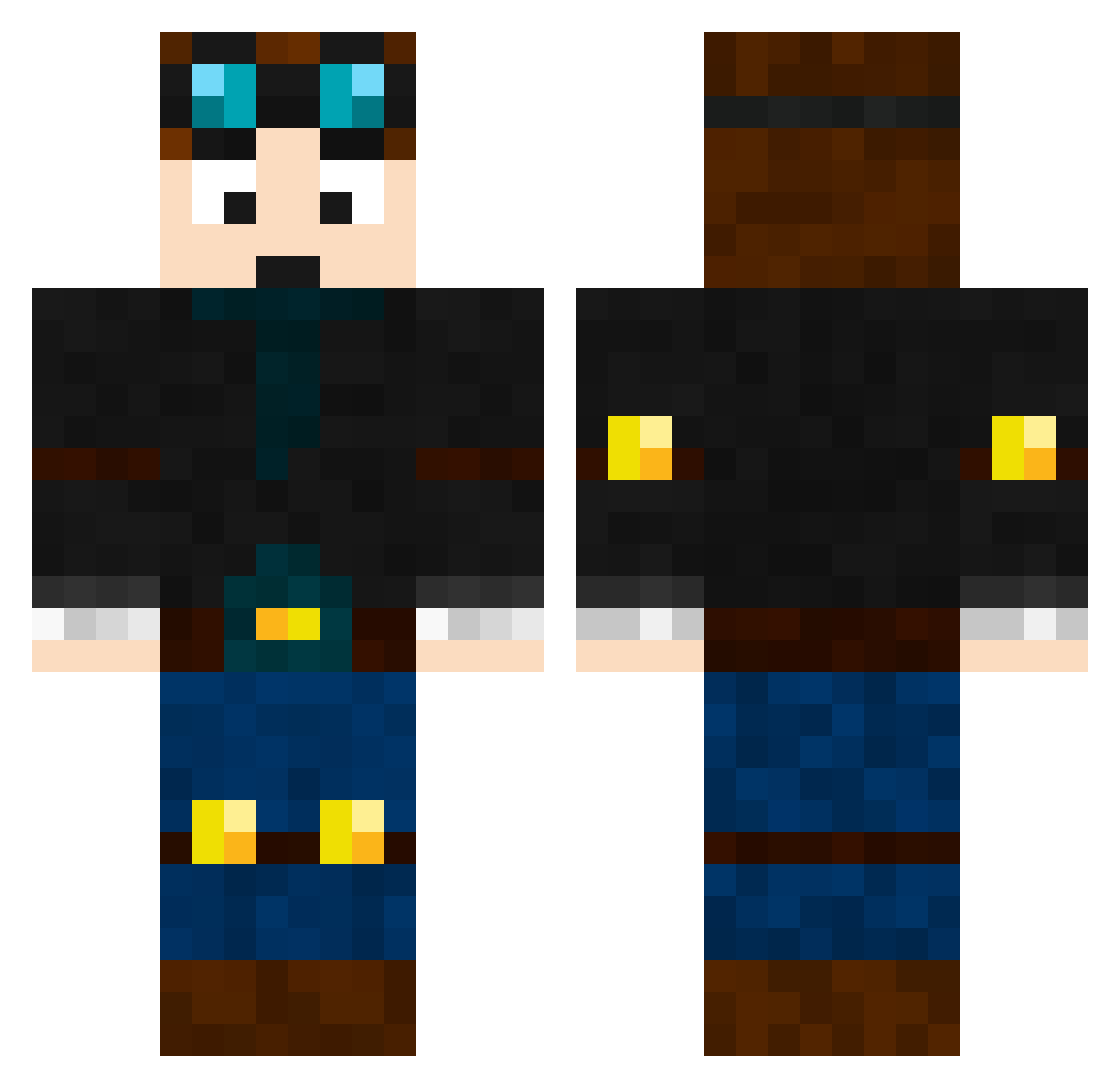
Current Minecraft skin of the player DarsilvaPlayx, loaded from the official Mojang API. Rotate the 3D model with your mouse or finger, then download the skin as a PNG file and use it in Minecraft: Bedrock Edition or Java Edition for free. When DarsilvaPlayx changes their skin, this page updates automatically and the old skin stays in the history below.
Other players with this skin (254)
DarsilvaPlayx was the 232nd player we have seen with this skin, first spotted on 11.11.2026. The same skin was seen on these players. Open a nickname to see their current skin and skin history.
 Azr4ff BoyCK11 NoLuckIsUnBanned Thecoalmine18 AstroSlayerX asdfvaporub Austism7 LAdodgers18 namingistoohard Laocas1 DAKOTA_GAMEZ mauicraft qpgfw Shadowfall18115 Caramel_AU Shonik69 Josewithrizz Ditoplaiz calvin1390 valid0 DeltaEcho001 GOG15 AstroidTag36 AminXD07 isaac2handsome4u dxtar MicahWierd es2_msmc_z30 UndertaleFan009 johanRTP DJsqabble Pooloe nkdrago DashedPilot428 Peacefulattack1 Tam313a Tarnishedturd13 ThatGuy438 Andrei2010C Jonathang_16 TTVmaster4560 Blnd6500 fritofthd weejimmy1234 yoyo776tfff fakescene Keth1978 chippy11 thefuttie di0on_ AndrewBaBo Lemons2321 BleuCheeto Ram3nPete DarkKnightTazze b4llsk Tyrguard1 IanWTD LilMusic ItsEl3ctron0
More Explorer Minecraft skins
How to install the DarsilvaPlayx skin
- Press the Download button above to save the skin as a PNG file.
- Minecraft: Bedrock Edition (PE): open the Dressing Room from the main menu (or tap your character → Edit Character), go to Classic Skins → Owned, press the + (new skin) button, choose the downloaded PNG and pick the Classic (Steve) model. Works on PC and mobile; consoles cannot import custom skins.
- Minecraft: Java Edition: open the Minecraft Launcher, go to the Skins tab, click New Skin, load the PNG, pick the Classic (Steve) model and press Save & Use. You can also upload it at minecraft.net → Profile → Change Skin.
The skin does not show up after import - what should I do?
Restart Minecraft and open the Dressing Room again - imported skins sometimes appear only after a restart. Also make sure you selected the imported skin and picked the Classic (Steve) model.
Which model should I choose, Classic or Slim?
This skin is designed for the Classic (Steve) model. If you pick the wrong model, the arms of the skin will look stretched or squeezed.
Is the skin of DarsilvaPlayx free to download?
Yes. Press Download, save the PNG file and use it in Minecraft: Bedrock Edition or Java Edition - no payment or registration needed. The skin also works on multiplayer servers and Realms.
More skins
Looking for more? Go back to all Minecraft skins and check the top skins of the week, month and all time, or find any player's skin by nickname.