
Darkyouser - Minecraft Skins & Skin History
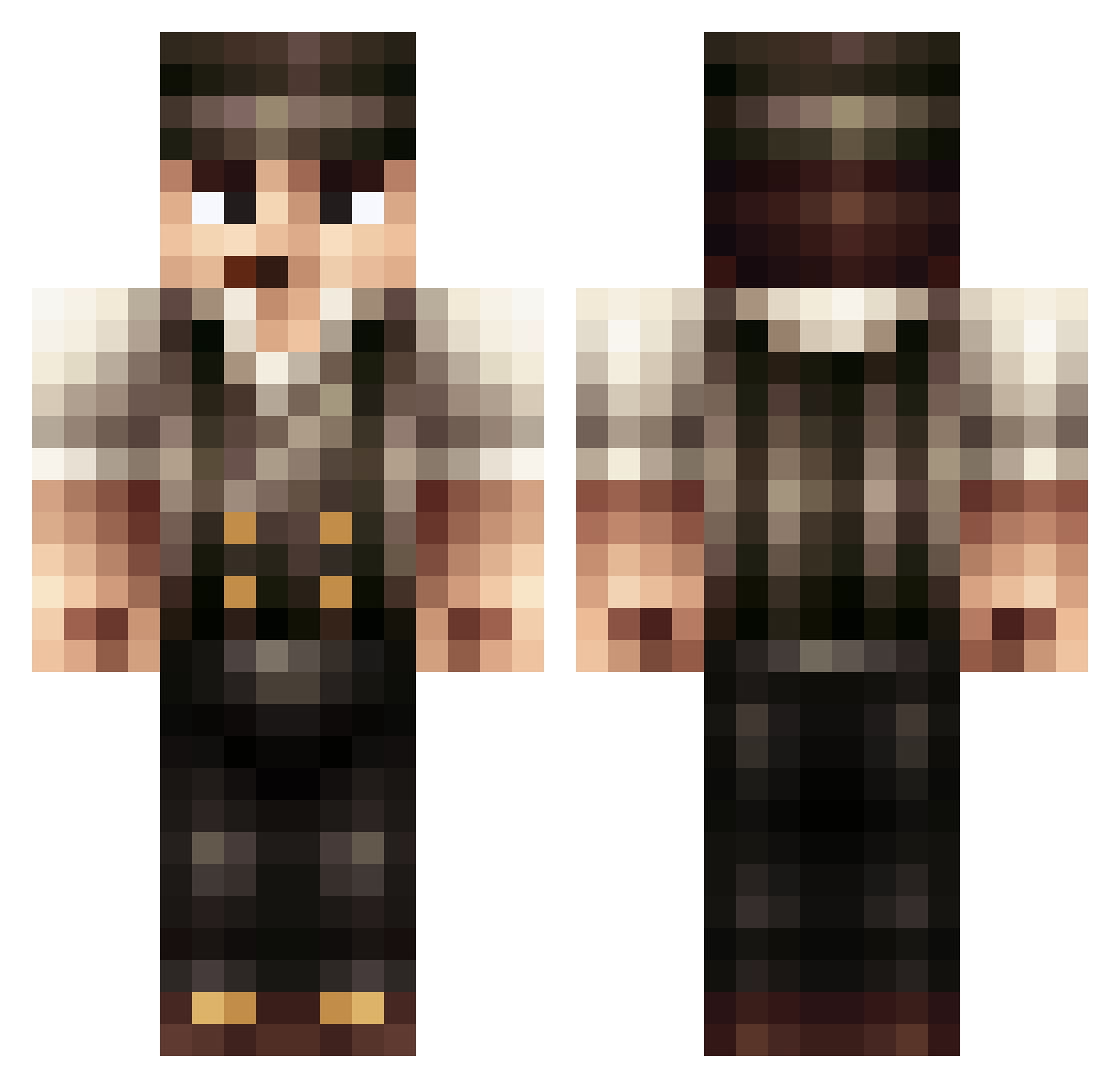
Current Minecraft skin of the player Darkyouser, loaded from the official Mojang API. Rotate the 3D model with your mouse or finger, then download the skin as a PNG file and use it in Minecraft: Bedrock Edition or Java Edition for free. When Darkyouser changes their skin, this page updates automatically and the old skin stays in the history below.
Other players with this skin (397)
Darkyouser was the 32nd player we have seen with this skin, first spotted on 01.08.2026. The same skin was seen on these players. Open a nickname to see their current skin and skin history.
 TheWhitestOG SmithS backonrub hoondog TheSpireNetwork _Samb SpectrumBlue Aszazzeen tomiebaas HR186 MAN3K CrazzzE Great_Huntly Theburnings0ul Cowa laxzo Pocketmineman Trakaiis LiuTianHui Jurgen_E fionn51 xxxchickensoupxx Exyld pates44 GrimWhich No_Drinks HB3Gen Cz2100 trollkillah winterybasher94 luigii192 Pinky656 DannyS1982 stevenbocco Rawmain M_Fighter21 jcxplorer Pinkie_Pie485 Dakronic1981 gangstaaar_97 Adwem Zeoos Flippyyyy miksnn funnymuffin Miroku7 Mathiasyeah C0ktail callcallen Von_Raptor Auroburn CapnWally Renslip12 Simke77 Triggerfisk Thomas_404 Jugameister Sal16v hazzmatt Amincident
More Peaky Blinders Minecraft skins
See all 107 Peaky Blinders skins
How to install the Darkyouser skin
- Press the Download button above to save the skin as a PNG file.
- Minecraft: Bedrock Edition (PE): open the Dressing Room from the main menu (or tap your character → Edit Character), go to Classic Skins → Owned, press the + (new skin) button, choose the downloaded PNG and pick the Classic (Steve) model. Works on PC and mobile; consoles cannot import custom skins.
- Minecraft: Java Edition: open the Minecraft Launcher, go to the Skins tab, click New Skin, load the PNG, pick the Classic (Steve) model and press Save & Use. You can also upload it at minecraft.net → Profile → Change Skin.
The skin does not show up after import - what should I do?
Restart Minecraft and open the Dressing Room again - imported skins sometimes appear only after a restart. Also make sure you selected the imported skin and picked the Classic (Steve) model.
Which model should I choose, Classic or Slim?
This skin is designed for the Classic (Steve) model. If you pick the wrong model, the arms of the skin will look stretched or squeezed.
Is the skin of Darkyouser free to download?
Yes. Press Download, save the PNG file and use it in Minecraft: Bedrock Edition or Java Edition - no payment or registration needed. The skin also works on multiplayer servers and Realms.
More skins
Looking for more? Go back to all Minecraft skins and check the top skins of the week, month and all time, or find any player's skin by nickname.