
Darkjan7058 - Minecraft Skins & Skin History
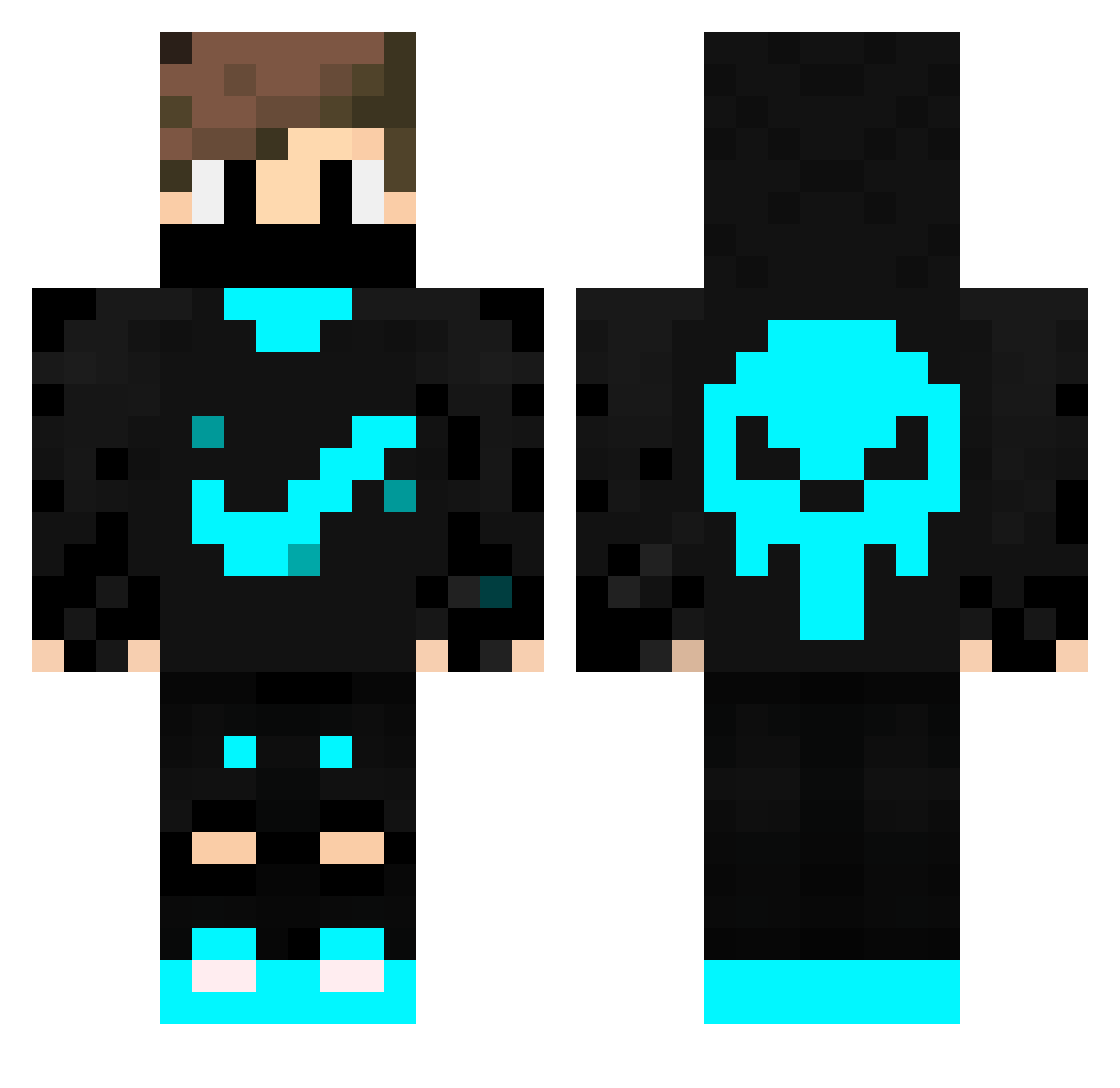
Current Minecraft skin of the player Darkjan7058, loaded from the official Mojang API. Rotate the 3D model with your mouse or finger, then download the skin as a PNG file and use it in Minecraft: Bedrock Edition or Java Edition for free. When Darkjan7058 changes their skin, this page updates automatically and the old skin stays in the history below.
Other players with this skin (228)
Darkjan7058 was the 104th player we have seen with this skin, first spotted on 10.09.2026. The same skin was seen on these players. Open a nickname to see their current skin and skin history.
 Firefighter_2809 VicenteRocco nut666 Wladmyr5 NightCoder Fak_luca GamingTiger31 LucpayGLP foxmimor Mirk08 Skillt4 Elisson21 kubaaa333 hasanbilmez Dim305 SAMUEL0302 oki264 BestShenYang sadas1 DeadlyRavenn SeckinNK RaGnArOk_69 Kandy7 Masterfn NurlanDM elcrackote Bobsruncle Synerrrrrrrr Scullery_ ptigus080 AceVision1x Matrinek Andree_Cabulosoo GvMs2012 NecaZ20 _CrazyBear_ _roxes_ huskytuber Ekrem2015 Dani23232323 sixNNN daavii24 Crypticeclips10 Bybielx_Cheating DarkSpy45 Mik1217 Eyal23456 Xenon_Colt DomousCZ ritahtrsba441 CynicalBurst ElSancho2010 Piterov_623 BaccaFrogSloth YusufAKT Juanre889 MaxTheDawg Spritelyheart59 Nathandomi06 ousado66
More Skull Minecraft skins
How to install the Darkjan7058 skin
- Press the Download button above to save the skin as a PNG file.
- Minecraft: Bedrock Edition (PE): open the Dressing Room from the main menu (or tap your character → Edit Character), go to Classic Skins → Owned, press the + (new skin) button, choose the downloaded PNG and pick the Classic (Steve) model. Works on PC and mobile; consoles cannot import custom skins.
- Minecraft: Java Edition: open the Minecraft Launcher, go to the Skins tab, click New Skin, load the PNG, pick the Classic (Steve) model and press Save & Use. You can also upload it at minecraft.net → Profile → Change Skin.
The skin does not show up after import - what should I do?
Restart Minecraft and open the Dressing Room again - imported skins sometimes appear only after a restart. Also make sure you selected the imported skin and picked the Classic (Steve) model.
Which model should I choose, Classic or Slim?
This skin is designed for the Classic (Steve) model. If you pick the wrong model, the arms of the skin will look stretched or squeezed.
Is the skin of Darkjan7058 free to download?
Yes. Press Download, save the PNG file and use it in Minecraft: Bedrock Edition or Java Edition - no payment or registration needed. The skin also works on multiplayer servers and Realms.
More skins
Looking for more? Go back to all Minecraft skins and check the top skins of the week, month and all time, or find any player's skin by nickname.