
DarkerFirestar - Minecraft Skins & Skin History
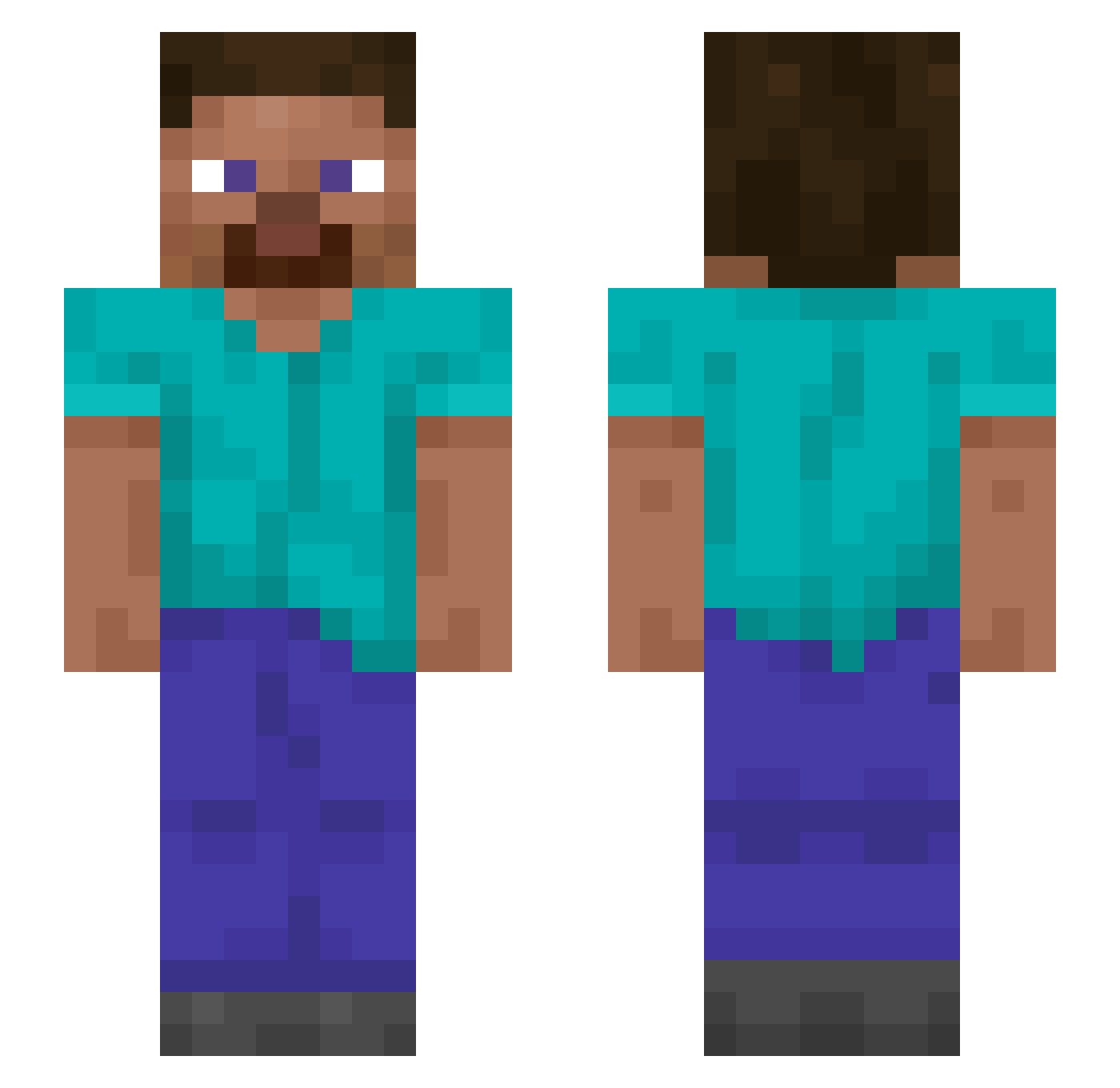
Current Minecraft skin of the player DarkerFirestar, loaded from the official Mojang API. Rotate the 3D model with your mouse or finger, then download the skin as a PNG file and use it in Minecraft: Bedrock Edition or Java Edition for free. When DarkerFirestar changes their skin, this page updates automatically and the old skin stays in the history below.
Other players with this skin (1103)
DarkerFirestar was the 85th player we have seen with this skin, first spotted on 30.07.2026. The same skin was seen on these players. Open a nickname to see their current skin and skin history.
 DoA123 SpenJo Rajeev Riva Burrier Reinhard_ Blightblaady Alleluiah Gurian Bilith delightfulchild arvij10 Formel BIackMouse Blue_Bossa leoBRGalassi Moresonel kenji455 wolframs Ozcar07 ZohanLB BartRee STARCHMAN Neeqe GRS02 StirFryTurkey Rotifer Scrublike Cyuza jxczz Resolver mxsaki Sinatraa25 Gurneys PL4YER_1 SkillzNI XNikusiAX Mho Coluber
 elPerlas andreas GitteR IllIllIIlllI nonsensory xluci19 Cyclops96 jhjh99 AkaAkai Rldeology TheOnlySuhaanaa
 Travisco LIPAUL Chromatically Beachman MinerProblems
 Atlas_112
 Kallen3 leMarc69 The_Outlander Impulse_Mclovin
How to install the DarkerFirestar skin
- Press the Download button above to save the skin as a PNG file.
- Minecraft: Bedrock Edition (PE): open the Dressing Room from the main menu (or tap your character → Edit Character), go to Classic Skins → Owned, press the + (new skin) button, choose the downloaded PNG and pick the Slim (Alex) model. Works on PC and mobile; consoles cannot import custom skins.
- Minecraft: Java Edition: open the Minecraft Launcher, go to the Skins tab, click New Skin, load the PNG, pick the Slim (Alex) model and press Save & Use. You can also upload it at minecraft.net → Profile → Change Skin.
The skin does not show up after import - what should I do?
Restart Minecraft and open the Dressing Room again - imported skins sometimes appear only after a restart. Also make sure you selected the imported skin and picked the Slim (Alex) model.
Which model should I choose, Classic or Slim?
This skin is designed for the Slim (Alex) model. If you pick the wrong model, the arms of the skin will look stretched or squeezed.
Is the skin of DarkerFirestar free to download?
Yes. Press Download, save the PNG file and use it in Minecraft: Bedrock Edition or Java Edition - no payment or registration needed. The skin also works on multiplayer servers and Realms.
More skins
Looking for more? Go back to all Minecraft skins and check the top skins of the week, month and all time, or find any player's skin by nickname.