
DarkLordApollo - Minecraft Skins & Skin History
Current Minecraft skin of the player DarkLordApollo, loaded from the official Mojang API. Rotate the 3D model with your mouse or finger, then download the skin as a PNG file and use it in Minecraft: Bedrock Edition or Java Edition for free. When DarkLordApollo changes their skin, this page updates automatically and the old skin stays in the history below.
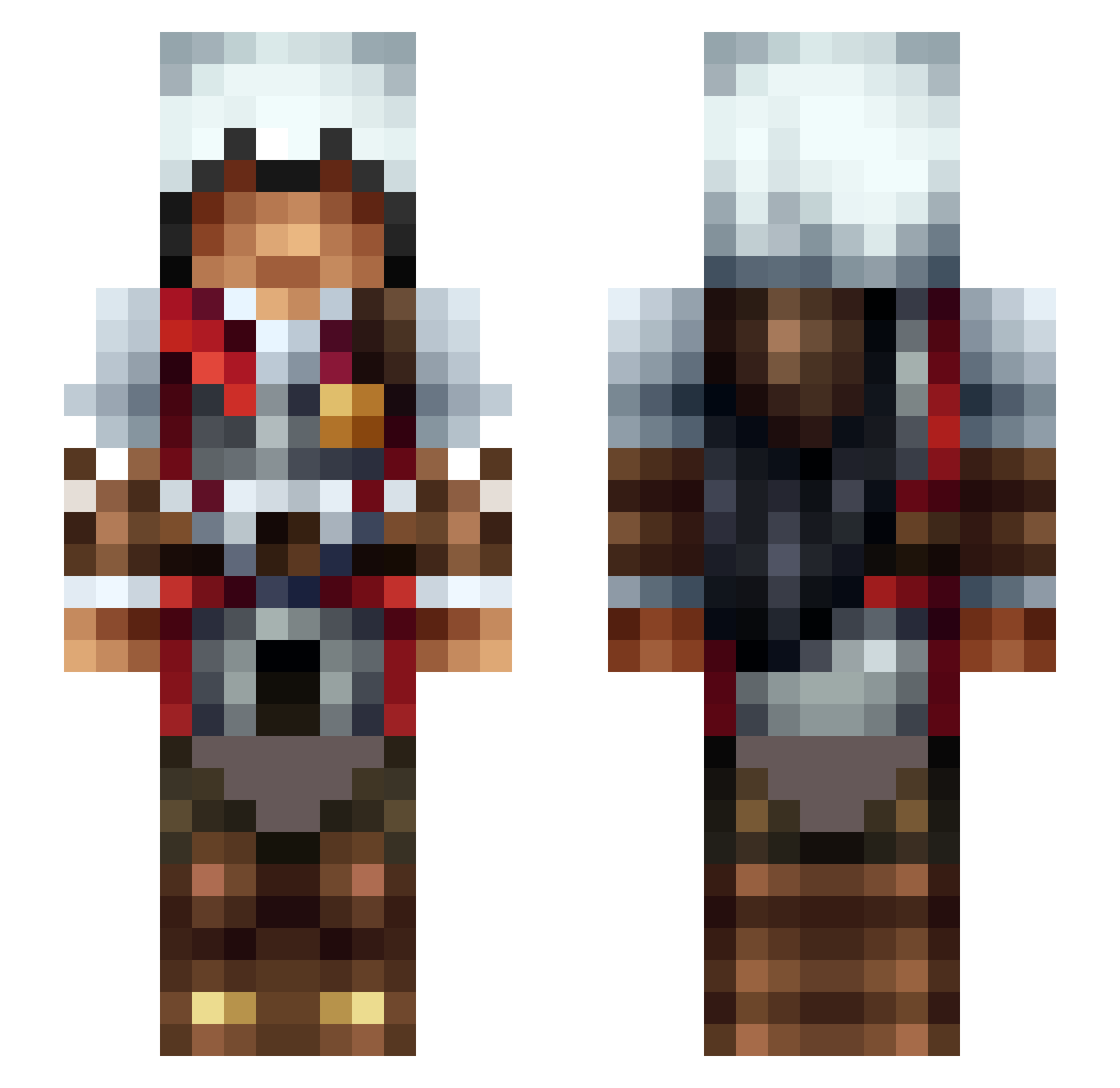
Other players with this skin (475)
DarkLordApollo was the 172nd player we have seen with this skin, first spotted on 03.09.2026. The same skin was seen on these players. Open a nickname to see their current skin and skin history.
 JagerBomb0729 Lemnzz EzioZeng daRozs felixxg04 Adrahil88 VinZ_SCH Corsus BloodDrinker_99 LukeSky13 BaccaShark Liushisan starrk1400 Virtue_x Maroonberet42 LastShadow93 FCC818 ket_aan holysamu China_t0wn TitanArk alex4eto69 kas_val Matt70203 hangzak64 RyanStormkai Chaos_9000 Eolas05 sabe923 ReeceSinclair21 sky_face_5 Kymaisel nortiv CoinZulu Alpha_King_Vll PrincessPond2 Mlemmie hardysfan Ominism streetieadz reveiel Iris1111 Nadeshiko1911 RedMist_97 Doct Solar_Side brout3 CheezusKrist HCP_86 KENWAY0505 AssassinJonesDJ bLinks3xy dhaker12 LtMongoose Andaganst cameroon1996 JAN_0325 The_Midget_ KjDrago El_Fuego0
More Altair Minecraft skins
How to install the DarkLordApollo skin
- Press the Download button above to save the skin as a PNG file.
- Minecraft: Bedrock Edition (PE): open the Dressing Room from the main menu (or tap your character → Edit Character), go to Classic Skins → Owned, press the + (new skin) button, choose the downloaded PNG and pick the Slim (Alex) model. Works on PC and mobile; consoles cannot import custom skins.
- Minecraft: Java Edition: open the Minecraft Launcher, go to the Skins tab, click New Skin, load the PNG, pick the Slim (Alex) model and press Save & Use. You can also upload it at minecraft.net → Profile → Change Skin.
The skin does not show up after import - what should I do?
Restart Minecraft and open the Dressing Room again - imported skins sometimes appear only after a restart. Also make sure you selected the imported skin and picked the Slim (Alex) model.
Which model should I choose, Classic or Slim?
This skin is designed for the Slim (Alex) model. If you pick the wrong model, the arms of the skin will look stretched or squeezed.
Is the skin of DarkLordApollo free to download?
Yes. Press Download, save the PNG file and use it in Minecraft: Bedrock Edition or Java Edition - no payment or registration needed. The skin also works on multiplayer servers and Realms.
More skins
Looking for more? Go back to all Minecraft skins and check the top skins of the week, month and all time, or find any player's skin by nickname.