
DarkKubo - Minecraft Skins & Skin History
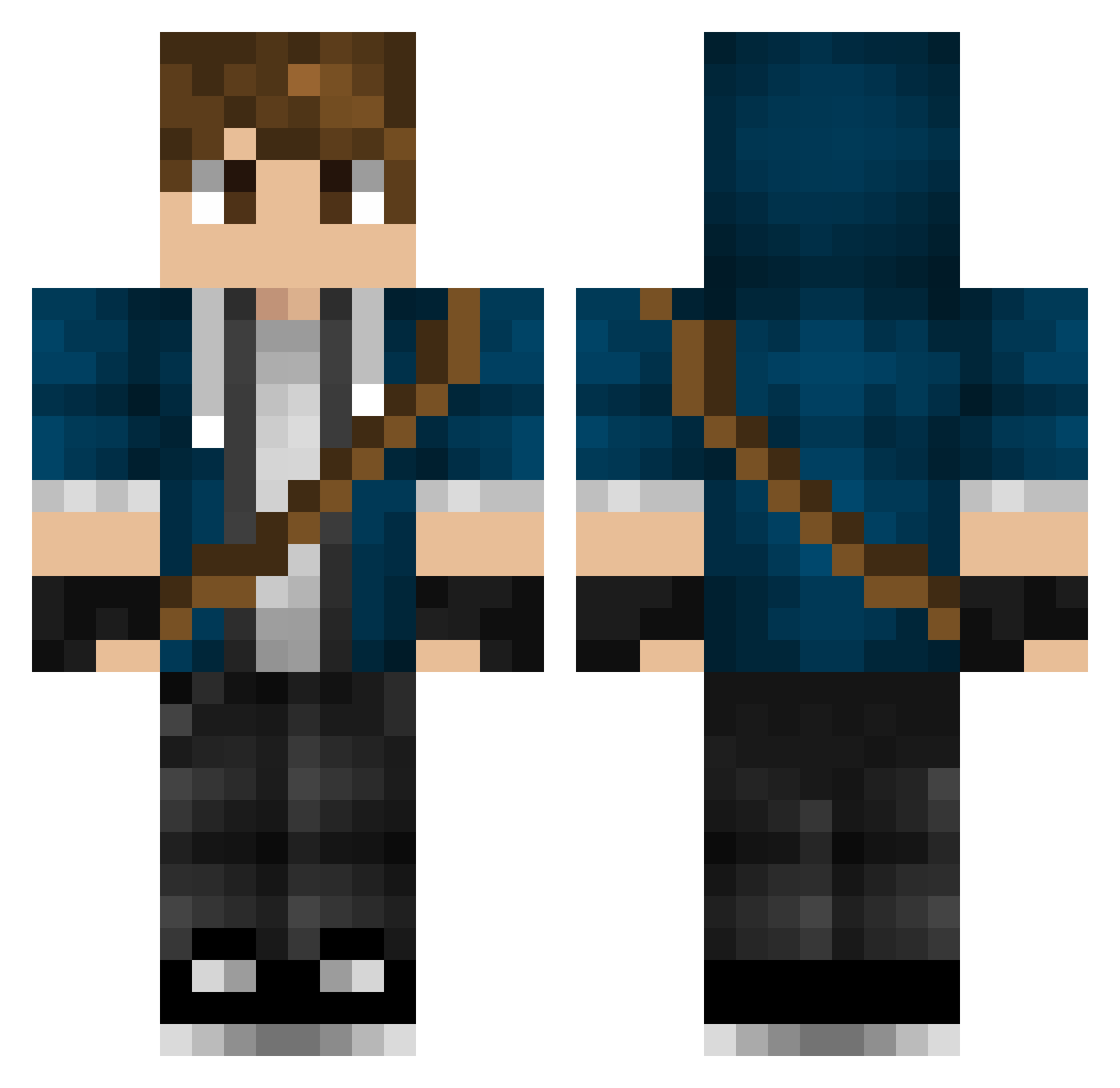
Current Minecraft skin of the player DarkKubo, loaded from the official Mojang API. Rotate the 3D model with your mouse or finger, then download the skin as a PNG file and use it in Minecraft: Bedrock Edition or Java Edition for free. When DarkKubo changes their skin, this page updates automatically and the old skin stays in the history below.
Other players with this skin (446)
DarkKubo was the 432nd player we have seen with this skin, first spotted on 28.10.2026. The same skin was seen on these players. Open a nickname to see their current skin and skin history.
 TheReyinal Toxic_koala mjnemen AlanYeager01 xiaohaog666 yzh999 kamonobashi DavidHL7 1gwiazdorpro HamathCC NomisCZ 910711 fei301 ToastedTrixz BoneMan358 Victoscar ZDawgX _Azero_ PaulVernon24 ixeft LuckyRhink mojanger2332 Grozentine Drakon141 Hraru7 MikeCraftBR SilentStrikerTH Dizzle69 Spark1Plug1 BLVCKxANGEL ODINSDIO FroSenT Eldunary85 Naiiden_ Jung38 x_Dav ArcaneRune04 XxC0DESxX Neybi antboy9 Silverkin Hybrid2018 Edde0716 Skreeemer N4gnu09 Volatius98 Hayabusa31 ilMelzo PapaFrancesco GentleWindy loldjlollo EXYHH Steelslayer95 HeimdaL25 Meo1i Potato_Cube B4SB0 DancedSky FoolhardyAK StormT1
More Messenger Bag Minecraft skins
See all 534 Messenger Bag skins
How to install the DarkKubo skin
- Press the Download button above to save the skin as a PNG file.
- Minecraft: Bedrock Edition (PE): open the Dressing Room from the main menu (or tap your character → Edit Character), go to Classic Skins → Owned, press the + (new skin) button, choose the downloaded PNG and pick the Classic (Steve) model. Works on PC and mobile; consoles cannot import custom skins.
- Minecraft: Java Edition: open the Minecraft Launcher, go to the Skins tab, click New Skin, load the PNG, pick the Classic (Steve) model and press Save & Use. You can also upload it at minecraft.net → Profile → Change Skin.
The skin does not show up after import - what should I do?
Restart Minecraft and open the Dressing Room again - imported skins sometimes appear only after a restart. Also make sure you selected the imported skin and picked the Classic (Steve) model.
Which model should I choose, Classic or Slim?
This skin is designed for the Classic (Steve) model. If you pick the wrong model, the arms of the skin will look stretched or squeezed.
Is the skin of DarkKubo free to download?
Yes. Press Download, save the PNG file and use it in Minecraft: Bedrock Edition or Java Edition - no payment or registration needed. The skin also works on multiplayer servers and Realms.
More skins
Looking for more? Go back to all Minecraft skins and check the top skins of the week, month and all time, or find any player's skin by nickname.