
Dariel_FxD - Minecraft Skins & Skin History
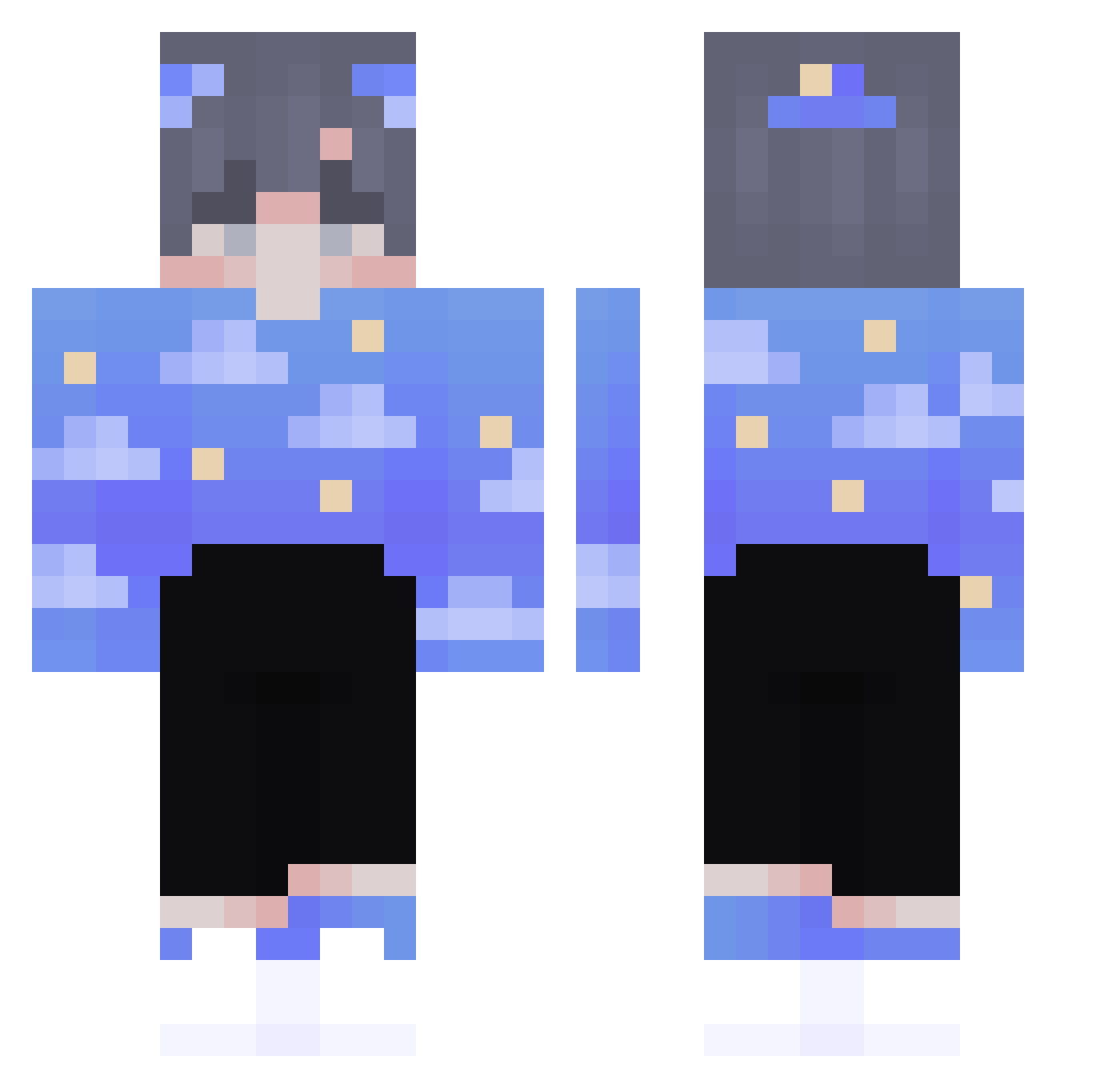
Current Minecraft skin of the player Dariel_FxD, loaded from the official Mojang API. Rotate the 3D model with your mouse or finger, then download the skin as a PNG file and use it in Minecraft: Bedrock Edition or Java Edition for free. When Dariel_FxD changes their skin, this page updates automatically and the old skin stays in the history below.
Other players with this skin (84)
Dariel_FxD was the 19th player we have seen with this skin, first spotted on 11.08.2026. The same skin was seen on these players. Open a nickname to see their current skin and skin history.
 AdiQ7212 Szymus3 _Bubbley lostmyvanity dombf lebloux Tukois_Pet iieel Squaddie_
 K0tikov Nucleuzzz TheWeiWei Villerox Jesusino HeccNo ToMojaFabiaSkoda thieb LZ00X2 zxcSkam 4ugva Un_IvEr_SE Shidorino ElSusurros Hyperful LLLLYL AkkorKali ItsRosie iTriied Flynn_____ janoobanano HumidPainter713 Nobu09876 Iihxing Dabid0 ColdRamen28 owopika
 Mr_Fwuffy Pajipower10 Limuncic SirYoda6514 _HwaYa aiden_boo Candusia777 zachtuley ilysvetlana XIAOBOO FilipDOA YowieYahoo osuwo Gomochka FrewFFS Potter_baka Amorado1005 Niqthcall OatsForMeal Sanhang yLunik_ Jerumeuh okaymax Murooxx
More Night Sky Minecraft skins
How to install the Dariel_FxD skin
- Press the Download button above to save the skin as a PNG file.
- Minecraft: Bedrock Edition (PE): open the Dressing Room from the main menu (or tap your character → Edit Character), go to Classic Skins → Owned, press the + (new skin) button, choose the downloaded PNG and pick the Classic (Steve) model. Works on PC and mobile; consoles cannot import custom skins.
- Minecraft: Java Edition: open the Minecraft Launcher, go to the Skins tab, click New Skin, load the PNG, pick the Classic (Steve) model and press Save & Use. You can also upload it at minecraft.net → Profile → Change Skin.
The skin does not show up after import - what should I do?
Restart Minecraft and open the Dressing Room again - imported skins sometimes appear only after a restart. Also make sure you selected the imported skin and picked the Classic (Steve) model.
Which model should I choose, Classic or Slim?
This skin is designed for the Classic (Steve) model. If you pick the wrong model, the arms of the skin will look stretched or squeezed.
Is the skin of Dariel_FxD free to download?
Yes. Press Download, save the PNG file and use it in Minecraft: Bedrock Edition or Java Edition - no payment or registration needed. The skin also works on multiplayer servers and Realms.
More skins
Looking for more? Go back to all Minecraft skins and check the top skins of the week, month and all time, or find any player's skin by nickname.