
Dareean - Minecraft Skins & Skin History
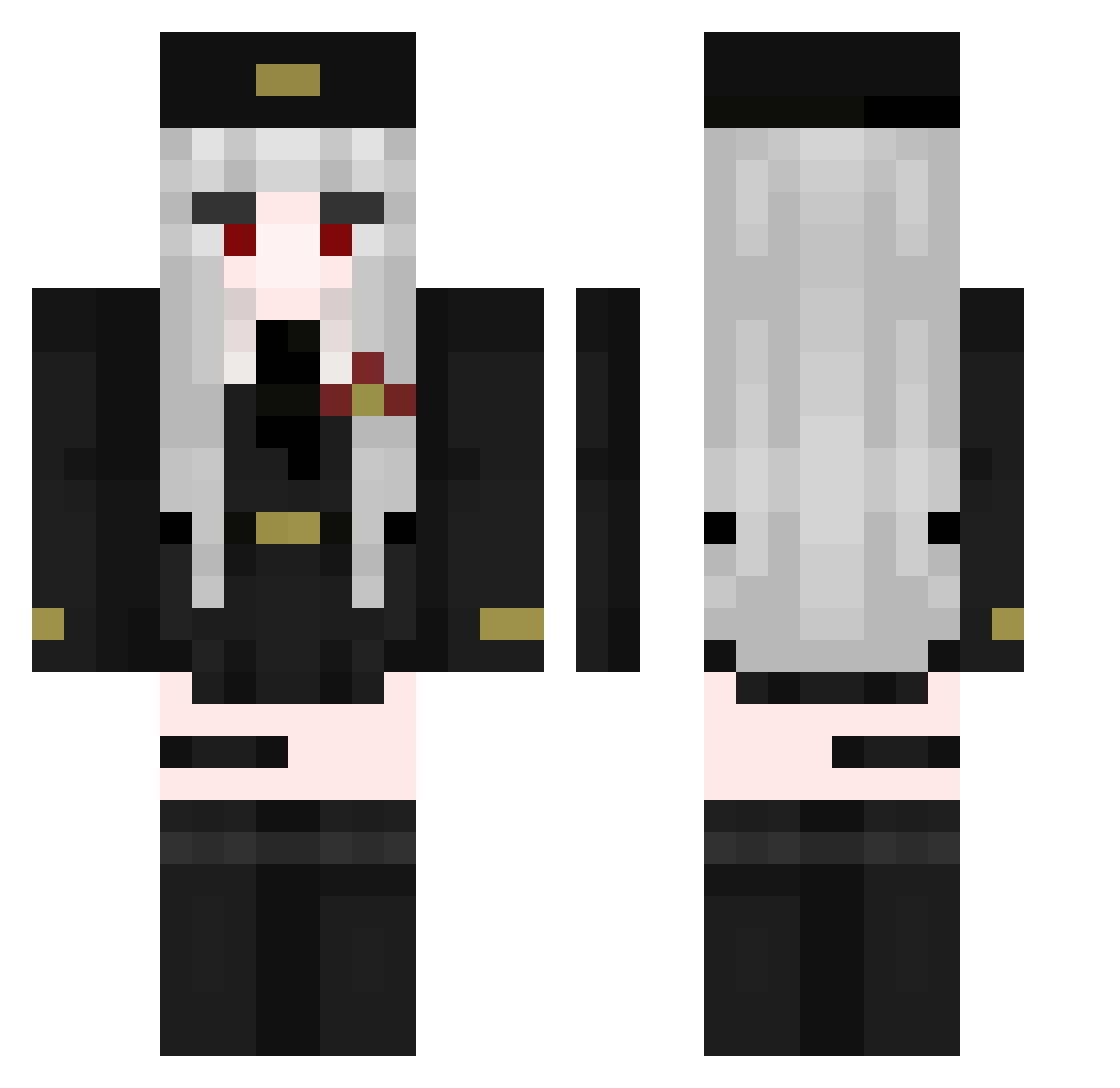
Current Minecraft skin of the player Dareean, loaded from the official Mojang API. Rotate the 3D model with your mouse or finger, then download the skin as a PNG file and use it in Minecraft: Bedrock Edition or Java Edition for free. When Dareean changes their skin, this page updates automatically and the old skin stays in the history below.
Other players with this skin (52)
Dareean was the 44th player we have seen with this skin, first spotted on 12.10.2026. The same skin was seen on these players. Open a nickname to see their current skin and skin history.
 mooha1023 __xyq__ AIiDenizSenqotuk Wemz flooowy q823 FmbyOnion DajiruZch _Angel_TM NeverGEN_ 0hWai Alduroi cagoe danchen2 kannamurr LEARD304 Zoe_Xoe ABUDOSAR Schijthaas Retwine DISKOTY ofi1234 Fruxya Maniiacc Alikenanpro nodajuju_osoi ppguinn
 iShinoBee InstantNoobKing shuiyumike Marwoora Aza662 Taibaili
 Nikuszek CanYouChill Hit_Girl AffeBaffe2 Pavilon12 Grysky
 TheBreadcatto Kaythuwu nasorda
 Squid2Cute juwon01
 Xela51 AndrianaXoL OtavioFxx
 Nineter3 zwhyOwO Hodgi17 lateyy UvasConCrema
More Military Uniform Minecraft skins
See all 1530 Military Uniform skins
How to install the Dareean skin
- Press the Download button above to save the skin as a PNG file.
- Minecraft: Bedrock Edition (PE): open the Dressing Room from the main menu (or tap your character → Edit Character), go to Classic Skins → Owned, press the + (new skin) button, choose the downloaded PNG and pick the Classic (Steve) model. Works on PC and mobile; consoles cannot import custom skins.
- Minecraft: Java Edition: open the Minecraft Launcher, go to the Skins tab, click New Skin, load the PNG, pick the Classic (Steve) model and press Save & Use. You can also upload it at minecraft.net → Profile → Change Skin.
The skin does not show up after import - what should I do?
Restart Minecraft and open the Dressing Room again - imported skins sometimes appear only after a restart. Also make sure you selected the imported skin and picked the Classic (Steve) model.
Which model should I choose, Classic or Slim?
This skin is designed for the Classic (Steve) model. If you pick the wrong model, the arms of the skin will look stretched or squeezed.
Is the skin of Dareean free to download?
Yes. Press Download, save the PNG file and use it in Minecraft: Bedrock Edition or Java Edition - no payment or registration needed. The skin also works on multiplayer servers and Realms.
More skins
Looking for more? Go back to all Minecraft skins and check the top skins of the week, month and all time, or find any player's skin by nickname.