
Danielkn99 - Minecraft Skins & Skin History
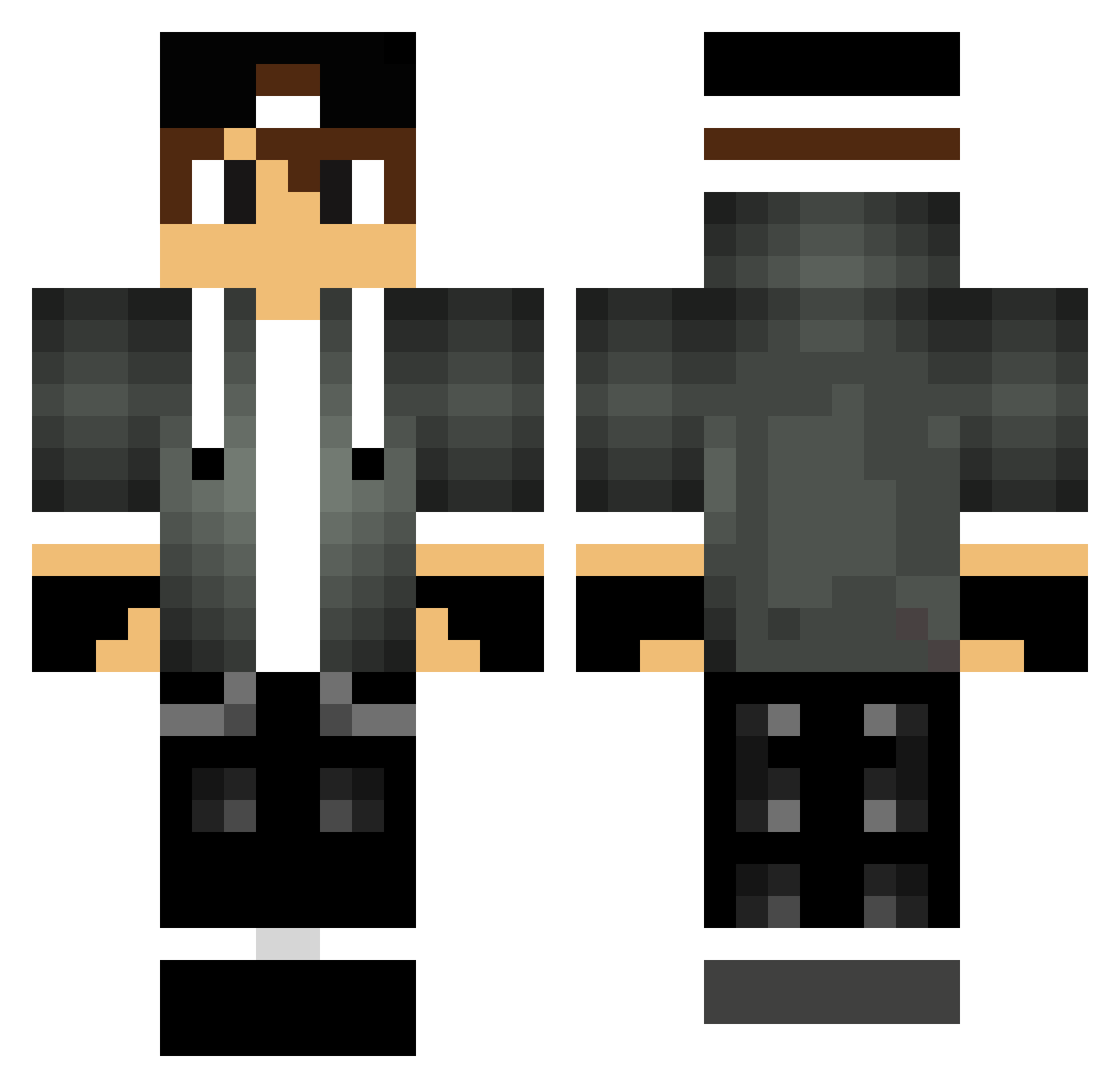
Current Minecraft skin of the player Danielkn99, loaded from the official Mojang API. Rotate the 3D model with your mouse or finger, then download the skin as a PNG file and use it in Minecraft: Bedrock Edition or Java Edition for free. When Danielkn99 changes their skin, this page updates automatically and the old skin stays in the history below.
Other players with this skin (102)
Danielkn99 was the 92nd player we have seen with this skin, first spotted on 03.11.2026. The same skin was seen on these players. Open a nickname to see their current skin and skin history.
 ELBrandone MrSmbosa1 PanSzelescik marenko Comedian221 _Majsterr Xipir0n11 Yawmato ABHISHEK67 Ghostmike1 Hypereiky goxaa ibrahimvic SilasPayne AdoFirefly Mxter alek8172 KAKZO2 Troyzi Da_Horse69 KrazYYY0 jomatco Kubolek112 TheMart113 Patry06 ReyMessias iDazei5 diffiii HectorProGamer AmeyCalvin Weapon1408 iiZDIABLO wennxyx AntonisX007GR Marcovits Tw_Awei Lucca_matic Stevvie27 Vanya__MMJ FlareonGX Turluberlu Kcrash85 Falwack YohannMq middelkamp_ ThepouleduZzz Shewbeh FelipeArdilaa ZERO_ML kastancze Mattiixs filipy123 Stoszek ney1474 DrowsierClock gravl MicaiPs SkilYaz Bidon2571 TripX_
More Cap Minecraft skins
How to install the Danielkn99 skin
- Press the Download button above to save the skin as a PNG file.
- Minecraft: Bedrock Edition (PE): open the Dressing Room from the main menu (or tap your character → Edit Character), go to Classic Skins → Owned, press the + (new skin) button, choose the downloaded PNG and pick the Classic (Steve) model. Works on PC and mobile; consoles cannot import custom skins.
- Minecraft: Java Edition: open the Minecraft Launcher, go to the Skins tab, click New Skin, load the PNG, pick the Classic (Steve) model and press Save & Use. You can also upload it at minecraft.net → Profile → Change Skin.
The skin does not show up after import - what should I do?
Restart Minecraft and open the Dressing Room again - imported skins sometimes appear only after a restart. Also make sure you selected the imported skin and picked the Classic (Steve) model.
Which model should I choose, Classic or Slim?
This skin is designed for the Classic (Steve) model. If you pick the wrong model, the arms of the skin will look stretched or squeezed.
Is the skin of Danielkn99 free to download?
Yes. Press Download, save the PNG file and use it in Minecraft: Bedrock Edition or Java Edition - no payment or registration needed. The skin also works on multiplayer servers and Realms.
More skins
Looking for more? Go back to all Minecraft skins and check the top skins of the week, month and all time, or find any player's skin by nickname.