
Daniel_Arenas - Minecraft Skins & Skin History
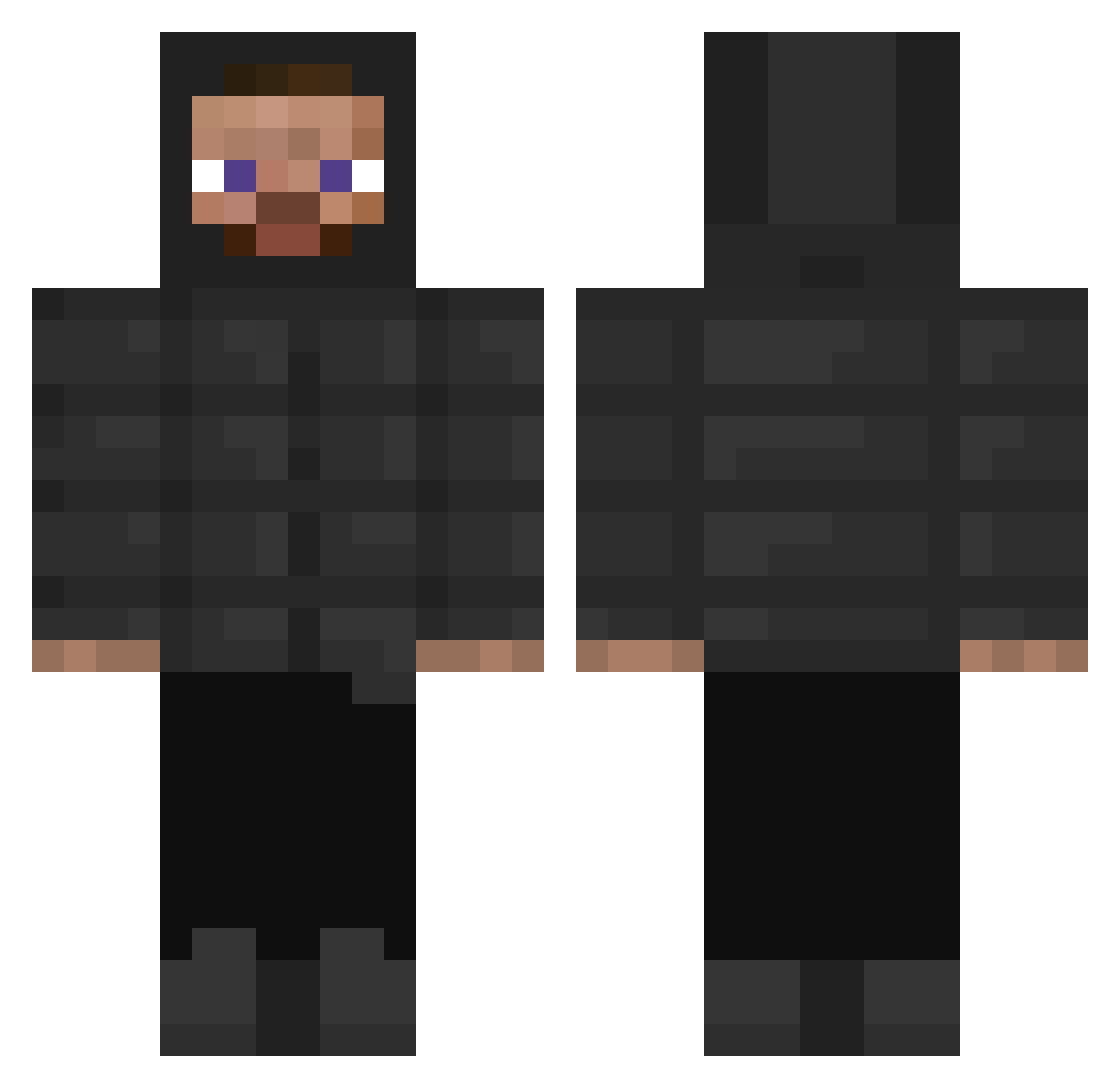
Current Minecraft skin of the player Daniel_Arenas, loaded from the official Mojang API. Rotate the 3D model with your mouse or finger, then download the skin as a PNG file and use it in Minecraft: Bedrock Edition or Java Edition for free. When Daniel_Arenas changes their skin, this page updates automatically and the old skin stays in the history below.
Other players with this skin (316)
Daniel_Arenas was the 30th player we have seen with this skin, first spotted on 06.08.2026. The same skin was seen on these players. Open a nickname to see their current skin and skin history.
 MrAnimeThighs Huggenator67 Hawkixd Invoke MC_Goncalinho Djaga swettballs mikakika123 LittleDiams Bigstepz stawik46029 kdubs45 dew342 Amayas956 rockband356 nununimu
 LoveEthxn FwStunna Quantum_Bruh UrBoiSamplayz_ landonboy24 mathiaszinn KINGlord1274 Whale69 CrimeEleitoral Nassou135 Veshylicious Titrations Car_Plays_Better zahitersin Gisharks erich__ KekiiPL ZIGZag_transport Smartys tcif Zariti Planet_Drool
 shalag69 leejsggg Maassiw awgust_ abdzl Xinfina StoneKing1991 RausDKtVoCheater _perL Ufe_ CaseMountain180 Champagne206 mitkvaze Papszennyes Mosma Cdesehun h6ria Leteman82 veleto01 markoni2 Drkarmaath nahumSK
How to install the Daniel_Arenas skin
- Press the Download button above to save the skin as a PNG file.
- Minecraft: Bedrock Edition (PE): open the Dressing Room from the main menu (or tap your character → Edit Character), go to Classic Skins → Owned, press the + (new skin) button, choose the downloaded PNG and pick the Classic (Steve) model. Works on PC and mobile; consoles cannot import custom skins.
- Minecraft: Java Edition: open the Minecraft Launcher, go to the Skins tab, click New Skin, load the PNG, pick the Classic (Steve) model and press Save & Use. You can also upload it at minecraft.net → Profile → Change Skin.
The skin does not show up after import - what should I do?
Restart Minecraft and open the Dressing Room again - imported skins sometimes appear only after a restart. Also make sure you selected the imported skin and picked the Classic (Steve) model.
Which model should I choose, Classic or Slim?
This skin is designed for the Classic (Steve) model. If you pick the wrong model, the arms of the skin will look stretched or squeezed.
Is the skin of Daniel_Arenas free to download?
Yes. Press Download, save the PNG file and use it in Minecraft: Bedrock Edition or Java Edition - no payment or registration needed. The skin also works on multiplayer servers and Realms.
More skins
Looking for more? Go back to all Minecraft skins and check the top skins of the week, month and all time, or find any player's skin by nickname.