
DanielVicente20 - Minecraft Skins & Skin History
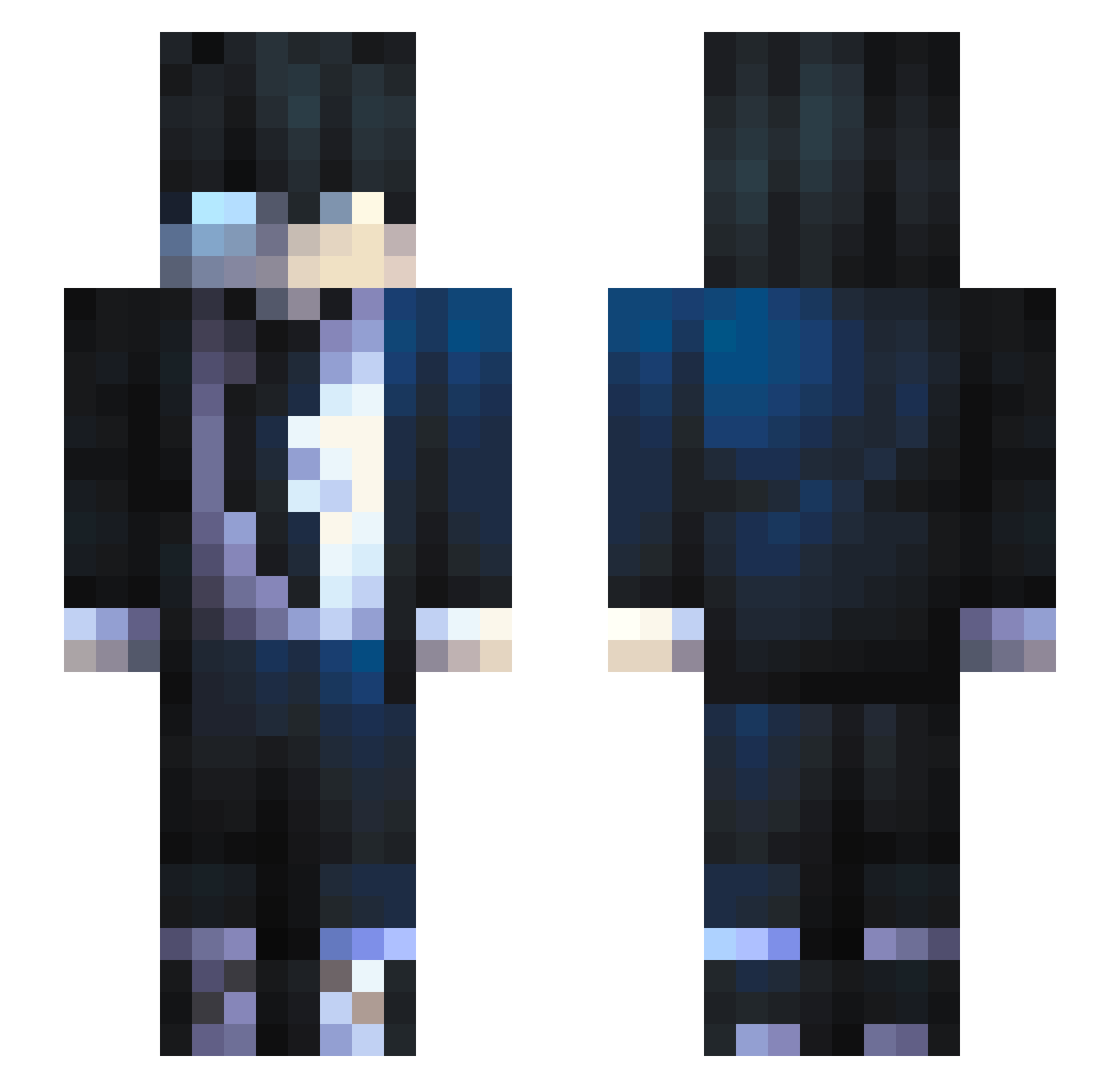
Current Minecraft skin of the player DanielVicente20, loaded from the official Mojang API. Rotate the 3D model with your mouse or finger, then download the skin as a PNG file and use it in Minecraft: Bedrock Edition or Java Edition for free. When DanielVicente20 changes their skin, this page updates automatically and the old skin stays in the history below.
Other players with this skin (684)
DanielVicente20 was the 585th player we have seen with this skin, first spotted on 20.10.2026. The same skin was seen on these players. Open a nickname to see their current skin and skin history.
 Nobylle x3Mario MrDiamond_52 StereoP AhahakJack BlitzToGood ADCIam MuzzLovePlay GIGACHAD555 Nantiu ogazim ShadeSlayer963 Siprev MaxxaM18 Adrimovich liiiaaaamm triggahapy Rylowk zneoff_ Tknologik mustiletics GEGE1282 Uvuvmwevwevwe _Bigorexia_ jeremy749 masogod Arkaniiii RudolphgamingYT NotMixGamerOP SoloLevelz Bellakoxz Tupigglimosuki Ventiliox R953 metempsychosis07 matti3003 Glasiarix JanKingMan _ScottMC A_La_Carte3 Efficals Li0nsH3rt Bruno_Takazono NeedCrackers G3rmanGeorge Soulenx ImGar_ Whyter10 Joshek Criminalzth Ino_II ldskizix China462 Anonyme531 KorryK Lopezzone kobe296 benitoXmax Poke85 dev1lyn
How to install the DanielVicente20 skin
- Press the Download button above to save the skin as a PNG file.
- Minecraft: Bedrock Edition (PE): open the Dressing Room from the main menu (or tap your character → Edit Character), go to Classic Skins → Owned, press the + (new skin) button, choose the downloaded PNG and pick the Slim (Alex) model. Works on PC and mobile; consoles cannot import custom skins.
- Minecraft: Java Edition: open the Minecraft Launcher, go to the Skins tab, click New Skin, load the PNG, pick the Slim (Alex) model and press Save & Use. You can also upload it at minecraft.net → Profile → Change Skin.
The skin does not show up after import - what should I do?
Restart Minecraft and open the Dressing Room again - imported skins sometimes appear only after a restart. Also make sure you selected the imported skin and picked the Slim (Alex) model.
Which model should I choose, Classic or Slim?
This skin is designed for the Slim (Alex) model. If you pick the wrong model, the arms of the skin will look stretched or squeezed.
Is the skin of DanielVicente20 free to download?
Yes. Press Download, save the PNG file and use it in Minecraft: Bedrock Edition or Java Edition - no payment or registration needed. The skin also works on multiplayer servers and Realms.
More skins
Looking for more? Go back to all Minecraft skins and check the top skins of the week, month and all time, or find any player's skin by nickname.