
DanielSuperDupe - Minecraft Skins & Skin History
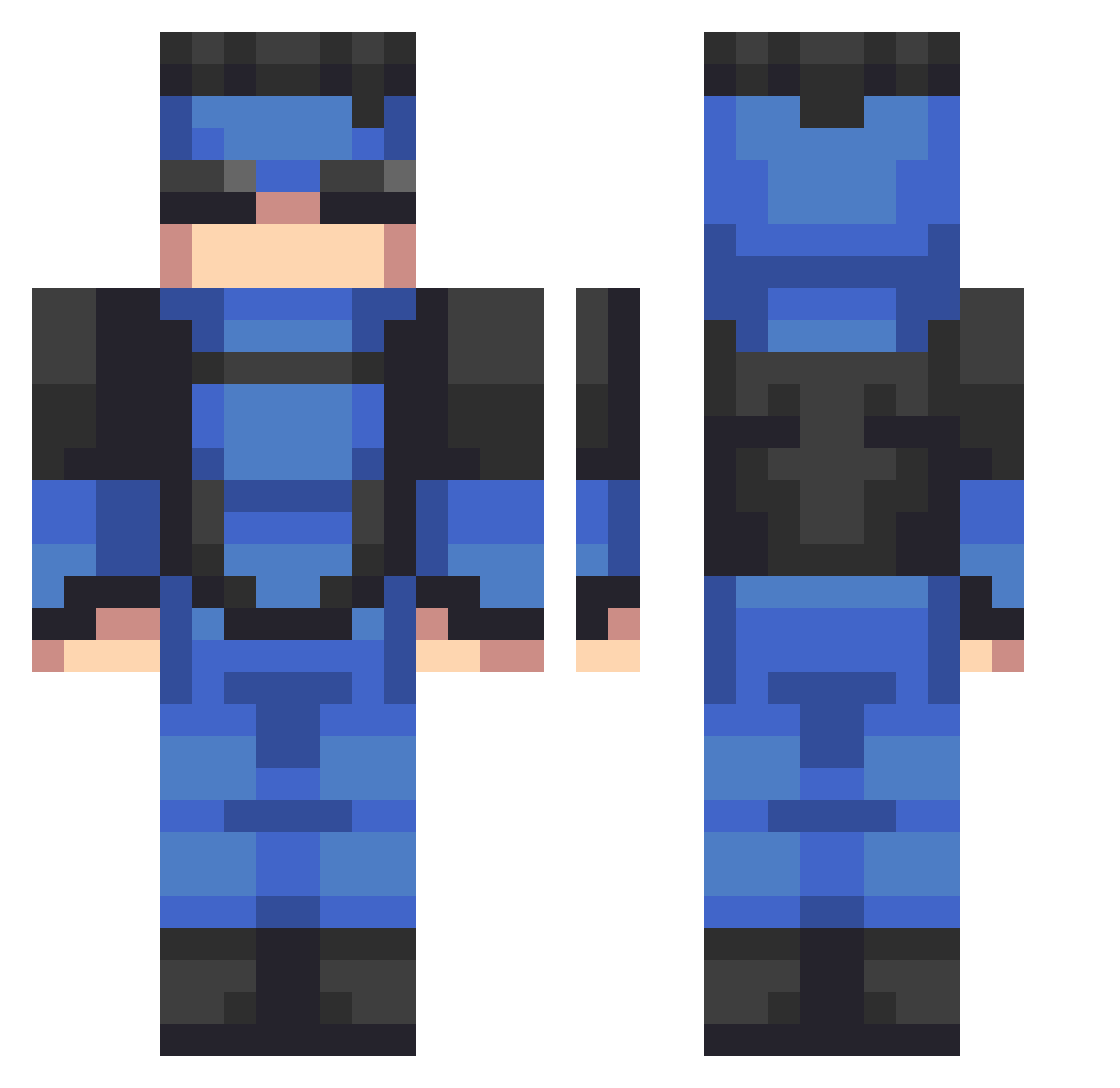
Current Minecraft skin of the player DanielSuperDupe, loaded from the official Mojang API. Rotate the 3D model with your mouse or finger, then download the skin as a PNG file and use it in Minecraft: Bedrock Edition or Java Edition for free. When DanielSuperDupe changes their skin, this page updates automatically and the old skin stays in the history below.
Other players with this skin (535)
DanielSuperDupe was the 68th player we have seen with this skin, first spotted on 07.08.2026. The same skin was seen on these players. Open a nickname to see their current skin and skin history.
 al3xxmc
 Landooreo96 Ingsboys Hamani1 LUKKA09
 Mixa8503 Uana12 ItzZCarnage BallsChecker Maddog1882 STONKSBOY69 earth_mna ChickenXSlayer Stiffener Caio9668 AuraSwiss SK8RCHILD25 PureSharp SNAIL_ZAZA DDTHADONN Diego10GamerPro ImmortalPres B1ologix Doodlings Gustah_ Farlex01 Guardian12345678
 PRANGIJA Zipu_ Bobby7103 SFIJuanmi SalvadorOnTop
 GlorpenShnorp BenAtias1 babouelo Di3gorz Hannibal2554 harvey_c23 pr_syn zukrix_ salamischeese IIYatzeeII PEACHV3 Theboi24 MasterARIX AnngCloud Warito13 george5317
 RiP_Legendz Crunchy4Skin Y4S08 Verezii 3FLASH3 Jerry_the_Hero el_vixhoo anindough CynfulWon yeahimboosted bbyesmoney Jenfinite6
More Solid Snake Minecraft skins
How to install the DanielSuperDupe skin
- Press the Download button above to save the skin as a PNG file.
- Minecraft: Bedrock Edition (PE): open the Dressing Room from the main menu (or tap your character → Edit Character), go to Classic Skins → Owned, press the + (new skin) button, choose the downloaded PNG and pick the Classic (Steve) model. Works on PC and mobile; consoles cannot import custom skins.
- Minecraft: Java Edition: open the Minecraft Launcher, go to the Skins tab, click New Skin, load the PNG, pick the Classic (Steve) model and press Save & Use. You can also upload it at minecraft.net → Profile → Change Skin.
The skin does not show up after import - what should I do?
Restart Minecraft and open the Dressing Room again - imported skins sometimes appear only after a restart. Also make sure you selected the imported skin and picked the Classic (Steve) model.
Which model should I choose, Classic or Slim?
This skin is designed for the Classic (Steve) model. If you pick the wrong model, the arms of the skin will look stretched or squeezed.
Is the skin of DanielSuperDupe free to download?
Yes. Press Download, save the PNG file and use it in Minecraft: Bedrock Edition or Java Edition - no payment or registration needed. The skin also works on multiplayer servers and Realms.
More skins
Looking for more? Go back to all Minecraft skins and check the top skins of the week, month and all time, or find any player's skin by nickname.