
DangerAlexD - Minecraft Skins & Skin History
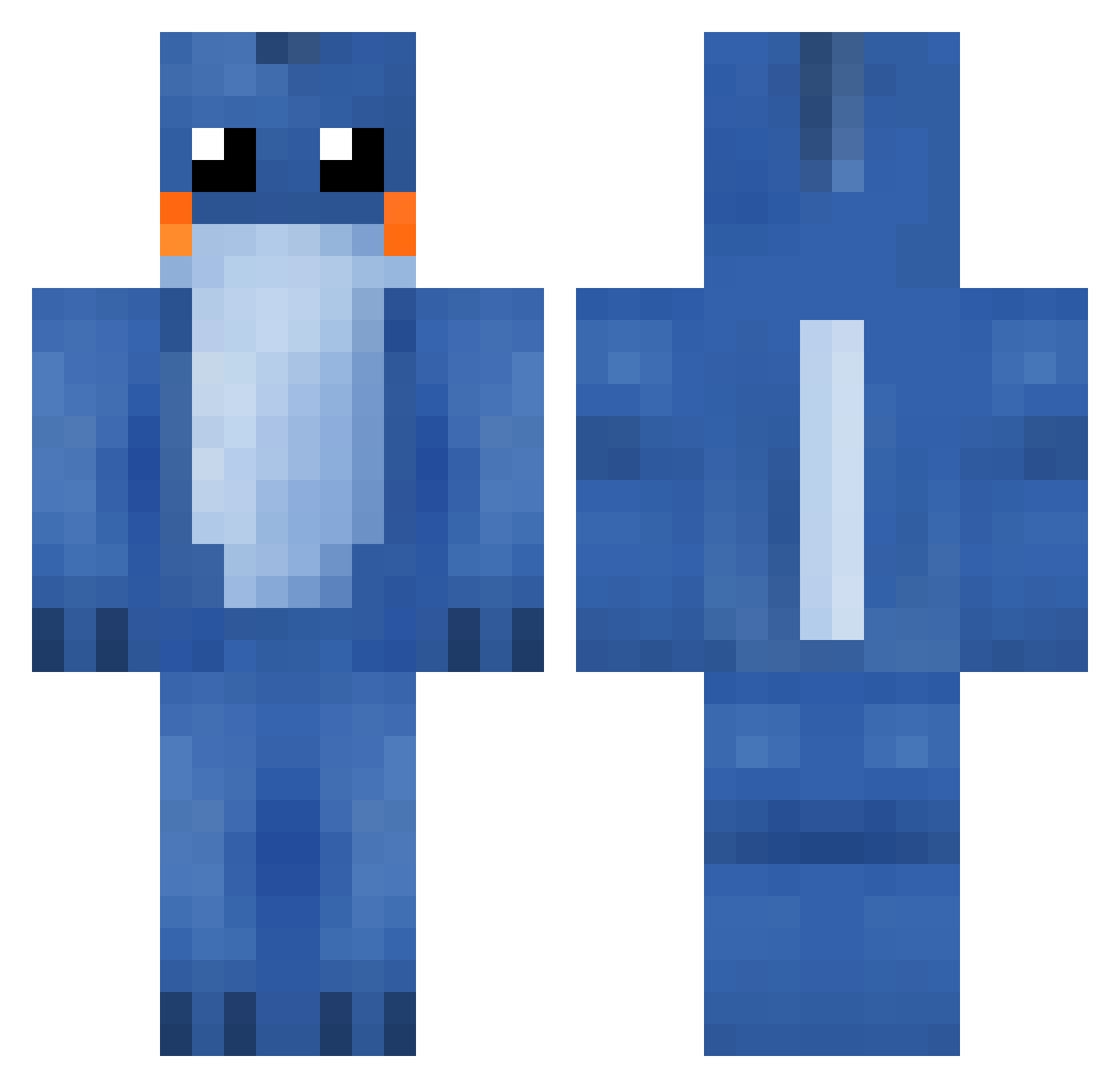
Current Minecraft skin of the player DangerAlexD, loaded from the official Mojang API. Rotate the 3D model with your mouse or finger, then download the skin as a PNG file and use it in Minecraft: Bedrock Edition or Java Edition for free. When DangerAlexD changes their skin, this page updates automatically and the old skin stays in the history below.
Other players with this skin (287)
DangerAlexD was the 56th player we have seen with this skin, first spotted on 16.08.2026. The same skin was seen on these players. Open a nickname to see their current skin and skin history.
 KimJungUn69 mandiixn rlb2001 EnderMudkips Daddymudkip Auhsruhen pokemon2004a Someguy9876 AnkBarn KirbyNL Evaporating Minemen1 GKassow demonprince27 iSmitty shnils Walking_Ender junbyo Mprd jumppoop123 ChristopherFiss mr__palm Hadamatic Digilo joshcarps 608_esaj adriaterhavet mdkpz minecoll15 Ryanratboy Tatethegod Cehry purplemanifest xLSD panosnto IbraThePro PorkyPorkStar NevaChaos Bobertie11 Nitronofear zoob AndyLikesCorgis2 benoharries CrazyCito TheOnlyMertt Rothantic Klingogklang milk26 stxie Treasurehunter05 anarchy237 stu01 confusedtaco32 DragonTooth93 AshCon2014 JIJinjapan SParsons11 Mr_ShockTaco danek1 TheGreenCommand
More Lilo And Stitch Minecraft skins
See all 491 Lilo And Stitch skins
How to install the DangerAlexD skin
- Press the Download button above to save the skin as a PNG file.
- Minecraft: Bedrock Edition (PE): open the Dressing Room from the main menu (or tap your character → Edit Character), go to Classic Skins → Owned, press the + (new skin) button, choose the downloaded PNG and pick the Classic (Steve) model. Works on PC and mobile; consoles cannot import custom skins.
- Minecraft: Java Edition: open the Minecraft Launcher, go to the Skins tab, click New Skin, load the PNG, pick the Classic (Steve) model and press Save & Use. You can also upload it at minecraft.net → Profile → Change Skin.
The skin does not show up after import - what should I do?
Restart Minecraft and open the Dressing Room again - imported skins sometimes appear only after a restart. Also make sure you selected the imported skin and picked the Classic (Steve) model.
Which model should I choose, Classic or Slim?
This skin is designed for the Classic (Steve) model. If you pick the wrong model, the arms of the skin will look stretched or squeezed.
Is the skin of DangerAlexD free to download?
Yes. Press Download, save the PNG file and use it in Minecraft: Bedrock Edition or Java Edition - no payment or registration needed. The skin also works on multiplayer servers and Realms.
More skins
Looking for more? Go back to all Minecraft skins and check the top skins of the week, month and all time, or find any player's skin by nickname.