
Danaika - Minecraft Skins & Skin History
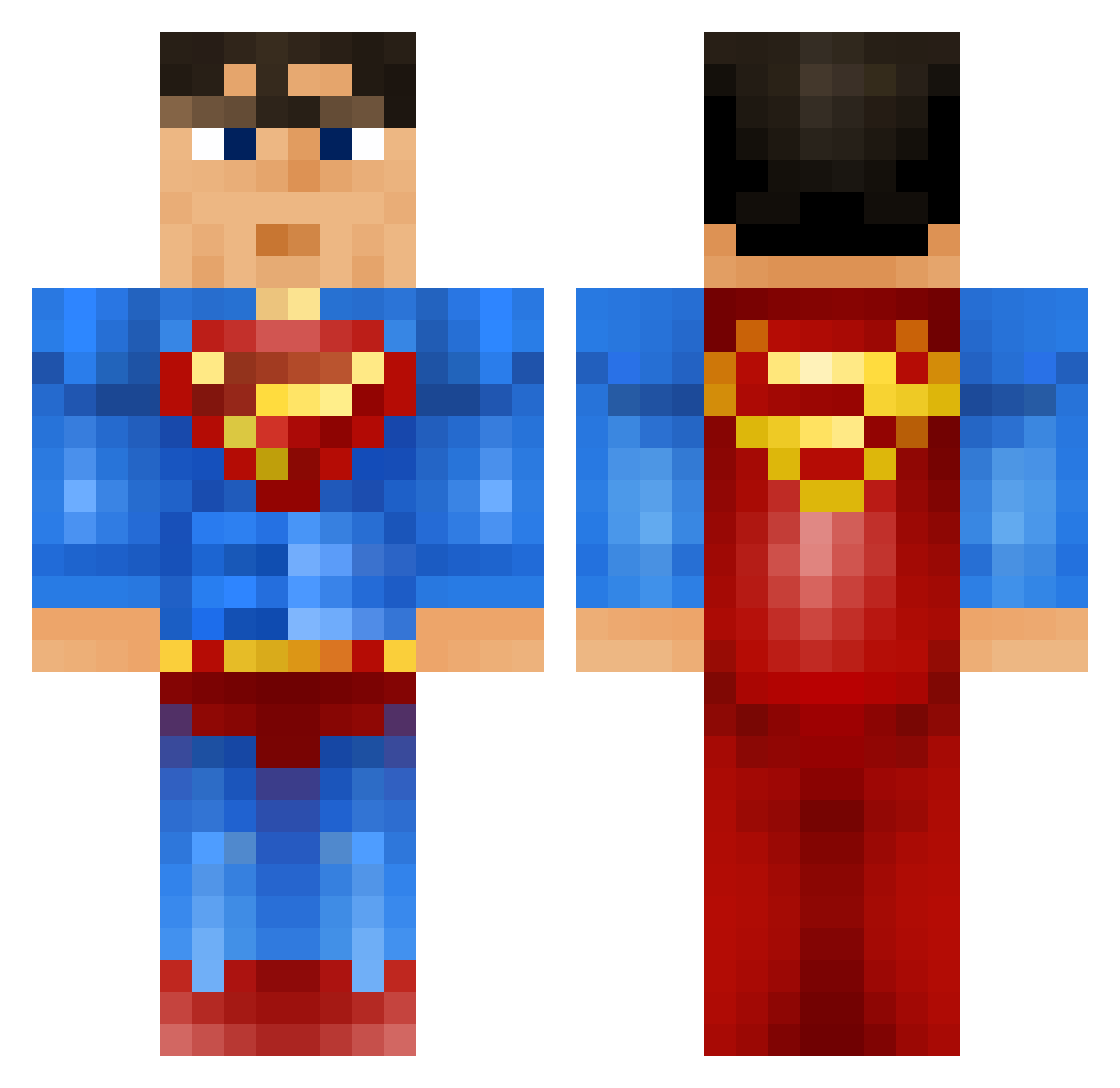
Current Minecraft skin of the player Danaika, loaded from the official Mojang API. Rotate the 3D model with your mouse or finger, then download the skin as a PNG file and use it in Minecraft: Bedrock Edition or Java Edition for free. When Danaika changes their skin, this page updates automatically and the old skin stays in the history below.
Other players with this skin (914)
Danaika was the 14th player we have seen with this skin, first spotted on 24.07.2026. The same skin was seen on these players. Open a nickname to see their current skin and skin history.
 SumanuSS MrwelcomemaT potatoeyed Capillarity_AJ RustyEl Slyness98 MarcelPh ghostmanjonte Superdonkey3 inpsydout samjam200 halba100 KingPhill88 ContraPeste frederikhla hidiman ChickenUnlimited flodu95100 Tobi_Raker youngbleezy1990 tebcuna tomek132 mestrejogo godoffarts tsizzle13 Zypeau Caldoss Gumby2000 superman10002 Tasser123 nmillard54 bradcaldwell1234 Simonatticus ACarm TomandJosh Sether1355 ZANATAR Repz_nz Wouter_Dekoninck Electric_Ocean Black__Santa TheArmor104 simsalabim1998 M4rc13 GodFatherZXP boxoal90237 RockStarGoldy MRxRUUUUD Nuuskamuikkunen0 orange_65 HazzzaM tmagaha isaacmendieta bjmiller96 stylisticmax n1t17500 Shadow_Walker_MP Annexion ysrpsh2 camden320
More Superman Minecraft skins
How to install the Danaika skin
- Press the Download button above to save the skin as a PNG file.
- Minecraft: Bedrock Edition (PE): open the Dressing Room from the main menu (or tap your character → Edit Character), go to Classic Skins → Owned, press the + (new skin) button, choose the downloaded PNG and pick the Classic (Steve) model. Works on PC and mobile; consoles cannot import custom skins.
- Minecraft: Java Edition: open the Minecraft Launcher, go to the Skins tab, click New Skin, load the PNG, pick the Classic (Steve) model and press Save & Use. You can also upload it at minecraft.net → Profile → Change Skin.
The skin does not show up after import - what should I do?
Restart Minecraft and open the Dressing Room again - imported skins sometimes appear only after a restart. Also make sure you selected the imported skin and picked the Classic (Steve) model.
Which model should I choose, Classic or Slim?
This skin is designed for the Classic (Steve) model. If you pick the wrong model, the arms of the skin will look stretched or squeezed.
Is the skin of Danaika free to download?
Yes. Press Download, save the PNG file and use it in Minecraft: Bedrock Edition or Java Edition - no payment or registration needed. The skin also works on multiplayer servers and Realms.
More skins
Looking for more? Go back to all Minecraft skins and check the top skins of the week, month and all time, or find any player's skin by nickname.