
DampishArt66250 - Minecraft Skins & Skin History
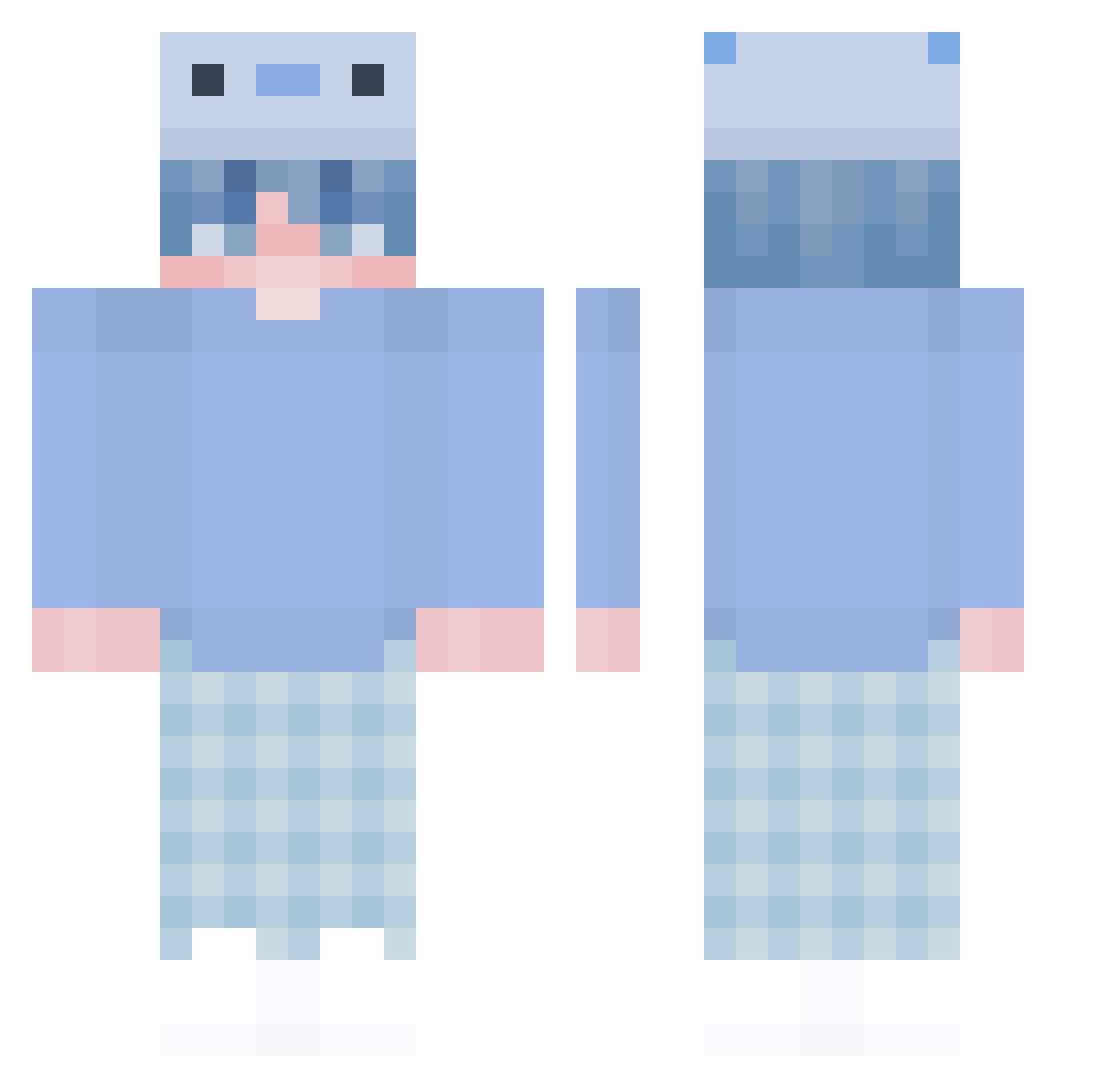
Current Minecraft skin of the player DampishArt66250, loaded from the official Mojang API. Rotate the 3D model with your mouse or finger, then download the skin as a PNG file and use it in Minecraft: Bedrock Edition or Java Edition for free. When DampishArt66250 changes their skin, this page updates automatically and the old skin stays in the history below.
Other players with this skin (476)
DampishArt66250 was the 394th player we have seen with this skin, first spotted on 22.10.2026. The same skin was seen on these players. Open a nickname to see their current skin and skin history.
 Quidly beomjin99 fidgety313 RollinTimes GrzybekKacperek Kancho_o Wirhy TheBlackArrow 2bellchan Rilesohyea12345 skyandad Beef_BANDZZZZ FuZoXX_ Frostycakee Shiro_kura Shiiyaa DanieleteEnjoyer Prof_Clef _Jong DJmny_TW chlorek_ Saltttyy Schluesselbein1 Molch1603 BobbyPK oAomi Vpanda81 Wasabipique Traveler_gun ZeriKo_ cinnlo Derrickyaman rezaoveisikian lessZN meow_sweetie Darksnitch21 Evil_Bright KayyDepZai TinaHalg SwagGak 5x5_1 CrazyMs GCexe Nureu WizzyTW Axolotleeee Tomichami mozzihamzzo Nadu5 Meble Miinnmi Turtiks Y_seongjin biabO bi_rang realAntonYT Kiiski1 GAELGP11411 Noosen1 Duki__
More Axolotl Hat Minecraft skins
How to install the DampishArt66250 skin
- Press the Download button above to save the skin as a PNG file.
- Minecraft: Bedrock Edition (PE): open the Dressing Room from the main menu (or tap your character → Edit Character), go to Classic Skins → Owned, press the + (new skin) button, choose the downloaded PNG and pick the Classic (Steve) model. Works on PC and mobile; consoles cannot import custom skins.
- Minecraft: Java Edition: open the Minecraft Launcher, go to the Skins tab, click New Skin, load the PNG, pick the Classic (Steve) model and press Save & Use. You can also upload it at minecraft.net → Profile → Change Skin.
The skin does not show up after import - what should I do?
Restart Minecraft and open the Dressing Room again - imported skins sometimes appear only after a restart. Also make sure you selected the imported skin and picked the Classic (Steve) model.
Which model should I choose, Classic or Slim?
This skin is designed for the Classic (Steve) model. If you pick the wrong model, the arms of the skin will look stretched or squeezed.
Is the skin of DampishArt66250 free to download?
Yes. Press Download, save the PNG file and use it in Minecraft: Bedrock Edition or Java Edition - no payment or registration needed. The skin also works on multiplayer servers and Realms.
More skins
Looking for more? Go back to all Minecraft skins and check the top skins of the week, month and all time, or find any player's skin by nickname.