
Daliaf666 - Minecraft Skins & Skin History
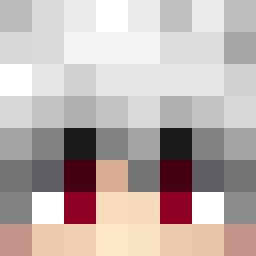
Current Minecraft skin of the player Daliaf666, loaded from the official Mojang API. Rotate the 3D model with your mouse or finger, then download the skin as a PNG file and use it in Minecraft: Bedrock Edition or Java Edition for free. When Daliaf666 changes their skin, this page updates automatically and the old skin stays in the history below.

Other players with this skin (11621)
Daliaf666 was the 2574th player we have seen with this skin, first spotted on 16.08.2026. The same skin was seen on these players. Open a nickname to see their current skin and skin history.
 L0ops_ Felis1 samg5 Very_Appropriate RazzleDogs TheRonix CieMnY_BudZyn 88R
 TurkishSpearmen IlIIllIIIllIIlIl
 The21stCentury GAYMESSIGAY Dome44120 senhorita goldylocks CysteineS SzybkiPiotrek_14 Sui Kotira_227 _SuszonaPapryka_ D4ark_ lightninglike lsmail2byghoof
 hagonza2005 stockiest DerTyp007 Ibromar1 Chudzianos tylerst0 fcgdf NiKo_pien Vinnniekbk eyesackt Me_Ic3_Pumpkin CatIsSavage belo ToriVega__ K3nnyCZ SirNightKnight Osprreyy ikergamer011
 alexplisov BLACKTXXKO caboose2232 KaWi29 mintendone zDranix smartjin7 _bxtman_ BatseRidder Bandozik Khynuts InsnThndr Strigoi93 LostCountAlready Moralotes QuesoE ProtoSteve_ indorsed ice_cream13
How to install the Daliaf666 skin
- Press the Download button above to save the skin as a PNG file.
- Minecraft: Bedrock Edition (PE): open the Dressing Room from the main menu (or tap your character → Edit Character), go to Classic Skins → Owned, press the + (new skin) button, choose the downloaded PNG and pick the Classic (Steve) model. Works on PC and mobile; consoles cannot import custom skins.
- Minecraft: Java Edition: open the Minecraft Launcher, go to the Skins tab, click New Skin, load the PNG, pick the Classic (Steve) model and press Save & Use. You can also upload it at minecraft.net → Profile → Change Skin.
The skin does not show up after import - what should I do?
Restart Minecraft and open the Dressing Room again - imported skins sometimes appear only after a restart. Also make sure you selected the imported skin and picked the Classic (Steve) model.
Which model should I choose, Classic or Slim?
This skin is designed for the Classic (Steve) model. If you pick the wrong model, the arms of the skin will look stretched or squeezed.
Is the skin of Daliaf666 free to download?
Yes. Press Download, save the PNG file and use it in Minecraft: Bedrock Edition or Java Edition - no payment or registration needed. The skin also works on multiplayer servers and Realms.
More skins
Looking for more? Go back to all Minecraft skins and check the top skins of the week, month and all time, or find any player's skin by nickname.