
Daisuke_SGLen - Minecraft Skins & Skin History
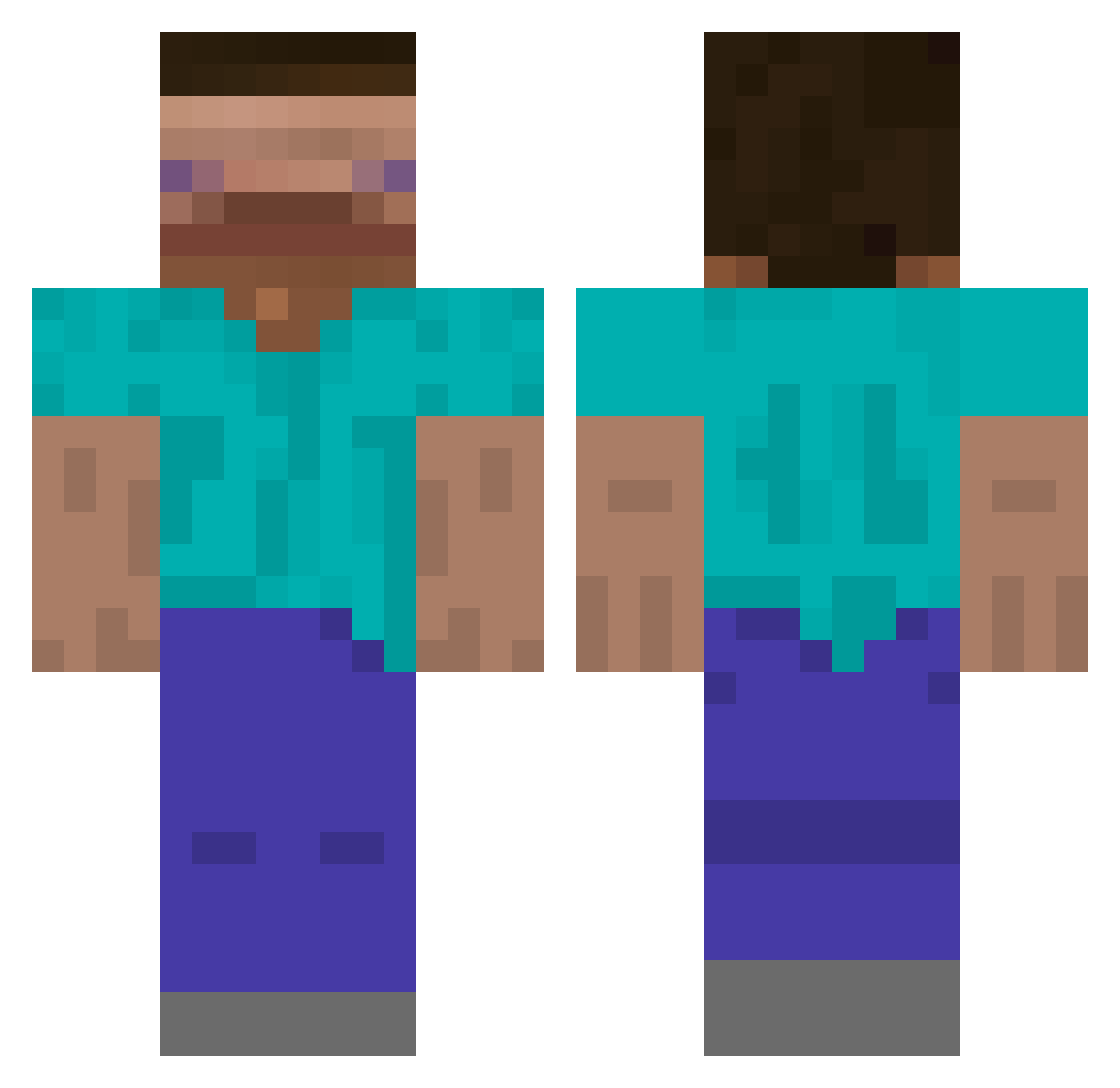
Current Minecraft skin of the player Daisuke_SGLen, loaded from the official Mojang API. Rotate the 3D model with your mouse or finger, then download the skin as a PNG file and use it in Minecraft: Bedrock Edition or Java Edition for free. When Daisuke_SGLen changes their skin, this page updates automatically and the old skin stays in the history below.
Other players with this skin (542)
Daisuke_SGLen was the 297th player we have seen with this skin, first spotted on 16.09.2026. The same skin was seen on these players. Open a nickname to see their current skin and skin history.
 vblusevicius Chupapa_2012 NeverThat charlie_1127 spookybad Wogm1 Sundey_ tictoe 100mob MOMATOTOE Ya31dao SU01028 Asimnowo2 seansmells IcedOutvepex kimminhyucks2255 vidmiii Zulu_117 IamError404 sinchan1909 Zhaooo _ZERA2_ iD_727 FujifilmXT30 evrad002 KoganStillman KubsonWygra JimPit2636 lenzerbenzer AustinSa DizzyRoachGD taderder STMMMM DingPlum duncan816 Clem7740 Ilovechodings Viniserra GamingWorks Snazz55 MaxL919 LegendPoint WingsClem Fhyasa isabellatseng ignKay Bagelz123 N1coleto stm_lopo White_DongHyeon Cize6057
 Lycanrock_ Sangmin0714 Smallishsteam28 _ChunFeng_ Zhi_A_Goat dgodeegz Nobody2333 atamatata Jorenslo
Previous skins of Daisuke_SGLen
Skins that Daisuke_SGLen wore before, newest first. Click a skin to open its page and download it.
How to install the Daisuke_SGLen skin
- Press the Download button above to save the skin as a PNG file.
- Minecraft: Bedrock Edition (PE): open the Dressing Room from the main menu (or tap your character → Edit Character), go to Classic Skins → Owned, press the + (new skin) button, choose the downloaded PNG and pick the Classic (Steve) model. Works on PC and mobile; consoles cannot import custom skins.
- Minecraft: Java Edition: open the Minecraft Launcher, go to the Skins tab, click New Skin, load the PNG, pick the Classic (Steve) model and press Save & Use. You can also upload it at minecraft.net → Profile → Change Skin.
The skin does not show up after import - what should I do?
Restart Minecraft and open the Dressing Room again - imported skins sometimes appear only after a restart. Also make sure you selected the imported skin and picked the Classic (Steve) model.
Which model should I choose, Classic or Slim?
This skin is designed for the Classic (Steve) model. If you pick the wrong model, the arms of the skin will look stretched or squeezed.
Is the skin of Daisuke_SGLen free to download?
Yes. Press Download, save the PNG file and use it in Minecraft: Bedrock Edition or Java Edition - no payment or registration needed. The skin also works on multiplayer servers and Realms.
More skins
Looking for more? Go back to all Minecraft skins and check the top skins of the week, month and all time, or find any player's skin by nickname.