
DailyOliver - Minecraft Skins & Skin History
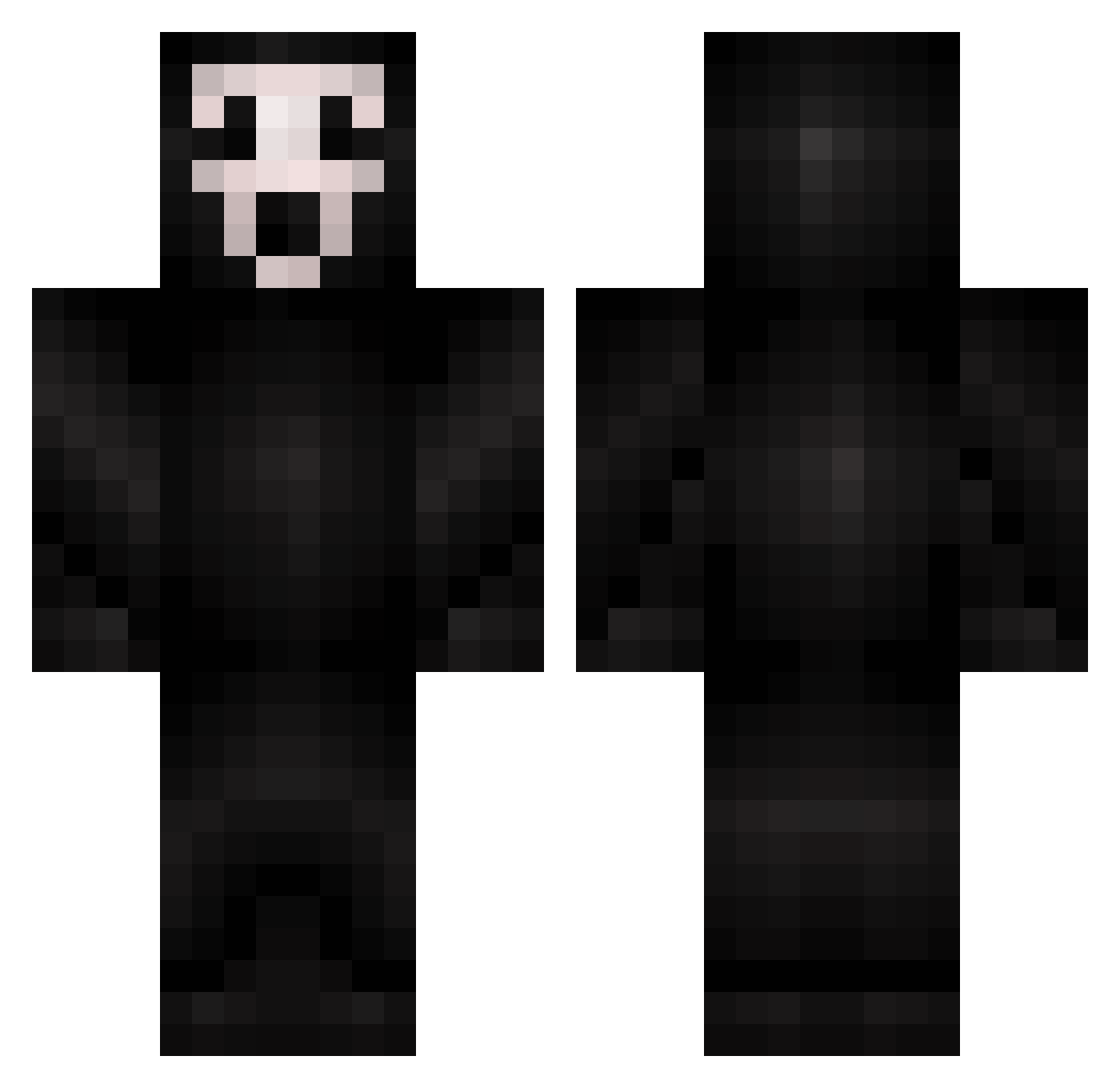
Current Minecraft skin of the player DailyOliver, loaded from the official Mojang API. Rotate the 3D model with your mouse or finger, then download the skin as a PNG file and use it in Minecraft: Bedrock Edition or Java Edition for free. When DailyOliver changes their skin, this page updates automatically and the old skin stays in the history below.
Other players with this skin (425)
DailyOliver was the 83rd player we have seen with this skin, first spotted on 14.08.2026. The same skin was seen on these players. Open a nickname to see their current skin and skin history.
 james22112 prosniper907 brennan1o1 JoeShmoUKnow DivineRapiers G37x svendemil2000 smithyg2001 heater07 AdamCokayne freakONcOd Reichard7 Snoopy2003 walkie_ UndeadxColin Blitz_Track 69High saucy_asf 1TrueJoker Big_Baller_69er terminatormcp12 asiagotrees 2sd rufusww aaleexx46 Lovehardys sMARTeee TheExecuter1 donkeytoes CaptainTenshou zebrasrock BMC_1977 monstermashmia arvidthecraft rambus04 Dogeey youdaone11 DeadPoultry Anjeshka Fluffenpuff Zolda seth9898 hzink94 Rufinus Breezy waidli ArdiGamer2 SH1NYPanda Boydz123 XxNABILOMERxX TheAlmightyLiam buffblade123 Dbdonald hikkas NathanNTFC Meganeitsyt SparklySoda gandalftheobese yushko01 NiKz_0
More Scream Minecraft skins
How to install the DailyOliver skin
- Press the Download button above to save the skin as a PNG file.
- Minecraft: Bedrock Edition (PE): open the Dressing Room from the main menu (or tap your character → Edit Character), go to Classic Skins → Owned, press the + (new skin) button, choose the downloaded PNG and pick the Classic (Steve) model. Works on PC and mobile; consoles cannot import custom skins.
- Minecraft: Java Edition: open the Minecraft Launcher, go to the Skins tab, click New Skin, load the PNG, pick the Classic (Steve) model and press Save & Use. You can also upload it at minecraft.net → Profile → Change Skin.
The skin does not show up after import - what should I do?
Restart Minecraft and open the Dressing Room again - imported skins sometimes appear only after a restart. Also make sure you selected the imported skin and picked the Classic (Steve) model.
Which model should I choose, Classic or Slim?
This skin is designed for the Classic (Steve) model. If you pick the wrong model, the arms of the skin will look stretched or squeezed.
Is the skin of DailyOliver free to download?
Yes. Press Download, save the PNG file and use it in Minecraft: Bedrock Edition or Java Edition - no payment or registration needed. The skin also works on multiplayer servers and Realms.
More skins
Looking for more? Go back to all Minecraft skins and check the top skins of the week, month and all time, or find any player's skin by nickname.