
Daddy_Saucizze69 - Minecraft Skins & Skin History
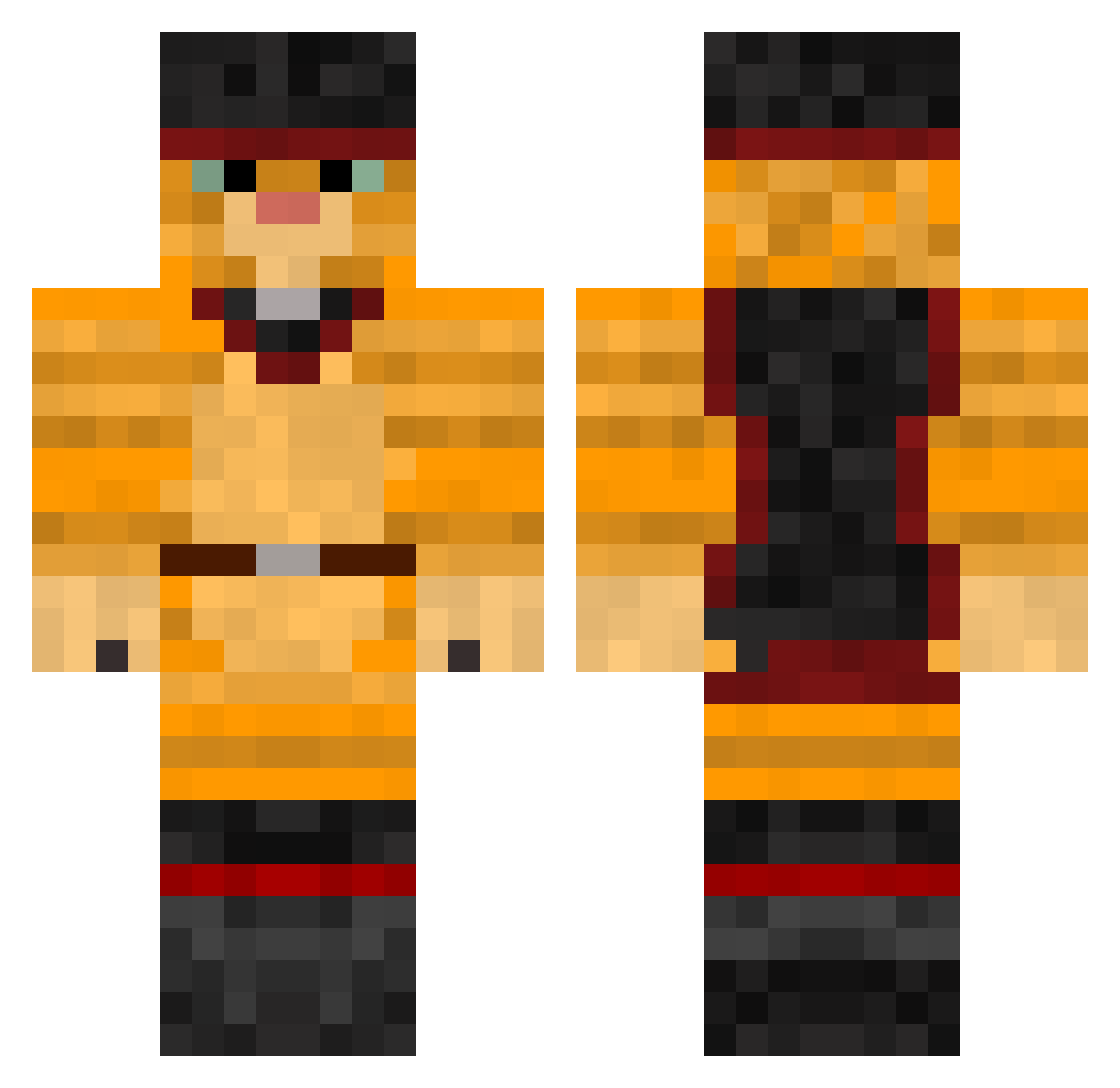
Current Minecraft skin of the player Daddy_Saucizze69, loaded from the official Mojang API. Rotate the 3D model with your mouse or finger, then download the skin as a PNG file and use it in Minecraft: Bedrock Edition or Java Edition for free. When Daddy_Saucizze69 changes their skin, this page updates automatically and the old skin stays in the history below.
Other players with this skin (301)
Daddy_Saucizze69 was the 247th player we have seen with this skin, first spotted on 27.10.2026. The same skin was seen on these players. Open a nickname to see their current skin and skin history.
 Ssun_go TomIsHere9 hockeyman23 brents18 OlivetteCrevette Sebvv_uchiha1 Age_Of_Asylum solomil23 ggtptpx Porpett3 DonovanOngle Moth185 missjulep Sofa5510 Ser_Melling Pekabuu Alexsace7 Yapetmold_ MOIcMOI1000 Felimath ninjacat27 quesu Llendil zakyna005 cryptenor Keyyva necronomiconi smiledogfr Doejebroektoe ChuckMaurice789 NightYuko astridb06 davdavedav mariegthn Vadim_chinila PharrisWheel 1qst reality00701 AdriQ CupCake06 TheToker1353 tgyroold lulolgdc xXWELLYXx leximccain kotely AlexDravert kittielo YSUMONKEY Brodo8 Tymekkot2035 PusS_IN CatNamedJack K4ugumm1 IgroHob_23 Moomintroll24 NateDawkins Candy_Fiber marcouscous04 Termaltake
More Swashbuckler Minecraft skins
How to install the Daddy_Saucizze69 skin
- Press the Download button above to save the skin as a PNG file.
- Minecraft: Bedrock Edition (PE): open the Dressing Room from the main menu (or tap your character → Edit Character), go to Classic Skins → Owned, press the + (new skin) button, choose the downloaded PNG and pick the Classic (Steve) model. Works on PC and mobile; consoles cannot import custom skins.
- Minecraft: Java Edition: open the Minecraft Launcher, go to the Skins tab, click New Skin, load the PNG, pick the Classic (Steve) model and press Save & Use. You can also upload it at minecraft.net → Profile → Change Skin.
The skin does not show up after import - what should I do?
Restart Minecraft and open the Dressing Room again - imported skins sometimes appear only after a restart. Also make sure you selected the imported skin and picked the Classic (Steve) model.
Which model should I choose, Classic or Slim?
This skin is designed for the Classic (Steve) model. If you pick the wrong model, the arms of the skin will look stretched or squeezed.
Is the skin of Daddy_Saucizze69 free to download?
Yes. Press Download, save the PNG file and use it in Minecraft: Bedrock Edition or Java Edition - no payment or registration needed. The skin also works on multiplayer servers and Realms.
More skins
Looking for more? Go back to all Minecraft skins and check the top skins of the week, month and all time, or find any player's skin by nickname.