
DaddyAlern - Minecraft Skins & Skin History
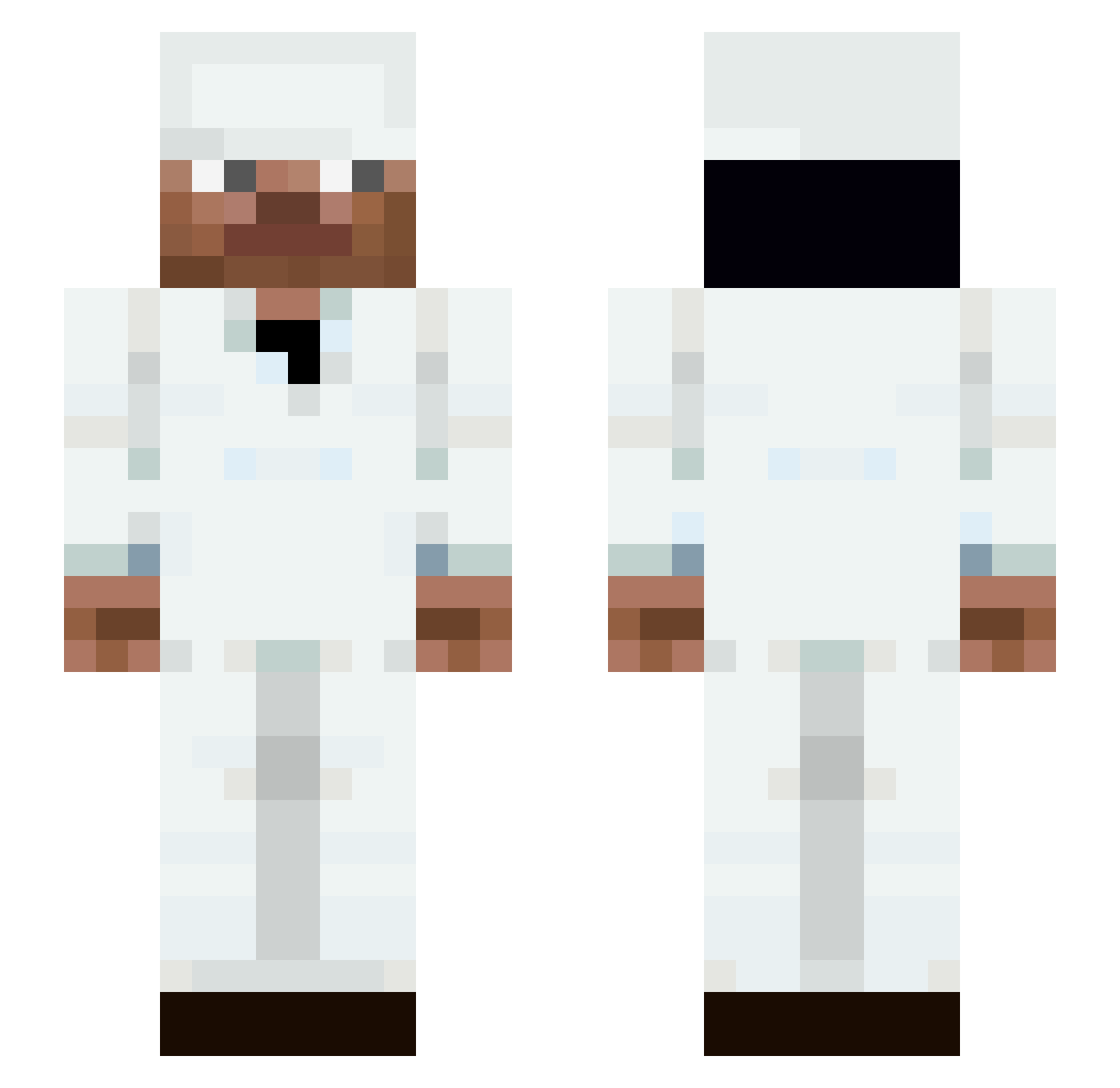
Current Minecraft skin of the player DaddyAlern, loaded from the official Mojang API. Rotate the 3D model with your mouse or finger, then download the skin as a PNG file and use it in Minecraft: Bedrock Edition or Java Edition for free. When DaddyAlern changes their skin, this page updates automatically and the old skin stays in the history below.
Other players with this skin (119)
DaddyAlern was the 59th player we have seen with this skin, first spotted on 11.09.2026. The same skin was seen on these players. Open a nickname to see their current skin and skin history.
 OneCritted
 SYMBlOOSI natan2957 96tenshi Rayzer0007 esornrubhsa c0dy410 Flowtiwes LeslieOwen0401 SourrZilla
 xylo99977 AKDJ_red FlowtivesLover67 MistyBirch58831 clipxy_ RK_BANZ g5vv lDEMOlLiTiOn soundsimple 0ggz Celtiquee ClutchCzar TRAILINGS BuyingNickel simooon_256 DEMON_DEMOLISH LarsB9991 Thuggatronn bolkii Floww_Statee crystaltp Melowws aidanohart Fastersupremex _Lohan hyvp Nwtii IKONE8 Deartrainer A_MAALIK9921 _ImZycoDebuffs l3nnar9 ChristianHe616 BS2I2 Xenith002 NekoSinpai crackfeinale
 Racor1x AliGelii AryanHrushik
 Danqwish sorixrbw
 Fasolka7 Frost_cpvp KryptCM avchal grandschampion Tier_tester
 ComradeAce Blitsog
More Medic Minecraft skins
How to install the DaddyAlern skin
- Press the Download button above to save the skin as a PNG file.
- Minecraft: Bedrock Edition (PE): open the Dressing Room from the main menu (or tap your character → Edit Character), go to Classic Skins → Owned, press the + (new skin) button, choose the downloaded PNG and pick the Slim (Alex) model. Works on PC and mobile; consoles cannot import custom skins.
- Minecraft: Java Edition: open the Minecraft Launcher, go to the Skins tab, click New Skin, load the PNG, pick the Slim (Alex) model and press Save & Use. You can also upload it at minecraft.net → Profile → Change Skin.
The skin does not show up after import - what should I do?
Restart Minecraft and open the Dressing Room again - imported skins sometimes appear only after a restart. Also make sure you selected the imported skin and picked the Slim (Alex) model.
Which model should I choose, Classic or Slim?
This skin is designed for the Slim (Alex) model. If you pick the wrong model, the arms of the skin will look stretched or squeezed.
Is the skin of DaddyAlern free to download?
Yes. Press Download, save the PNG file and use it in Minecraft: Bedrock Edition or Java Edition - no payment or registration needed. The skin also works on multiplayer servers and Realms.
More skins
Looking for more? Go back to all Minecraft skins and check the top skins of the week, month and all time, or find any player's skin by nickname.