
Daddy0093 - Minecraft Skins & Skin History
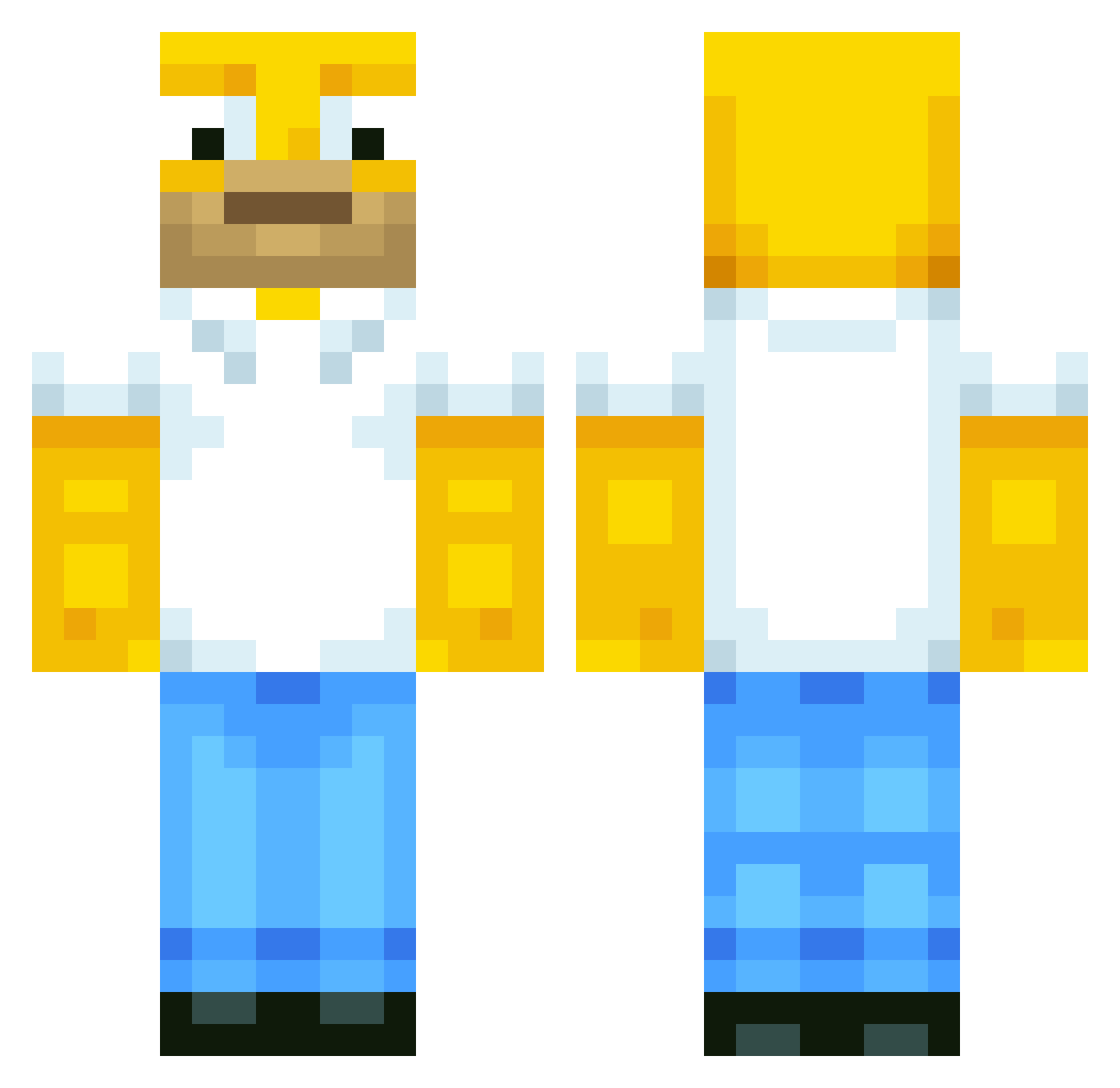
Current Minecraft skin of the player Daddy0093, loaded from the official Mojang API. Rotate the 3D model with your mouse or finger, then download the skin as a PNG file and use it in Minecraft: Bedrock Edition or Java Edition for free. When Daddy0093 changes their skin, this page updates automatically and the old skin stays in the history below.
Other players with this skin (513)
Daddy0093 was the 121st player we have seen with this skin, first spotted on 19.08.2026. The same skin was seen on these players. Open a nickname to see their current skin and skin history.
 CruelWorldGaming Pride_hao rollazO Gole_Mon Mocis2000 PneumaticHD steven76700 MrBallooon Condyl2 Sam_Boston XAB235 Powermoon1989 Destroyer464 BlackHammerSintu Einsmaxi erikburk DerpCheese feather_fish smithy199923 enkhbayar99 Gagin sambo5884 Mare7tre SKELETON1991 hanniking99 blaireau Chamouere timmie617 N1kon_ Justin1657 Comarade47 flash112 hungrybroz Blaine66 Beng1215 RSorensen Faber_Castel HeffoCraft Puyan geckass99 Darth_vadeor koco5 Hollywood_12 mcpro75 slyfather saschi03 machete77 rogeralien75 ottoline Spugmo naroj41 maltezzr anste99 MrSmartyPants123 lst1999 MartyManky speedygib roynick22 Archie Maxikingberti
More Homer Simpson Minecraft skins
See all 283 Homer Simpson skins
How to install the Daddy0093 skin
- Press the Download button above to save the skin as a PNG file.
- Minecraft: Bedrock Edition (PE): open the Dressing Room from the main menu (or tap your character → Edit Character), go to Classic Skins → Owned, press the + (new skin) button, choose the downloaded PNG and pick the Classic (Steve) model. Works on PC and mobile; consoles cannot import custom skins.
- Minecraft: Java Edition: open the Minecraft Launcher, go to the Skins tab, click New Skin, load the PNG, pick the Classic (Steve) model and press Save & Use. You can also upload it at minecraft.net → Profile → Change Skin.
The skin does not show up after import - what should I do?
Restart Minecraft and open the Dressing Room again - imported skins sometimes appear only after a restart. Also make sure you selected the imported skin and picked the Classic (Steve) model.
Which model should I choose, Classic or Slim?
This skin is designed for the Classic (Steve) model. If you pick the wrong model, the arms of the skin will look stretched or squeezed.
Is the skin of Daddy0093 free to download?
Yes. Press Download, save the PNG file and use it in Minecraft: Bedrock Edition or Java Edition - no payment or registration needed. The skin also works on multiplayer servers and Realms.
More skins
Looking for more? Go back to all Minecraft skins and check the top skins of the week, month and all time, or find any player's skin by nickname.