
Dad_Mango - Minecraft Skins & Skin History
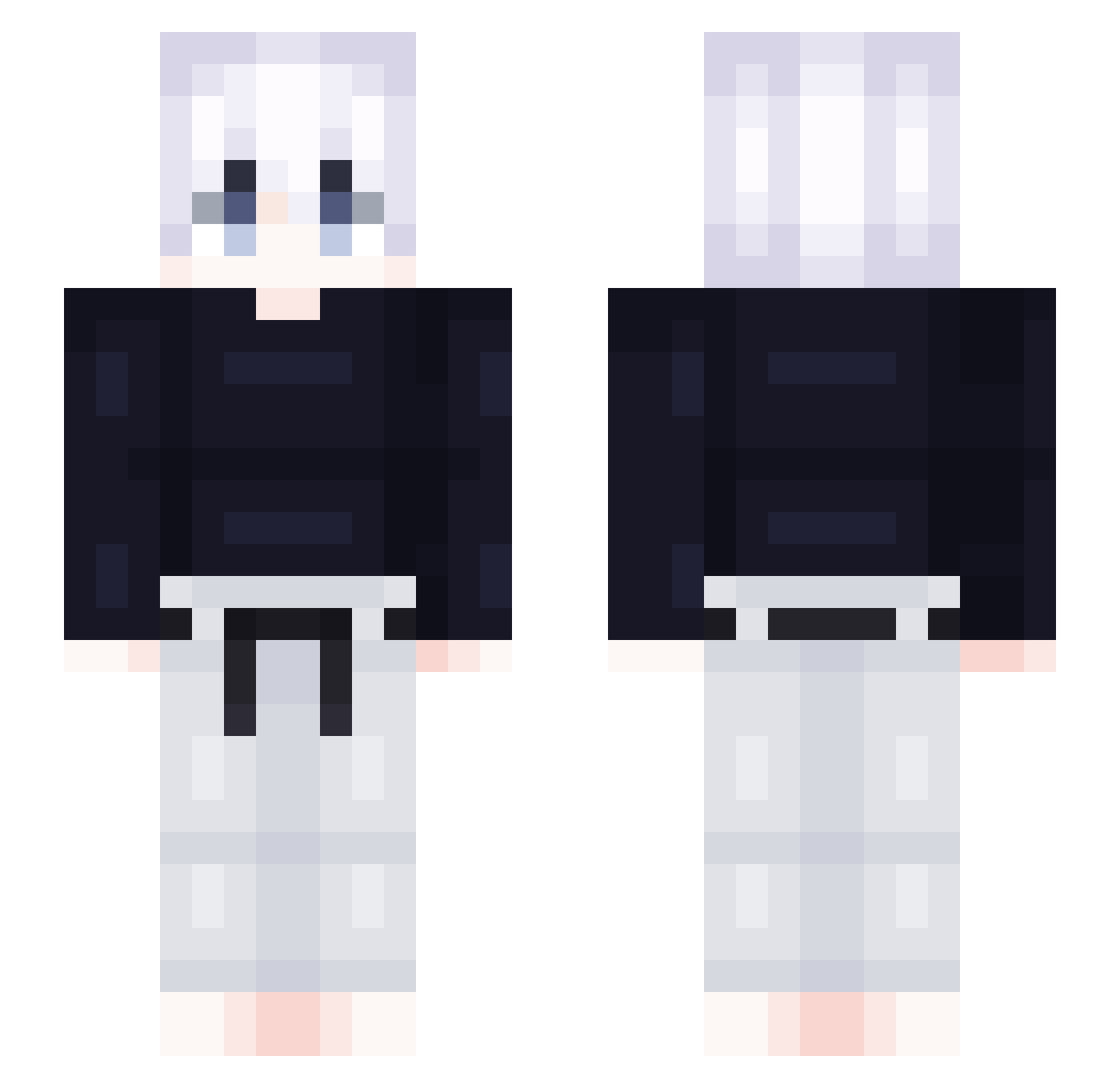
Current Minecraft skin of the player Dad_Mango, loaded from the official Mojang API. Rotate the 3D model with your mouse or finger, then download the skin as a PNG file and use it in Minecraft: Bedrock Edition or Java Edition for free. When Dad_Mango changes their skin, this page updates automatically and the old skin stays in the history below.
Other players with this skin (463)
Dad_Mango was the 449th player we have seen with this skin, first spotted on 14.11.2026. The same skin was seen on these players. Open a nickname to see their current skin and skin history.
 CavitYMK orre1233 minhyuk21 brooksieboy NicoCrucees tukied axj5 KilluaPvp_ Miloo741 rprwlsh Danzei_21 pMori ValleTheMaschine Chase_Won Uyesta woreoq chanba_im sato_3104 hhhhhhhhhhhql zSlychamp AnonymousAbe wedewe Speed_II AirOFlare Sk4Ranger 3lias2k WorkerGnoblin iiAMPATI Anxp_ Joacovas Kajitso PopsXAce jun00724 Infinity_Noob youjh1115 iq_booster_ ZhiGao123 Koul467 _k_s_w_ 03texen KroatA5 Levaugh101 ERU311 LastDay_ kimous99 S4VXGE JulesRulesMA_old dabys Ilewww toniccccc xXGutoXx XxAdrian2006xX zgr123456 Lnsu jordenm sewon2217 xZqkiii EddieMTS Hatshura Resmar
More Judo Minecraft skins
How to install the Dad_Mango skin
- Press the Download button above to save the skin as a PNG file.
- Minecraft: Bedrock Edition (PE): open the Dressing Room from the main menu (or tap your character → Edit Character), go to Classic Skins → Owned, press the + (new skin) button, choose the downloaded PNG and pick the Slim (Alex) model. Works on PC and mobile; consoles cannot import custom skins.
- Minecraft: Java Edition: open the Minecraft Launcher, go to the Skins tab, click New Skin, load the PNG, pick the Slim (Alex) model and press Save & Use. You can also upload it at minecraft.net → Profile → Change Skin.
The skin does not show up after import - what should I do?
Restart Minecraft and open the Dressing Room again - imported skins sometimes appear only after a restart. Also make sure you selected the imported skin and picked the Slim (Alex) model.
Which model should I choose, Classic or Slim?
This skin is designed for the Slim (Alex) model. If you pick the wrong model, the arms of the skin will look stretched or squeezed.
Is the skin of Dad_Mango free to download?
Yes. Press Download, save the PNG file and use it in Minecraft: Bedrock Edition or Java Edition - no payment or registration needed. The skin also works on multiplayer servers and Realms.
More skins
Looking for more? Go back to all Minecraft skins and check the top skins of the week, month and all time, or find any player's skin by nickname.