
Da_minh - Minecraft Skins & Skin History
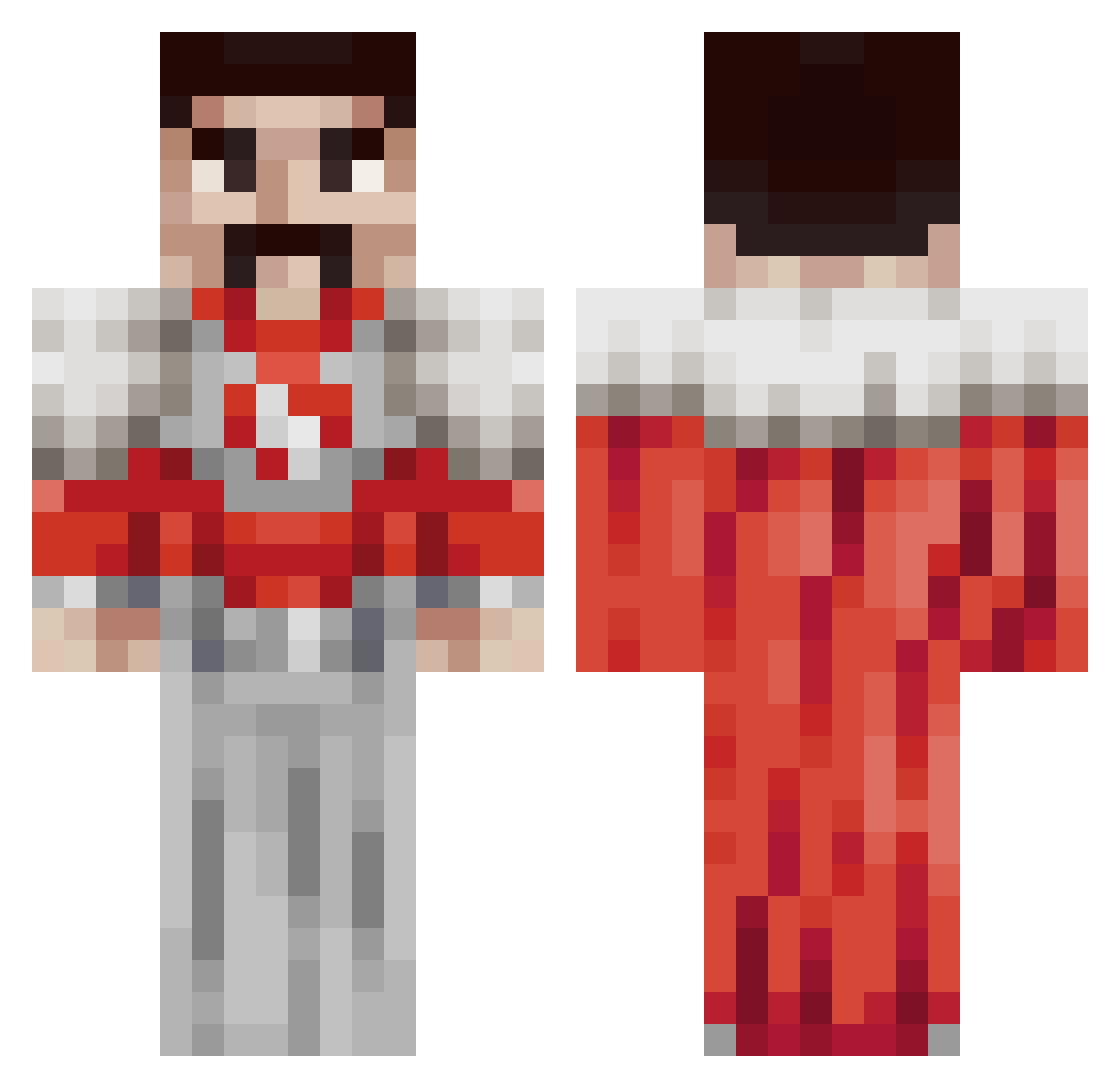
Current Minecraft skin of the player Da_minh, loaded from the official Mojang API. Rotate the 3D model with your mouse or finger, then download the skin as a PNG file and use it in Minecraft: Bedrock Edition or Java Edition for free. When Da_minh changes their skin, this page updates automatically and the old skin stays in the history below.
Other players with this skin (152)
Da_minh was the 27th player we have seen with this skin, first spotted on 14.08.2026. The same skin was seen on these players. Open a nickname to see their current skin and skin history.
 Polski747 Crossbowman4 Cheetos0404 Cakewyd 7ATLAS
 Guz199 Leekda zDionNR FartParty72 KinnayRes Amon_Gorloth Jowiees Umesau lizoisok dhmy123 Aquiillla Pepsi_Hello_Kitt slommycraft Nafricanq imxenfr Lszuki sandyminecraft polo_idk123 KurvvaBobr xiud kearo_lootens dexter1820 RocoGuy91 Bear_Gang Alpaslan_66 irrigger Wackadacious TYK02 HaroldPeruanitis IwasBornACircle Ghundol
 FrogBoyShane hnkq
 DuleSilni
 Dav1d05 AsaMitakaWar superwilso syzkk ByBroz HextraAcc2 dabumbus hmd2 The_Shr3dd3r fr6wa_ TI0TY ElectiveGooner67 that_guy354 Atom0645 jon_poopin__ peachfisher NuSbarii YoinkMan44 HHella JRVEDAT Pierrote08
More Freddie Mercury Minecraft skins
See all 89 Freddie Mercury skins
How to install the Da_minh skin
- Press the Download button above to save the skin as a PNG file.
- Minecraft: Bedrock Edition (PE): open the Dressing Room from the main menu (or tap your character → Edit Character), go to Classic Skins → Owned, press the + (new skin) button, choose the downloaded PNG and pick the Classic (Steve) model. Works on PC and mobile; consoles cannot import custom skins.
- Minecraft: Java Edition: open the Minecraft Launcher, go to the Skins tab, click New Skin, load the PNG, pick the Classic (Steve) model and press Save & Use. You can also upload it at minecraft.net → Profile → Change Skin.
The skin does not show up after import - what should I do?
Restart Minecraft and open the Dressing Room again - imported skins sometimes appear only after a restart. Also make sure you selected the imported skin and picked the Classic (Steve) model.
Which model should I choose, Classic or Slim?
This skin is designed for the Classic (Steve) model. If you pick the wrong model, the arms of the skin will look stretched or squeezed.
Is the skin of Da_minh free to download?
Yes. Press Download, save the PNG file and use it in Minecraft: Bedrock Edition or Java Edition - no payment or registration needed. The skin also works on multiplayer servers and Realms.
More skins
Looking for more? Go back to all Minecraft skins and check the top skins of the week, month and all time, or find any player's skin by nickname.