
DaBroBenji - Minecraft Skins & Skin History
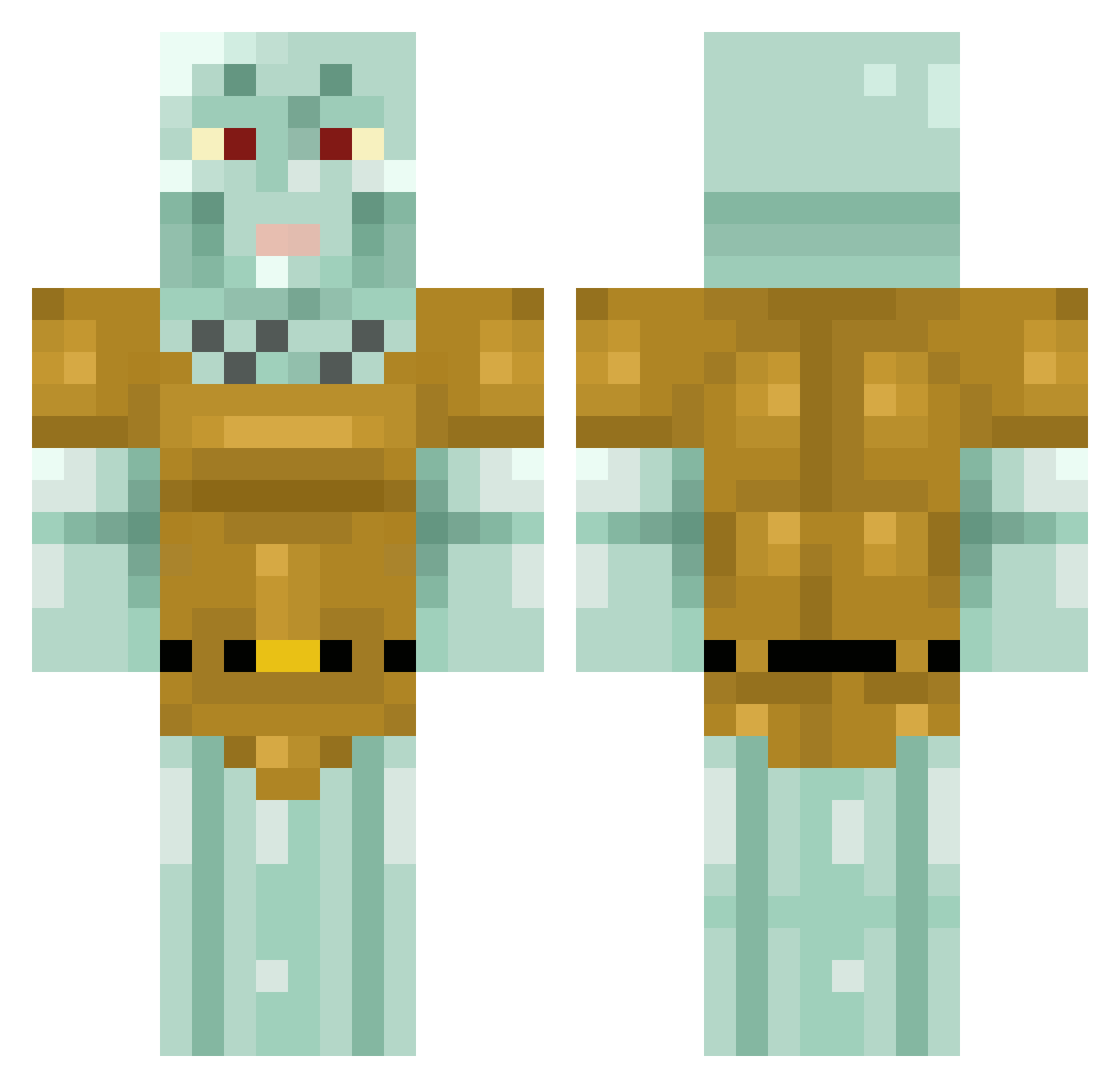
Current Minecraft skin of the player DaBroBenji, loaded from the official Mojang API. Rotate the 3D model with your mouse or finger, then download the skin as a PNG file and use it in Minecraft: Bedrock Edition or Java Edition for free. When DaBroBenji changes their skin, this page updates automatically and the old skin stays in the history below.
Other players with this skin (512)
DaBroBenji was the 499th player we have seen with this skin, first spotted on 17.11.2026. The same skin was seen on these players. Open a nickname to see their current skin and skin history.
 Poitertes21 PapaJRod AustinNs254 Cropziliano AaronTheMonkeyyy Jessjuan Adevils its_garnettt ConnorMD97 BABY_YODA12344 Wilf_Oz Yaya1408 AkumetsuShou Zyrix930 arbuzik_ DiabeticBeard ErikD31 jcx_08 VillyPleyz FellRacer5765282 IvanDaPotato alex_3173 Facts_Machine mafa1111 kaaklijn FlyNewt LevelAsia Trishaddie KuBko06 RadioShackk SnakeGOfficial chairnez pjmvhs AlexSA2102 zebracorn1013 Kushiron Meeptards qiu621 veryaveragehuman RomanianKiller Sweatyontop SkodwardHaxu zhd7678 Carlosasdf Dorito_Daemon Sweezus jandekker2006 shanikwua IveMadeAMistake Pedrik63 BabyYoda12345 Mimetite schlooong miastella744 Risen_Peanut V1c_Thanatos Garl__ Yar_n THELORDNEX Looperson202
More Squidward Tentacles Minecraft skins
See all 96 Squidward Tentacles skins
How to install the DaBroBenji skin
- Press the Download button above to save the skin as a PNG file.
- Minecraft: Bedrock Edition (PE): open the Dressing Room from the main menu (or tap your character → Edit Character), go to Classic Skins → Owned, press the + (new skin) button, choose the downloaded PNG and pick the Classic (Steve) model. Works on PC and mobile; consoles cannot import custom skins.
- Minecraft: Java Edition: open the Minecraft Launcher, go to the Skins tab, click New Skin, load the PNG, pick the Classic (Steve) model and press Save & Use. You can also upload it at minecraft.net → Profile → Change Skin.
The skin does not show up after import - what should I do?
Restart Minecraft and open the Dressing Room again - imported skins sometimes appear only after a restart. Also make sure you selected the imported skin and picked the Classic (Steve) model.
Which model should I choose, Classic or Slim?
This skin is designed for the Classic (Steve) model. If you pick the wrong model, the arms of the skin will look stretched or squeezed.
Is the skin of DaBroBenji free to download?
Yes. Press Download, save the PNG file and use it in Minecraft: Bedrock Edition or Java Edition - no payment or registration needed. The skin also works on multiplayer servers and Realms.
More skins
Looking for more? Go back to all Minecraft skins and check the top skins of the week, month and all time, or find any player's skin by nickname.